EasyManua.ls Logo

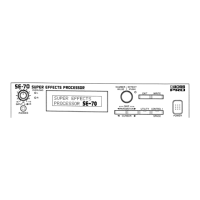
Boss PRO SE-70 - TROUBLESHOOTING; No Sound Produced;Level Is Too Low; Overload Indicator Lights Too Frequently During Input

Boss PRO SE-70
68 pages
Print Icon
To Next Page IconTo Next Page
To Previous Page IconTo Previous Page
Loading...
TROUBLESHOOTING
see
If
the
unit
does
not
appear
to
be
operating
properly,
first
check
through
the
list
that
follows.
If
you
cannot
correct
the
problem,
contact
your
Roland
retailer
or
the
nearest
Roland
Service
Station.
No
Sound
Produced/Level
Is
Too
Low
Have
you
checked
for
damaged
cables?
Try
replacing
the
cables.
Are
connections
with
external
devices
properly
made?
Check
to
make
sure
all
connections
are
in
order.
Is
the
volume
set
too
low?
Check
the
volume
on
the
amplifier
and/or
mixer
you
are
using.
Are
the
Input
Level
knobs
set
properly?
Check
and
reset
as
necessary.
“Adjusting
the
Input
Level”
(P.14).
Are
the
settings
for
the
Patch
suitable?
Check
to
make
sure that
parameter
settings,
such
as
the
one
for
“Level,”
are
not
set
too
low.
Do
you
have
“Master
Level”
set
to
be
used
for
real-time
control,
or
as
a
MIDI
Control?
You
must
operate
the
appropriate
source.
See
“Settings
for
Real-time
Control
Over
Parameters”(P.32)
and
“MIDI
Control”
(P.42).
Do
you
have
“Mute”
set
for
the
Effect
Off
Mode?
If
set
at
“Mute”
there
will
be
no
sound
produced
whenever
the
effect
is
off.
“Settings
for
the
Effect
Off
Mode”
(P.18).
Overload
Indicator
Lights
Too
Frequently
During
Input
Have
the
“Input
Level
Knobs”
been
set
properly?
Adjust
the
Input
Level
Knobs.
“Adjusting
the
Input
Level”
(P.14).
Do
you
have
the
“Level
Switch”
on
the
rear
panel
set
to
the
correct
position?
Set
the
Level
Switch
to
the
“+4
dBm”
position.
Is
the
input
level
too
high?
Adjust
the
output
level
on
the
external
unit
to
obtain
the
appropriate
level.
56