EasyManua.ls Logo

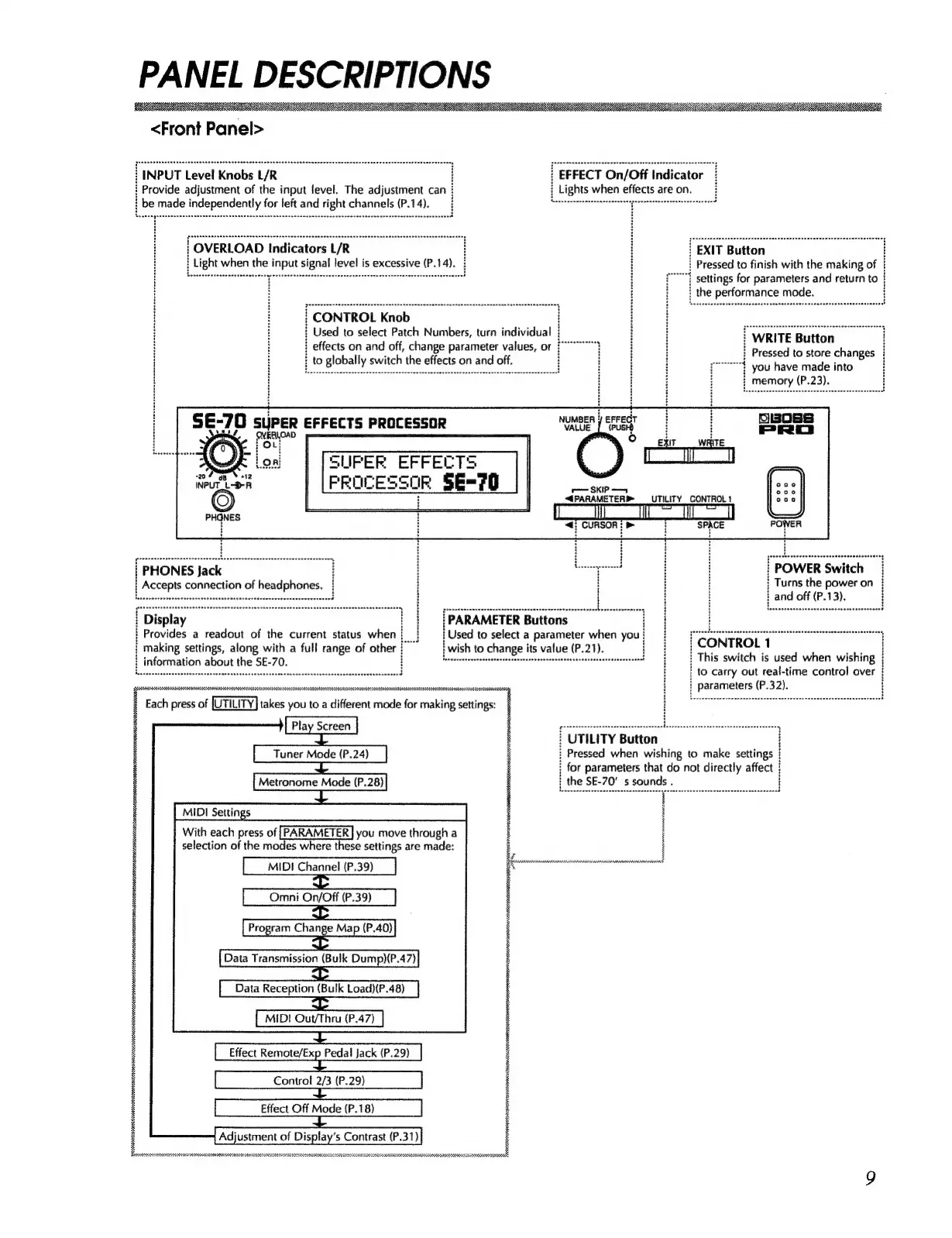
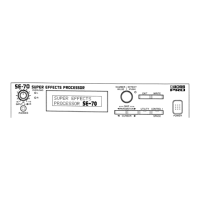
Boss PRO SE-70 - PANEL DESCRIPTIONS; FRONT PANEL

Boss PRO SE-70
68 pages
Print Icon
To Next Page IconTo Next Page
To Previous Page IconTo Previous Page
Loading...
PANEL
DESCRIPTIONS
SE
<Front
Panel>
:
INPUT
Level
Knobs
L/R
i
EFFECT
On/Off
Indicator
i
Provide
adjustment
of
the
input
level.
The
adjustment
can
:
j
Lights
when
effects
are on.
}
be
made
independently
for
left
and
right
channels
(P.14).
|
OVERLOAD
Indicators
L/R
:
!
EXIT
Button
i
:
Light
when
the
input
signal
level
is
excessive
(P.14).
i
:
Pressed
to
finish
with
the
making
of
|
Posse
iatteetecheh
esate
ae
eeoerarerase
arcer
geen
eet
i
z
“
settings
for
parameters
and
return
to
i
:
—
}
the
performance made.
;
|
CONTROL
Knob
OT)
.geeeee
ei
tters
yes
to
ie
en
Numbers,
turn
se
i
a
;
WRITE
Button
ie
ee
Al
a
aah
4
ae
ae.
He
Meer
Oe
:
i
H
}
Pressed
to
store
changes
:
a
eee
pe
ak
A
pot
you
have
made
into
|
|
SE-70
super
eFrects
Processor
munsnyerer
tI
Beoes
i
oven
j
Biba
VALUE
_[
{PUSH
H
H
PRO
Ae
Eire
bree
)
Saat
\
|
|
[SUPER
EFFECTS
NPUTLOR
|
[PROCESSOR
SE=70
(C)
|
4PARAMETERP
UTILITY
CONTROL!
iy
a
“<7
CURSOR!
>
SPACE
[PHONES
Jack
=
tC
|
POWER
Switch
i
Turns
the
power
on
}
Rives:
ay
eeneee.
4
;
Accepts
connection
of
headphones.
i
i
i
i
ieee
bes
H
H
H
:
i
and
off
(P.13).
b
«
spcsstbdbeuda
suasbenuassadesadtencddpan
evansesenieded
Picens
ins
fo
nit
i
d
;
Display
i
|
{PARAMETER
Buttons
:
Provides
a
readout
of
the
current
status
when
}
!
Used
to
select
a
parameter
when
you
}
;
making
settings,
along
with
a
full
range
of
othe
i
wish
to
change
its
value
(P.21).
i
;
information
about
the
SE-70.
lee
seneeeereseneeneenanseeeereneeeeemeeeesnaensassnreneer
ner
rnnes
an
oo
H
:
‘
i
Eat
ee
aie
CE
eGDEINS
UTE
LCAN
CET
EN
ern
rE
r]
: |
to
carry
out
real-time
control
over
|
snore
eee
nen
:
|
parameters
(P.32).
i
Each
press
of
|UTILITY|
takes
youtoadifferentmodeformakingsettings:
§
2
a
a‘_
ames
eee
TT
————
:
saa
ah
etan
a
tgsan
teeta
Lsjcccesisscsciocsentcnsonssbocend
7
i
UTILITY
Button
?
Pressed
when
wishing
to
make
settings
{
‘
!
:
for
parameters
that
do
not
directly
affect
Tuner
Mode
(P.24)
Metronome
Made
(P.28)
?
the
SE-70’
s
sounds
.
MIDI
Settings
With
each
press
of
[PARAMETER]
you
move
through
a
selection
of
the
modes
where
these
settings
are
made:
Omni
On/Off
(P.39)
Effect
Remote/Exp
Pedal
jack
(P.29)
|
NP
RBERIASRN
ARRAN
SORA
OIRI
BERR
ERISDENRESIETESHIL
REARS
en
ARENAS