EasyManua.ls Logo

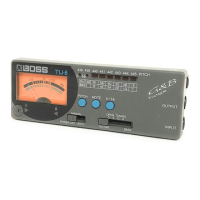
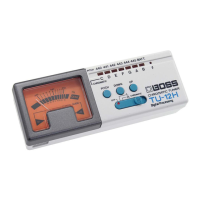
Boss TU-8 - Control Elements and Indicators; String Name Indicator; Tuning Mode Selection; Pitch Adjustment Button

Boss TU-8
6 pages
Print Icon
To Next Page IconTo Next Page
To Previous Page IconTo Previous Page
Loading...
LI0SS
,
IO]
¢
Allows
for
the
effortless
tuning
of
both
electric
guitars
and
basses.
e
A
highly
sensitive
on-board
microphone
allows
you
to
tune
acoustic
¢
The
broad
frequency
range
also
accommodates
six-string
bass
guitars.
guitars
as
well.
*
Allows
you
to
easily
carry
out
Flat/Double
Flat
tuning.
¢
The
Meter
and
Tuning
Guide
indicators
allow
you
to
tune
your
¢
In
addition
to
standard
tuning,
the
TU-8
provides
indication
for
four
instrument
accurately,
even
on
a
dimly
lit
Stage.
‘open’
tunings.
¢
The
TU-8
also
allows
you
to
change
the
reference
pitch
(438
to
445
Hz;
1
Hz
steps).
onnected.
You
will
need
to
refer
to
the
section
“Changing
the
Battery,”
for
instruction
on
connecting
the
battery.
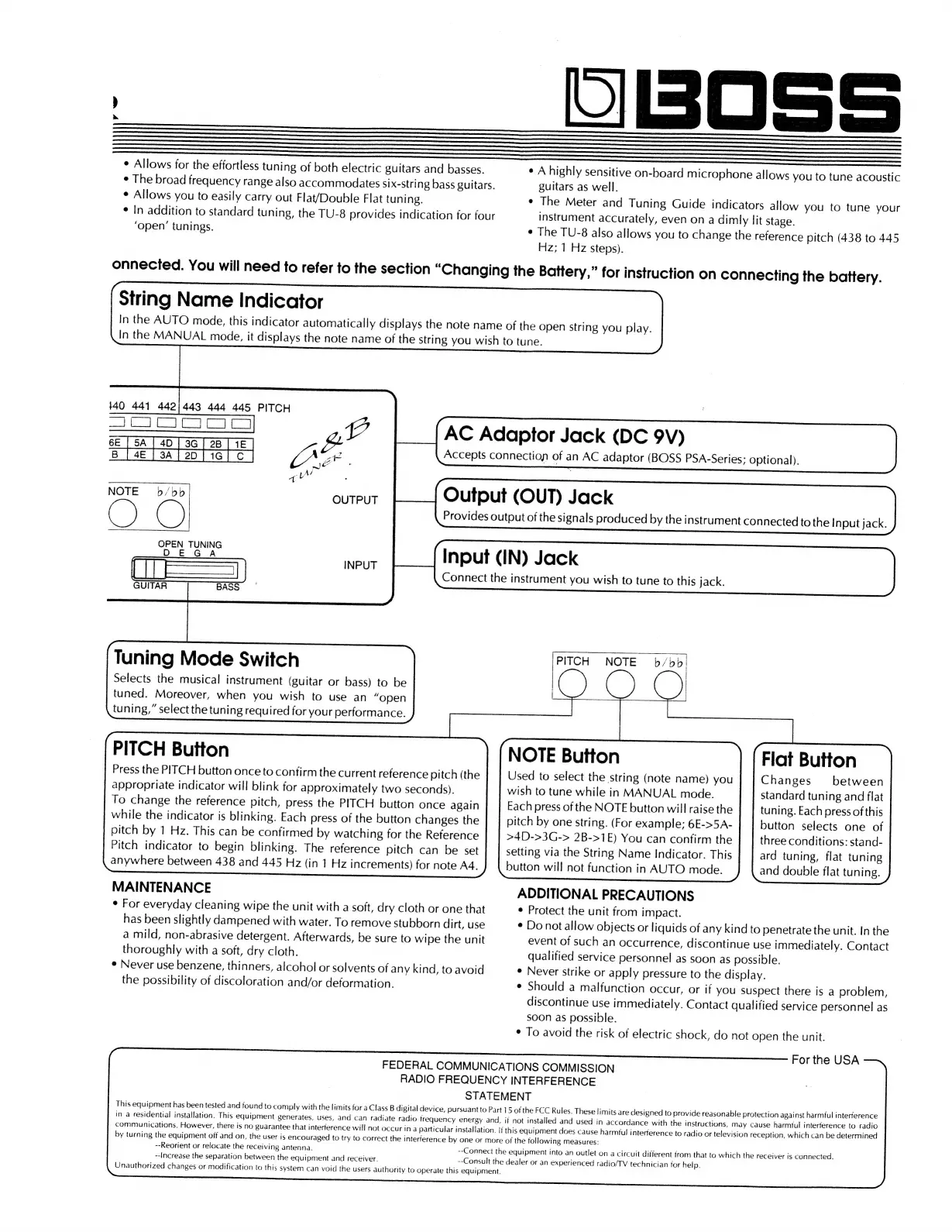
String
Name
Indicator
In
the
AUTO
mode,
this
indicator
automatically
displays
the
note
name
of
the
open
string
you
play.
In
the
MANUAL
mode,
it
displays
the
note
name
of
the
string
you
wish
to
tune.
140
441
442/443
444
445
PITCH
ees
eae
ae)
vee
|e
ee
ak
6E
B
BF
AC
Adaptor
Jack
(DC
9V)
Accepts
connection
of
an
AC
adaptor
(BOSS
PSA-Series:
optional).
”,
Lp’
NOTE
b/bb!|
Sureue
Output
(OUT)
Jack
C)
|
Provides
output
of
the
signals
produced
by
the
instrument
connected
to
the
Input
jack.
N77 NY]
OPEN
TUNING
EGA
ae
Input
(IN)
Jack
ii=a
7)
|
Connect
the
instrument
you
wish
to
tune
to
this
jack.
GUITAR
BASS
PITCH
NOTE
b/bb
Tuning
Mode
Switch
Selects
the
musical
instrument
(guitar
or
bass)
to
be
tuned.
Moreover,
when
you
wish
to
use
an
“open
tuning,”
select
the
tuning
required
for
your
performance.
PITCH
Button
Press
the
PITCH
button
once
to
confirm
the
current
reference
pitch
(the
appropriate
indicator
will
blink
for
approximately
two
seconds).
To
change
the
reference
pitch,
press
the
PITCH
button
once
again
while
the
indicator
is
blinking.
Each
press
of
the
button
changes
the
pitch
by
1
Hz.
This
can
be
confirmed
by
watching
for
the
Reference
Pitch
indicator
to
begin
blinking.
The
reference
pitch
can
be
set
anywhere
between
438
and
445
Hz
(in
1
Hz
increments)
for
note
A4.
NOTE
Button
Used
to
select
the
string
(note
name)
you
|
wish
to
tune
while
in
MANUAL
mode.
Each
press
of
the
NOTE
button
will
raise
the
pitch
by
one
string.
(For
example;
6E->5A-
>4D->3G->
2B->1E)
You
can
confirm
the
setting
via
the
String
Name
Indicator.
This
button
will
not
function
in
AUTO
mode.
Flat
Button
Changes
between
standard
tuning
and
flat
tuning.
Each
press
of
this
button
selects
one
of
three
conditions:
stand-
ard
tuning,
flat
tuning
and
double
flat
tuning.
MAINTENANCE
ADDITIONAL
PRECAUTIONS
*
For
everyday
cleaning
wipe
the
unit
with
a
soft,
dry
cloth
or
one
that
¢
Protect
the
unit
from
impact.
has
been
slightly
dampened
with
water.
To
remove
stubborn
dirt,
use
¢
Do
not
allow
objects
or
liquids
of
any
kind
to
penetrate
the
unit.
In
the
a
mild,
non-abrasive
detergent.
Afterwards,
be
sure
to
wipe
the
unit
event
of
such
an
occurrence,
discontinue
use
immediately.
Contact
thoroughly
with
a
soft,
dry
cloth.
qualified
service
personnel
as
soon
as
possible.
e
Never
use
benzene,
thinners,
alcohol
or
solvents
of
any
kind,
to
avoid
¢
Never
strike
or
apply
pressure
to
the
display.
the
possibility
of
discoloration
and/or
deformation.
¢
Should
a
malfunction
occur,
or
if
you
suspect
there
is
a
problem,
discontinue
use
immediately.
Contact
qualified
service
personnel
as
soon
as
possible.
¢
To
avoid
the
risk
of
electric
shock,
do
not
open
the
unit.
For
the
USA
FEDERAL
COMMUNICATIONS
COMMISSION
RADIO
FREQUENCY
INTERFERENCE
STATEMENT
This
equipment
has
been
tested
and
found
to
comply
with
the
limits
for
a
Class
B
digital
device,
pursuant
to
Part
15
of
the
FCC
Rules.
These
limits
are
designed
to
provide
reasonable
protection
against
harmful
interference
in
a
residential
installation.
This
equipment
generates,
uses,
and
can
radiate
radio
frequency
energy
and,
if
not
installed
and
used
in
accordance
with
the
instructions,
may
cause
harmful
interference
to
radio
communications.
However,
there
is
no
guarantee
that
interference
will
not
occur
in
a
particular
installation.
if
this
equipment
does
cause
harmful
interference
to
radio
or
television
reception,
which
can
be
determined
by
turning
the
equipment
off
and
on,
the
user
is
encouraged
to
try
to
correct
the
interference
by
one
or
more
of
the
following
measures:
--Reorient
or
relocate
the
receiving
antenna.
--Connect
the
equipment
into
an
outlet
on
a
circuit
different
from
that
to
which
the
receiver
is
connected.
--Increase
the
separation
between
the
equipment
and
receiver.
--Consult
the
dealer
or
an
experienced
radio/TV
technician
for
help.
Unauthorized
changes
or
modification
to
this
system
can
void
the
users
authority
to
operate
this
equipment.

Related product manuals