EasyManua.ls Logo

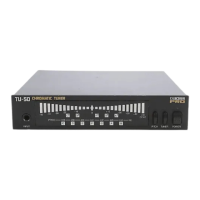
Boss TU-8 - Using AUTO Mode Tuning; Connecting Instrument for AUTO Tuning; Playing Notes in AUTO Mode; Tuning Process in AUTO Mode

Boss TU-8
6 pages
Print Icon
To Next Page IconTo Next Page
To Previous Page IconTo Previous Page
Loading...
INU
COR
Kote
(=
Wie
al
late!
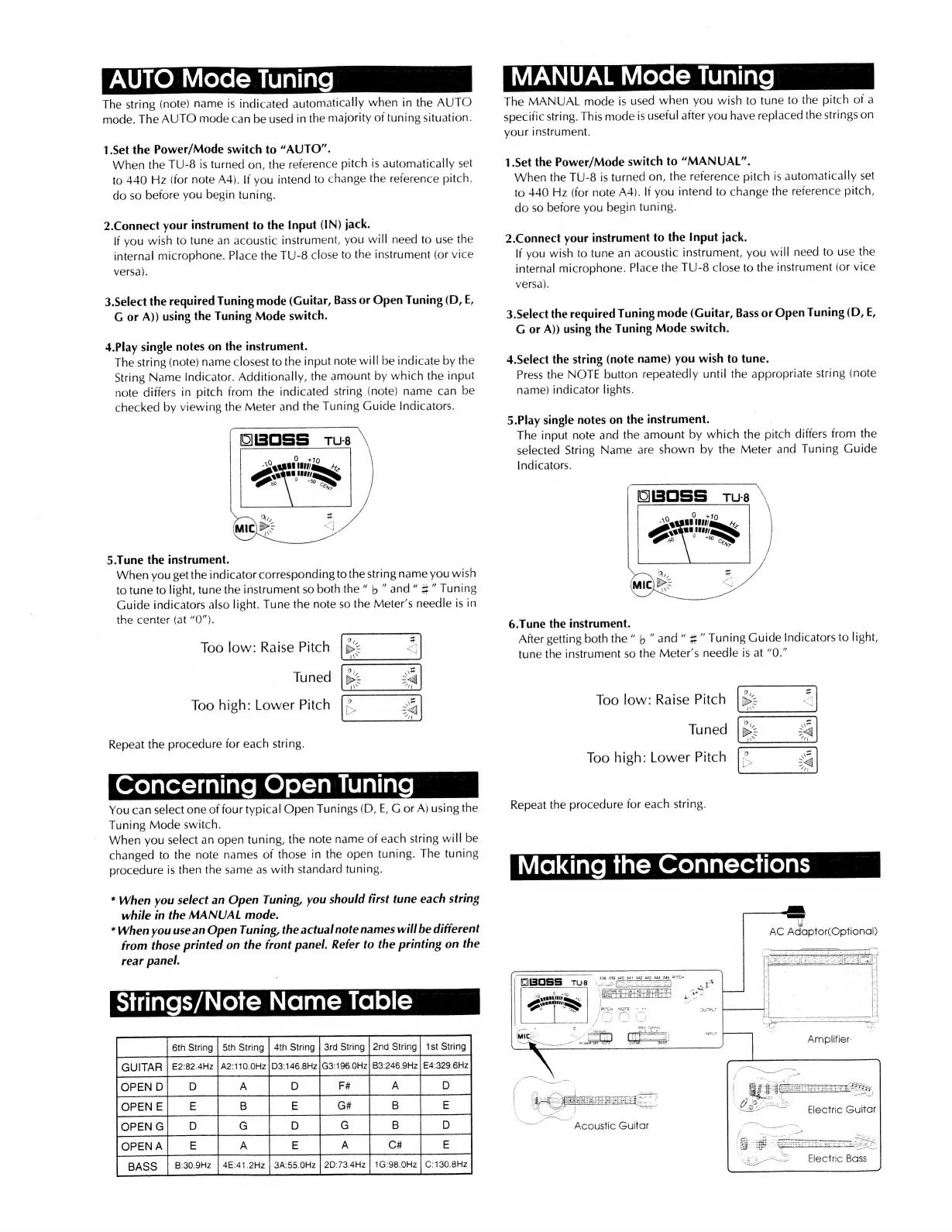
The
string
(note)
name
is
indicated
automatically
when
in
the
AUTO
mode.
The
AUTO
mode
can
be
used
in
the
majority
of
tuning
situation.
1.Set
the
Power/Mode
switch
to
“AUTO”.
When
the
TU-8
is
turned
on,
the
reference
pitch
is
automatically
set
to
440
Hz
(for
note
A4).
If
you
intend
to
change
the
reference
pitch,
do
so
before
you
begin
tuning.
2.Connect
your
instrument
to
the
Input
(IN)
jack.
If
you
wish
to
tune
an
acoustic
instrument,
you
will
need
to
use
the
internal
microphone.
Place
the
TU-8
close
to
the
instrument
(or
vice
versa).
3.Select
the
required
Tuning
mode
(Guitar,
Bass
or
Open
Tuning
(D,
E,
G
or
A))
using
the
Tuning
Mode
switch.
4.Play
single
notes
on
the
instrument.
The
string
(note)
name
closest
to
the
input
note
will
be
indicate
by
the
String
Name
Indicator.
Additionally,
the
amount
by
which
the
input
note
differs
in
pitch
from
the
indicated
string
(note)
name
can
be
checked
by
viewing
the
Meter
and
the
Tuning
Guide
Indicators.
OBOSS
Tus
5.Tune
the
instrument.
When
you
get
the
indicator
corresponding
to
the
string
name
you
wish
to
tune
to
light,
tune
the
instrument
so
both
the
b
and
4”
Tuning
Guide
indicators
also
light.
Tune
the
note
so
the
Meter’s
needle
is
in
the
center
(at
“O”).
Too
low:
Raise
Pitch
Tuned
Too
high:
Lower
Pitch
Repeat
the
procedure
for
each
string.
oe)
afor=)inlinle
MO)
elem
laliare
You
can
select
one
of
four
typical
Open
Tunings
(D,
E,
G
or
A)
using
the
Tuning
Mode
switch.
When
you
select
an
open
tuning,
the
note
name
of
each
string
will
be
changed
to
the
note
names
of
those
in
the
open
tuning.
The
tuning
procedure
is
then
the
same
as
with
standard
tuning.
*
When
you
select
an
Open
Tuning,
you
should
first
tune
each
string
while
in
the
MANUAL
mode.
*When
you
use
an
Open
Tuning,
the
actual
note
names
will
be
different
from
those
printed
on
the
front
panel.
Refer
to
the
printing
on
the
rear
panel.
SJ
iilate
EVAN
Co)
C=
Cola
-
mele)
(=
joreno]
o
|
a
|
o
|
re
|
A_
Tepe
lelol|s
|e
forencl
0
|
¢
|
¢ |
8
#
#
G
A
aA_|
>
|
cf
e
BASS
B:30.9Hz
3A:55.0Hz
|
2D:73.4Hz
|
1G:98.0Hz
|
C:130.8Hz
MANUAL
Mode
Tuning
The
MANUAL
mode
is
used
when
you
wish
to
tune
to
the
pitch
of
a
specific
string.
This
mode
is
useful
after
you
have
replaced
the
strings
on
your
instrument.
1.Set
the
Power/Mode
switch
to
“MANUAL”.
When
the
TU-8
is
turned
on,
the
reference
pitch
is
automatically
set
to
440
Hz
(for
note
A4).
If
you
intend
to
change
the
reference
pitch,
do
so
before
you
begin
tuning.
2.Connect
your
instrument
to
the
Input
jack.
lf
you
wish
to
tune
an
acoustic
instrument,
you
will
need
to
use
the
internal
microphone.
Place
the
TU-8
close
to
the
instrument
(or
vice
versa).
3.Select
the
required
Tuning
mode
(Guitar,
Bass
or
Open
Tuning
(D,
E,
G
or
A))
using
the
Tuning
Mode
switch.
4.Select
the
string
(note
name)
you
wish
to
tune.
Press
the
NOTE
button
repeatedly
until
the
appropriate
string
(note
name)
indicator
lights.
5.Play
single
notes
on
the
instrument.
|
The
input
note
and
the
amount
by
which
the
pitch
differs
from
the
selected
String
Name
are
shown
by
the
Meter
and
Tuning
Guide
Indicators.
OwBossS
tus
*
6.Tune
the
instrument.
After
getting
both
the
p
and
#”
Tuning
Guide
Indicators
to
light,
tune
the
instrument
so
the
Meter’s
needle
is
at
“0.”
Too
low:
Raise
Pitch
Tuned
Too
high:
Lower
Pitch
Repeat
the
procedure
for
each
string.
\
438 499
449
dat
442
449 444
445
PITCH
endtie
aR
=
nn
3
Oo
+tg
\
po
saa
Sq
neeeiery:
4
BASS
WA
L261iG]
oc]
pe
As
a
“MS
é
PITCH
NOTE
77
Att
“em
[PCH
NOTE
>
3uTPUT
Fi
a
‘.
%
/
Me
~
Acoustic
Guitar
Dg
a8
Electric
Bass

Related product manuals