Contents
Unpacking and Setting Up Your Duo-i
plU5
Placement
Power
Connection
AM and
FM
Antennas
About
the
Front Panel Controls
About
the
Remote Control
Basic Control Operations
Turning
the
Duo-i
plU5
On
or
Off
Adjusting
the
Volume
Setting
the
Clock
Selecting a Source
Tuning In a Radio Station
Station Seek
Setting a Station Preset
Selecting a Preset Station
Adjusting
Bass
and Treble
Using Your iPhone/iPod
Front Panel Control Operation
Remote Control iPhone/iPod Operation
4 Alarm Clock Features
4 Setting
the
Alarm Time
4 Setting an Alarm
5
How
the
Alarms Work
5 The Snooze Feature
5 The Sleep Function
6
Other
Control Settings
6 Display
Information
6 Display Brightness
6
Connecting
Other
Equipment
7
Connecting
Headphones
7 Using Aux Inputs
8 Using
the
Video
Output
8
About
Clock
Memory
9 Security Cable
Connection
9 Service Port
10 Maintenance and Service
11
Limited Warranty
11
If
Service Seems Necessary
11
11
12
12
12
13
14
14
14
15
15
15
15
15
15
15
15
16
16
Unpacking
and
Setting
Up
Your Duo-i plus
Carefully
unpack
the
Duo-i
plu5.lf
there
is
any sign
of
damage
from
transit,
report
it
immediately
to
your
dealer
and/or
delivery service. Keep
the
shipping
carton and packing materials
for
future
use.
Be
sure
to
keep
your
purchase receipt in a safe place,
as
it may be required for
warranty
purposes.
In
the
box you should find
the
Duo-i
plus,
the
remote control,
power
cord and seven iPhone/iPod
dock
adapters.
Placement
Your Duo-i
plus
will sound great
just
about
anywhere. But
if
you
put
it
near a wall
or
corner
the
bass response
will be enhanced.
Don't
block
the
bass port.
Be
sure
the
cabinet
vents
behind
the
iPhone/iPod
dock
are
unobstructed
to
allow
for
ventilation.
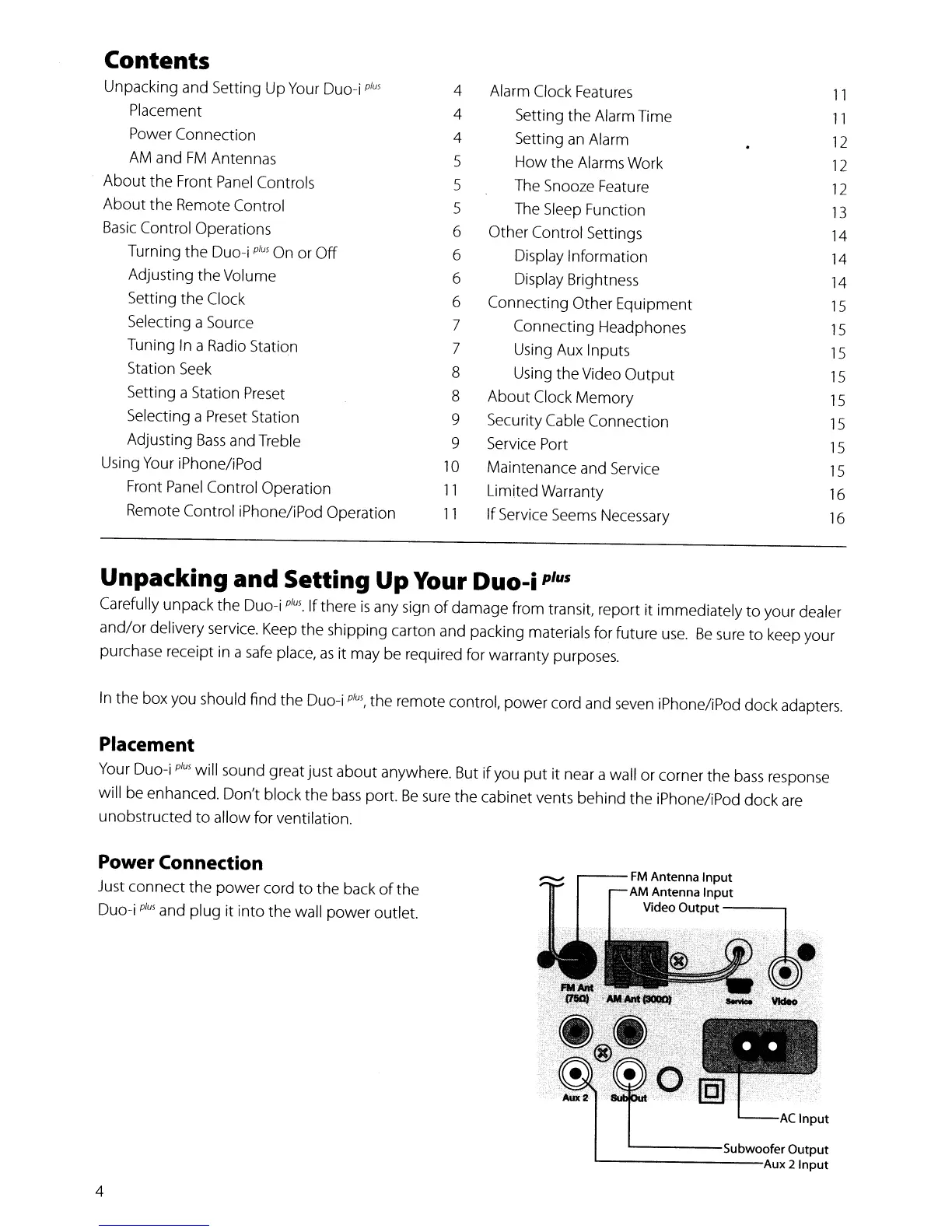
Power Connection
Just
connect
the
power
cord
to
the
back
of
the
Duo-i
plus
and
plug
it
into
the
wall
power
outlet.
4
...----FM
Antenna Input
AM
Antenna Input
Video Output
-----,
'------Subwoofer
Output
l----------Aux
2 Input


 To Next Page