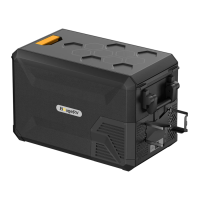
6
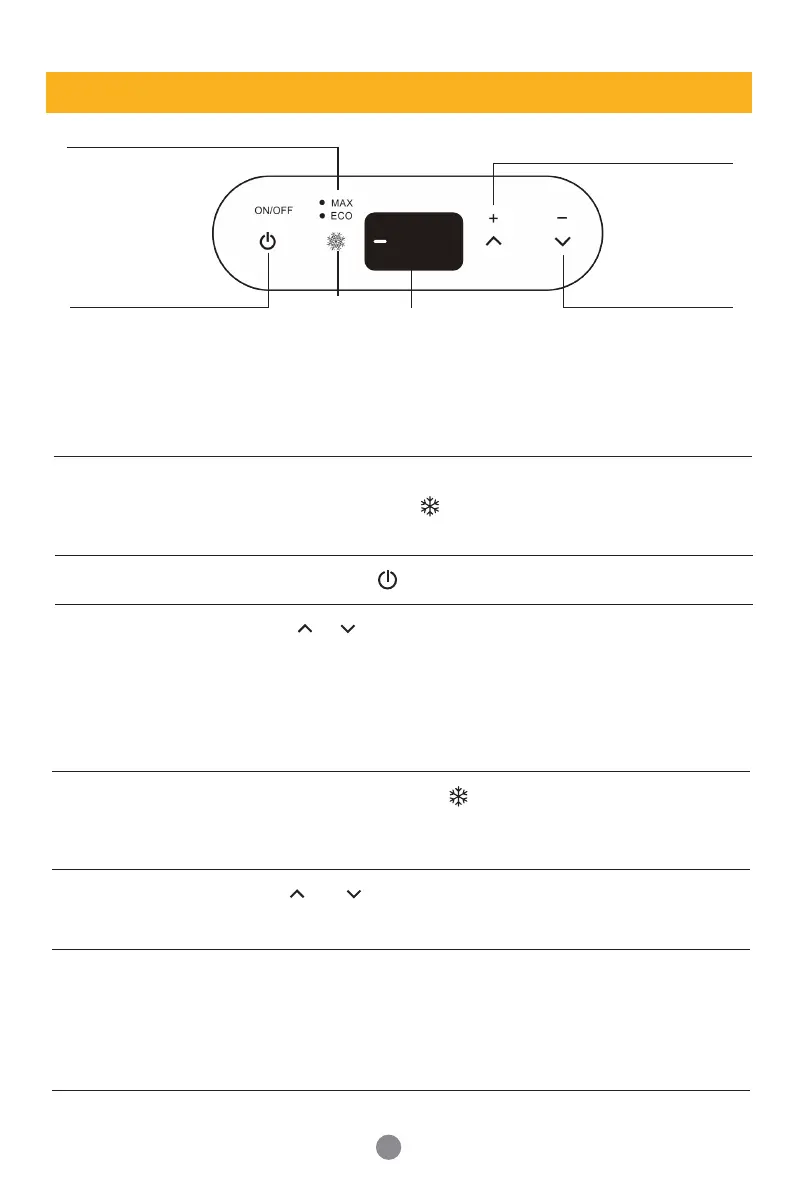
MAX/ECO Switching
Display Area
Temperature increase
Touch key
Temperature
display area
Temperature Down
Touch key
ON/OFF Touch Screen Key
Refrigeration
touch screen
04
°
F
5 Operation Instruction
5.1Power Supply
5.2 Display Screen
At the moment when the refrigerator is powered on, you will
hear a beep, and the of display will keep flashing.
(Note: You can't operate until the refrigerator is turned on.)
5.3 Turn On/Off
Press and hold 3~5 seconds to turn on the refrigerator.
Press or for temperature setting, the setting will be saved
automatically after stopping operating for 4 seconds.
Keep holding the button, the temperature will be adjusted fastly.
(Note: The temperature displayed is the current temperature. It
will take a while to reach the set temperature.)
Temperature setting range: -20~10°C (-4~50°F)
In working status, press to switch MAX/ECO mode.
ECO (Green light): Energy Saving Mode, 45 watts.
MAX (White light): Fasting Cooling Mode, 60 watts.
Connect to 12/24 DC power (use in car, truck, or power station)
Connect to 110~240V AC power (use a home outlet or ac outlet
of power station)
5.4 Temperature
Setting
5.5 MAX/ECO
Mode Switching
Hold and at the same time for 3~5 seconds to switch
Celsius (°C) / Fahrenheit (°F). (Factory setting is °F)
5.6 Temperature
Unit Switch
There is a H/M/L switch next to the power port, which can be
switched to HIGH, MEDIUM, or LOW levels. We suggest setting
a high level during the fridge connecting with the car battery
while setting medium or low levels when connecting with other
batteries. (Factory setting is H).
5.7 Car Battery
Protection
Setting H/M/L


 To Next Page