95
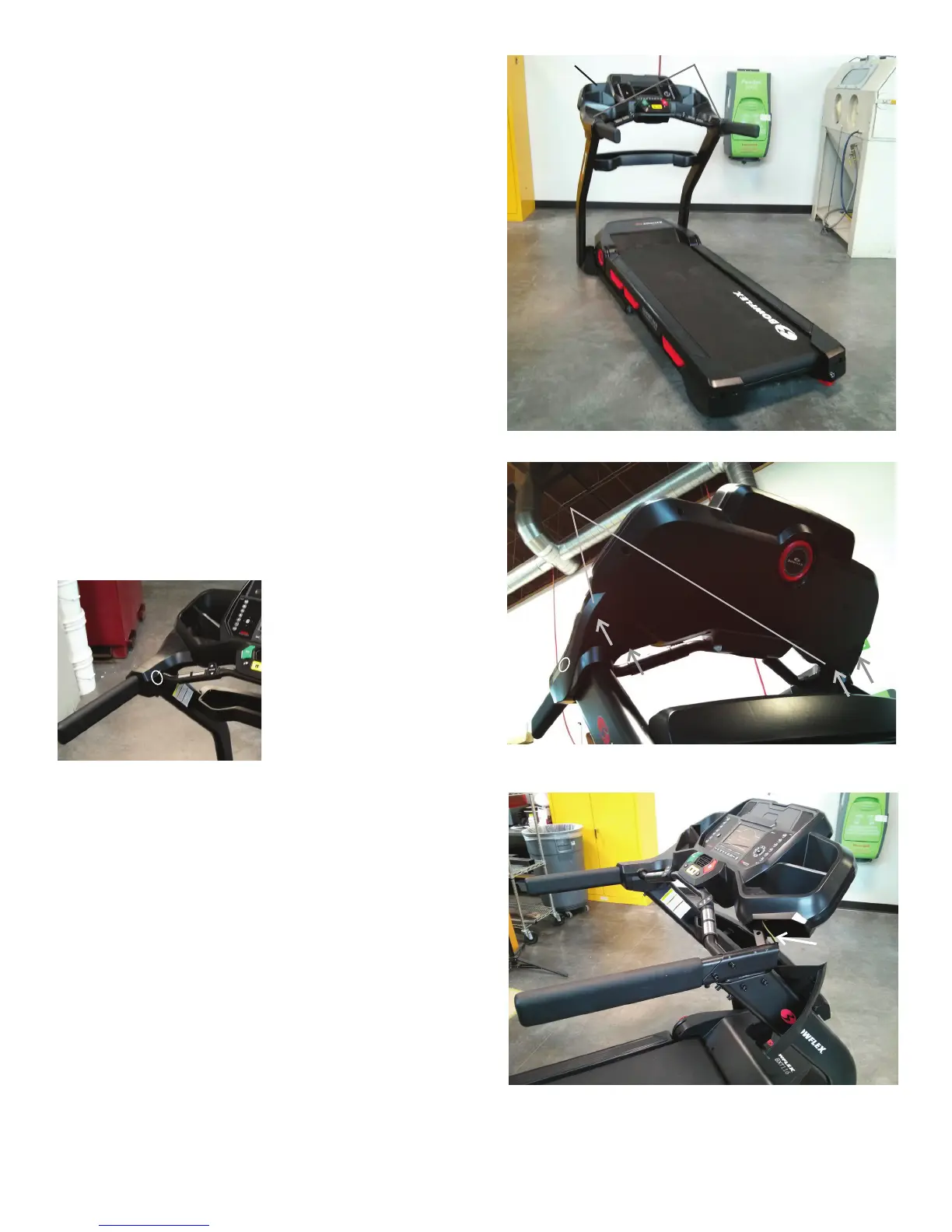
9. Using a standard screwdriver, gently lift and release the Junction Cover
End Caps from the Console Assembly.
10. Using a #2 Phillips screwdriver, remove the 4 indicated screws (by arrows)
from Lower Junction Covers.
11. Gently release the snaps (indicated by ovals, two on each side) that secure
the Upper and Lower Junction Covers and remove the Upper Junction Covers.
12. Gently pull out the Input/Output (I/O) and Grounding Cables from the Right
Upright, and disconnect them. Do not allow the Cables to fall into the Right
Upright. Secure them with A Zip-Tie, rubber band or piece of wire.
Note: Do not crimp the Cables.
Motor Control Board
(MCB)
Junction Cover End Caps
Lower Junction
Covers
Console
Assembly














 To Next Page