3. Pairing
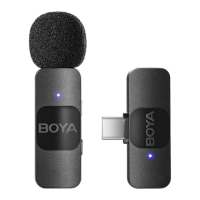
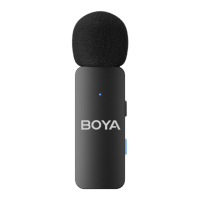
The transmitter(s) and receiver are paired by default. If they
are disconnected, please follow the below steps:
① To make the transmitter(s) and receiver enter the pairing
state, press and hold their power buttons for 5 seconds in
shutdown mode until their status indicators blink blue rapidly.
② Transmitter(s) and receiver will be successfully paired within
10 seconds. Their status indicators glow static blue.
4. It is recommended to record a sample and play it back to
check if the audio level is acceptable before recording.
5. To improve the recording effect in a noisy environment, it is
recommended that you press the button on the transmitter(s)
to enable noise cancellation.
NOTE:
• If you use the receiver with more than one transmitter, you will
need to set up the receiver first and then pair the transmitters
with it in turn.
• Due to 2.4 GHz wireless frequency, signal can be easily
attenuated. Please try to avoid obstacles, such as walls and
buildings, and avoid close proximity to devices with 2.4 GHz
signal, such as high-power Wi-Fi antennas, radios, etc.


 To Next Page