EasyManua.ls Logo

boytone BT-24DJB - User Manual

boytone BT-24DJB
16 pages
Print Icon
To Next Page IconTo Next Page
Loading...
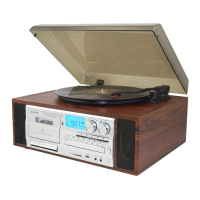
Turntable/Cassette Player/CD
Player/Radio/USB/SD Audio System
With Speakers & Bluetooth
Model Number BT-24DJB
INSTRUCTION MANUAL
General Safety Instructions
Read this manual thoroughly before first use and keep it in a safe place for future reference, along
with the completed warranty card, purchase receipt and carton. The safety precautions enclosed
herein reduce the risk of fire, electric shock and injury when correctly adhered to.
Follow all instructions and take notice of all warnings to reduce the risk of fire or electric shock.
Question and Answer IconNeed help?

Do you have a question about the boytone BT-24DJB and is the answer not in the manual?

Summary

General Safety Instructions

Electrical Safety and Cord Handling

Guidelines for safe electrical connections, cord usage, and preventing hazards like electric shock and fire.

Installation Guidelines

Instructions for proper placement and installation to ensure safe and effective operation of the unit.

Usage Conditions and Restrictions

Conditions and limitations for using the equipment, including environmental factors and user restrictions.

Parts List

Component Identification

Visual identification of all parts and controls of the turntable system.

Getting Started

Before First Use

Essential steps to take before operating the equipment for the first time.

Initial Installation

Steps for setting up the unit, including connections and ventilation requirements.

Important Cautions

Critical warnings regarding operation, adjustments, and potential hazards.

Connections and Features

Device Connections

Guidance on connecting power, headphones, and external audio devices.

Product Features

An overview of the main functionalities and capabilities of the audio system.

Operation Instructions

Listening to Radio

Instructions for tuning into and listening to radio stations.

Radio Tuning

Detailed steps for selecting radio bands and tuning to specific stations.

FM Modes

Explanation of FM mono and FM-Stereo modes for radio reception.

Playing Records

Step-by-step guide on how to play vinyl records on the turntable.

CD Player Operation

Instructions for playing audio CDs using the built-in CD player.

Phono Encoding

Process for converting vinyl records to digital formats on USB/SD.

Auxiliary Input

How to connect and play audio from external devices via the AUX IN port.

AUX IN Encoding

Process for recording audio from auxiliary sources to USB/SD.

USB;SD Card Playback

How to play MP3/WMA files from USB devices or SD/MMC cards.

Programming Tracks

Instructions for creating custom playback sequences for MP3/WMA files.

Copying Files

Steps for copying MP3/WMA files between USB and SD/MMC storage.

Deleting Files

Procedure for deleting single files, folders, or all files from USB/SD storage.

Troubleshooting

Sound Problems

Common issues related to audio output and solutions for sound problems.

Radio Reception Issues

Tips for improving radio signal reception and resolving interference.

Removing USB;SD Card

Safe procedures for disconnecting and removing USB drives and memory cards.

Overview

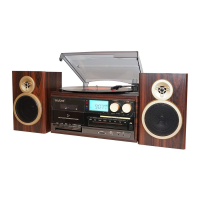
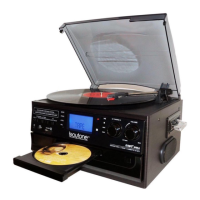
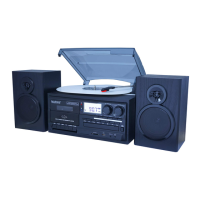
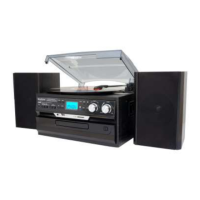
This document describes the Boytone BT-24DJB, a versatile audio system that combines multiple playback and recording functionalities.

Function Description:

The Boytone BT-24DJB is an all-in-one audio system designed to play various media formats, including vinyl records, cassette tapes, CDs, and radio. It also features USB and SD card slots for digital audio playback and encoding. The system comes with built-in speakers and Bluetooth connectivity, offering a comprehensive audio experience.
Key Features:

  • Turntable: Plays vinyl records at variable speeds (33, 45, 78 rpm) with automatic/manual stop control. It features a belt-driven system for smooth playback. A 45 rpm adaptor is included.
  • Cassette Player: Allows playback of cassette tapes.
  • CD Player: Plays audio CDs.
  • Radio: Digital read-out analog AM/FM radio with FM-Stereo mode. It includes a built-in AM bar antenna and an FM wire antenna for reception.
  • USB/SD Audio System: Equipped with a USB port and SD/MMC card slot for MP3/WMA playback. It supports SD cards up to 8GB.
  • Bluetooth Connectivity: Enables wireless streaming from Bluetooth-enabled devices.
  • Direct USB/SD Encoding: Allows direct recording from the turntable and auxiliary input to USB or SD card in MP3 format (128 kbps bit rate).
  • Auxiliary Input: A 3.5mm AUX IN socket is available for connecting external audio devices such as CD players or MP3 players.
  • RCA Line-Out: For connecting to external amplifiers or speakers.
  • Built-in Speakers: Features 2 x 1.5W output for integrated sound.
  • Headphone Socket: A 3.5mm headphone socket for private listening.
  • LCD Display: With blue backlight for easy navigation and information display.

Important Technical Specifications:

  • Turntable Speeds: 33, 45, 78 rpm
  • Recording Format: MP3, 128 kbps bit rate (for direct encoding)
  • MP3/WMA Track Format Requirements:
    • MP3 bit rate: 32 kbps ~ 256 kbps
    • WMA bit rate: 32 kbps ~ 320 kbps
  • SD Card Support: Up to 8GB
  • Speaker Output: 2 x 1.5W
  • Headphone Jack: 3.5mm
  • Line Out Sockets: RCA type
  • Power: AC power cord (earthed AC outlet required)

Usage Features:

  • Radio Tuning: Turn the volume knob clockwise to power on, select TUNER mode, choose AM/FM/FM-Stereo band, and use the tuning knob to find stations. Adjust volume with the volume knob. For FM reception, unravel and extend the FM wire antenna.
  • Record Player Operation: Open the dust cover, turn the volume knob clockwise, select PHONO mode, set the speed (33, 45, or 78 rpm), and place the record. Use the lift lever to raise and lower the tone arm onto the record. The auto stop control can be set to ON to stop the turntable at the end of the record or OFF for continuous rotation.
  • CD Player Operation: Turn the volume knob clockwise, select CD mode, press the Open CD tray button, and the unit will auto-load and read tracks. Use play/pause, next, and previous buttons for control.
  • Auxiliary Input Usage: Turn the volume knob clockwise, select AUX mode, and connect an external audio device to the AUX IN socket. The audio signal will play through the system.
  • USB/SD Playback: Insert a USB device or memory card, set the function selector to USB/SD mode (use MODE button to toggle between USB and SD if both are inserted). The system will automatically read and play files. Playback controls include PLAY/PAUSE, STOP, SKIP UP (next file/fast forward), SKIP DOWN (previous file/fast reverse), and TUNING KNOB (folder search).
  • Programming Tracks: Up to 64 MP3/WMA tracks can be programmed for playback from USB/SD. In STOP mode, press PROG, select tracks with SKIP UP/DOWN, and press PROG to store. Press PLAY/PAUSE to start programmed playback.
  • Direct Encoding (Phono/AUX IN to USB/SD):
    • Phono Encoding: Set to PHONO mode, insert USB/SD, place record, press REC. Select USB or SD with SKIP UP/DOWN, press REC again to confirm. Lower tone arm to start playback and encoding. Press STOP to finish.
    • AUX IN Encoding: Set to AUX mode, insert USB/SD, connect external device, press REC. Select USB or SD with SKIP UP/DOWN, press REC again to confirm. Start playback from external device and encoding. Press STOP to finish.
    • Recording speed is 1:1, meaning recording takes as long as playback.
  • Copying Files (USB to SD/MMC or vice versa):
    • Single File/Track: During playback, press REC ("ONE" flashes), press REC again to confirm.
    • Folder: In STOP mode, use tuning knob to select folder, press REC ("ONE" flashes), use SKIP UP/DOWN to select "FOL", press REC again to confirm.
    • All Files/Tracks: In STOP mode, press REC ("ONE" flashes), use SKIP UP/DOWN to select "ALL", press REC again to confirm.
  • Deleting Files (USB/SD):
    • Single File/Track: During playback, press DEL ("ONE" flashes), press DEL again to confirm.
    • Folder: In STOP mode, use tuning knob to select folder, press DEL ("ONE" flashes), use SKIP UP/DOWN to select "DIR", press DEL again to confirm.
    • All Files/Tracks: In STOP mode, press DEL ("ONE" flashes), use SKIP UP/DOWN to select "ALL", press DEL again to confirm.

Maintenance Features:

  • Cleaning: Unplug the unit from the power outlet before cleaning. Clean only with a dry, clean cloth. Do not use liquid or aerosol cleaners.
  • Stylus Protection: Remove the stylus protector before use and re-clip the tone arm lock after use for protection.
  • Cord Handling: Always grasp the plug, not the cord, when disconnecting. Do not let the cord hang over edges, touch hot surfaces, or be stepped on.
  • Troubleshooting: The manual provides a FAQ section for common issues like sound problems (volume, power, connections, speed selection) and radio reception problems (antenna adjustment, repositioning). For unresolved issues, contact after-sales support. Do not attempt to open, repair, or modify the equipment yourself.

General Safety Instructions:

  • Ensure outlet voltage matches appliance rating.
  • Do not open the equipment to prevent contact with high voltage components.
  • Align and fully insert the plug to prevent electric shock.
  • Use only the supplied cord and plug; do not overload power outlets.
  • If the power cord is damaged, do not use the equipment; it must be replaced by qualified personnel.
  • Avoid exposing the equipment, power supply cord, and plug to rain or moisture. Do not use near water or with wet hands.
  • Unplug the unit during electrical storms or when unattended/unused for long periods.
  • Place the unit away from heat sources, high temperatures, humidity, direct sunlight, excess dirt/dust, and open windows.
  • Ensure free air circulation around the unit (at least 10cm clearance); do not obstruct ventilation holes.
  • Keep the mains socket readily accessible.
  • Do not place heavy objects or objects filled with water on the unit.
  • Keep naked flame sources (candles, incense sticks) away from the unit.
  • Supervise children to ensure they do not play with the equipment.
  • Dispose of packaging materials responsibly, especially plastic wrapping, which can be a suffocation hazard for babies and young children.

boytone BT-24DJB Specifications

General IconGeneral
Brandboytone
ModelBT-24DJB
CategoryTurntable
LanguageEnglish

Related product manuals