Need help?
Do you have a question about the boytone BT-25MB and is the answer not in the manual?
How to tune into FM radio stations and improve reception.
How to tune into AM radio stations and improve reception.
Troubleshooting audio issues related to volume, connections, and playback.
Troubleshooting weak AM/FM radio signals and interference.
Instructions for pairing mobile devices via Bluetooth.
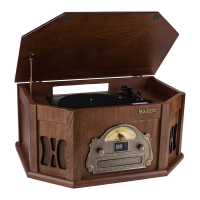
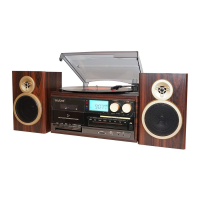
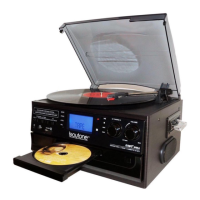
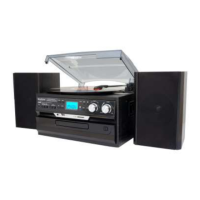
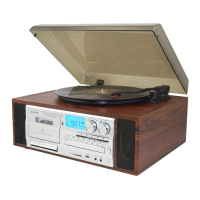
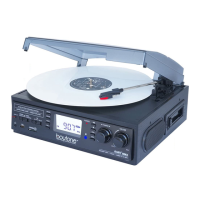
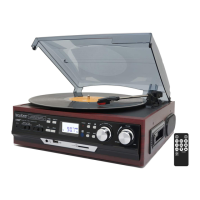
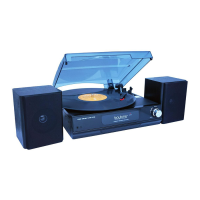
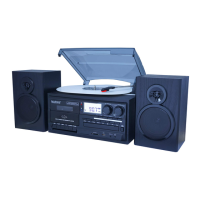
This document describes the Boytone BT-25MB, a versatile USB turntable system that integrates a cassette deck, radio, and Bluetooth connectivity. It is designed to play various audio formats, offering a blend of vintage and modern audio experiences.
The BT-25MB serves as a multi-functional audio entertainment system. Its primary function is a turntable, capable of playing vinyl records at three speeds: 33, 45, and 78 RPM. For 45 RPM records, an included adaptor is used. Beyond vinyl, the device features an integrated cassette player, allowing users to enjoy their tape collection. A built-in AM/FM radio tuner provides access to local broadcasts, with an LED display for frequency and stereo signal indication. For digital audio, the system includes a CD player, as well as USB and SD/MMC card slots for playing MP3 and WMA files from external storage devices. Modern connectivity is provided through Bluetooth, enabling wireless streaming from compatible smartphones, tablets, and other devices. The system also includes a power indicator and an LED display for various functions.
Operating the BT-25MB involves a straightforward interface. To power on the unit, the volume knob is turned clockwise. A function selector allows users to switch between different modes: PHONO (turntable), TAPE (cassette), CD, TUNER (radio), and USB/SD.
For turntable operation, the dust cover is opened, and the concealed hinge is adjusted. Records are placed on the turntable, and the tone arm is gently released from its support by pushing the clamper to the right and raising the cue lever. The desired speed (33/45/78) is selected, and the tone arm is moved to the edge or starting point of the record. Volume is adjusted using the volume knob.
When listening to CDs, the function selector is set to CD mode. The OPEN/CLOSE button is pressed to open the disc tray, where a disc is placed. Pressing OPEN/CLOSE again closes the tray. The unit takes a few seconds to load the disc, after which the total number of tracks and play time are displayed. The "play" button initiates playback. "UP/FF" skips to the next track, while "Down/REV" skips to the previous track. The "STOP" button halts CD playback.
For radio listening, the function selector is set to FM or AM mode. The tuning knob is turned slowly to search for the desired frequency. An "ST" icon illuminates on the display when a stereo FM signal is received. The receiver has a built-in AM bar antenna, and its position can be adjusted to improve AM reception if needed.
To play cassette tapes, the function selector is set to PO mode (ensuring the turntable is stopped). A cassette is inserted with the tape facing away from the user. The EJECT/FAST FORWARD button will pop out, and the tape will begin playing automatically. To fast forward, the EJECT/FAST FORWARD button is pressed halfway down during playback. To resume normal playback, the button is slightly re-pressed, causing it to fully pop out.
For USB and SD/MMC playback, the device features a dedicated panel. The function selector is used to select the appropriate mode.
Bluetooth connectivity is initiated by setting the left knob to CD mode, then pressing the mode button until "BT" (Bluetooth) is displayed. The device then becomes discoverable for pairing with a cellular phone or tablet.
The manual provides guidance on troubleshooting common issues, emphasizing that users should not attempt to open, repair, or modify the equipment themselves. For sound problems, it suggests checking the volume knob, power cord connection, wall socket, and ensuring the function switch is set correctly. For records, verifying the correct speed is important. For cassettes, proper insertion is key. For CD playback via AUX IN, ensuring the cable is firmly connected, controls are set, the disc tray is closed, and the disc is clean and undamaged is advised. For USB/SD playback, proper insertion of the memory device and correct mode selection are important.
Regarding radio reception, the manual advises ensuring the device is in an area with signal coverage. For weak AM reception, rotating or repositioning the unit can help. For weak FM reception, it suggests completely unraveling and slightly moving the wire aerial at the back of the cabinet. If stereo reception remains poor, trying the same station on the FM (mono) band is recommended. Moving the radio to an alternative location and checking for interference from other electrical equipment are also suggested.
 General
| Type | Belt Drive Turntable |
|---|---|
| Speeds | 33 1/3, 45, 78 RPM |
| Drive System | Belt Drive |
| Output | RCA Line Output |
| Built-in Speakers | Yes |
| Platter | Aluminum Platter |
| Power Supply | AC 100-240V, 50/60Hz |
| Connectivity | RCA, Bluetooth |
| Features | Bluetooth connectivity, built-in speakers |
| Tonearm | Static Balance S-Type Tonearm |
| Cartridge | Moving Magnet Cartridge |

 To Next Page