3) FORWARD----------When Cassette Stop -------Press FORWARD.
4) STOP/EJECT-----1
st
push – Cassette function stop, 2
nd
push open cassette
5) RECORDER--------Recording from RADIO / PHONO /AUX IN / CD / USB / SD
to TAPE
a) RADIO / PHONO /AUX IN / CD / USB / SD-------During playing -------Press
Tape”EJECT”----Open tape door-----Put a blank tape into Cassette Dock----close the
door-----Press RECORDER&PLAYER together same time-----Now start the recording
songs to the tape------- Press “PAUSE” button if need to pause recording , press it again
to continue recording.
b) Press “STOP” to stop recording.
c) When recording finished (Tape is full-end ), “RECORDER&PLAYER “ Auto Key-up.
IMPORTANT!
When using the cassette deck :
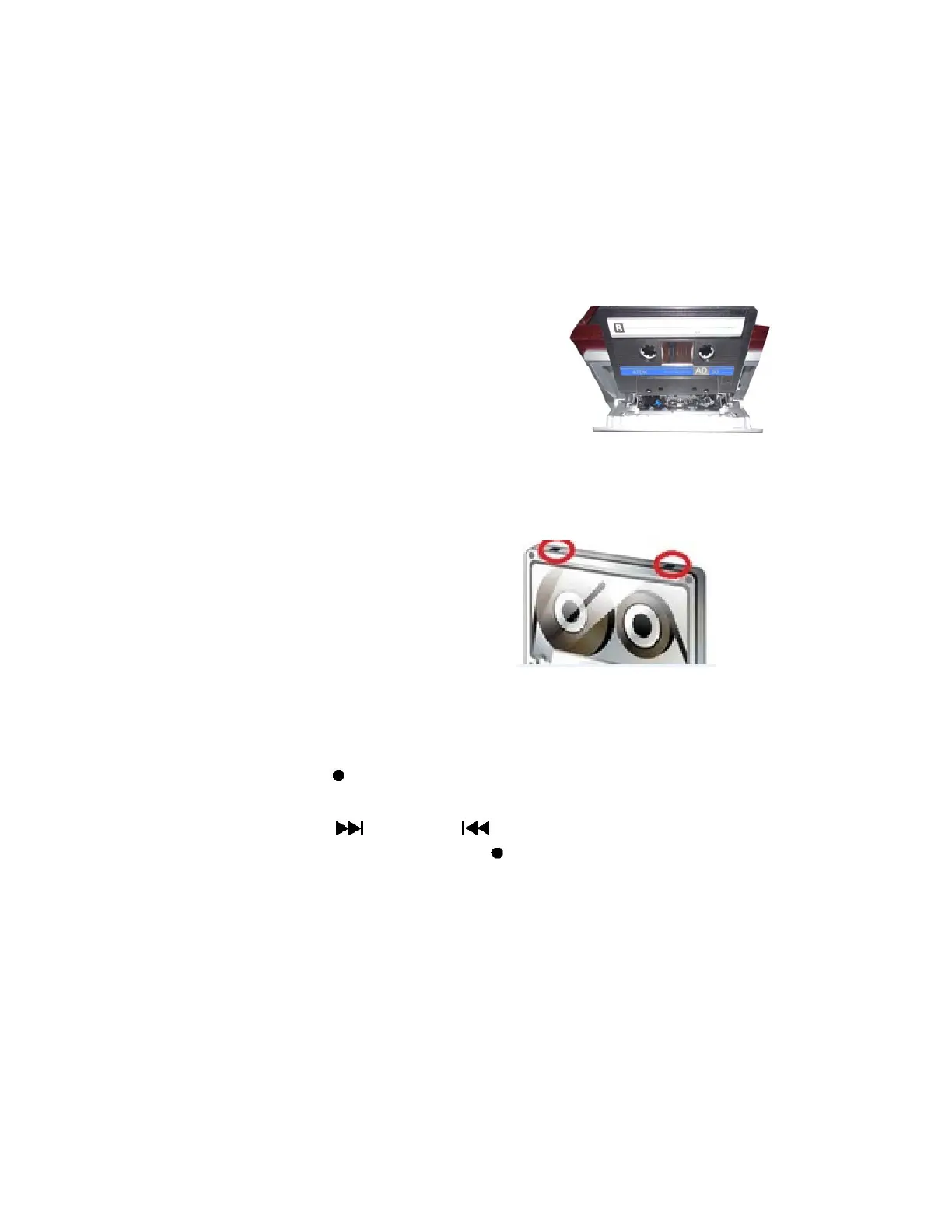
Make sure to insert the cassette in the correct direction.
To avoid damaging the cassette, we strongly recommend
taking it out of the equipment after playing the cassette.
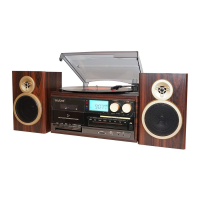
In case erase tape tracks by improper operation, you can choose take
off anti-erase tap (write protection) to finalize the recorded-tape.
For the same principle, if take off anti-erase tap,this tape would not be
able to write new contents/songs.
(Anti-erase taps position)
Cassette encoding
1. Set the function button to TAPE/AUX mode and then insert a memory device (USB
drive, SD or MMC card).
2. Press the record
REC button, it will take 3 - 4 second to read the memory device,
then the USB or SD icon will be flashing on the LC display.
3. Press the skip up
or skip down button to select the desired mode (USB
or SD) for encoding, then press the record
REC button again to confirm.
(You can skip this step if only a USB drive or an SD/MMC card is inserted.)


 To Next Page