OPERATING INSTRUCTIONS
9393 7-27-07-3
GENERAL INFORMATION
The BRADCO planer attaches to the toolbar/quick-attach mechanism of your skid steer
loader. Due to this arrangement, thorough knowledge of the skid steer controls is necessary
for machine operation. Read and understand your skid steer operator's manual for information
regarding skid steer operation before attempting to use the planer.
Check the surface to be planed. The standard all purpose picks can be used to mill both
asphalt and concrete. There are optional concrete picks that are recommended if the planer is
to be used extensively for concrete. These picks do not perform as well when milling asphalt,
especially in warmer weather.
Review the job at hand and determine the required depth and tilt of the cut and also the
side shift position of the planer. Best performance is obtained when the cold planer is in the
center position. Side shift should be used when visibility is a determining factor such as milling
around manholes or when milling next to an obstacle such as a building. NOTE: Although the
wheel assemblies are standard, they may be removed when distance is a factor such as
milling next to an obstacle or building.
OPERATING INSTRUCTIONS
1. Clear area of all bystanders.
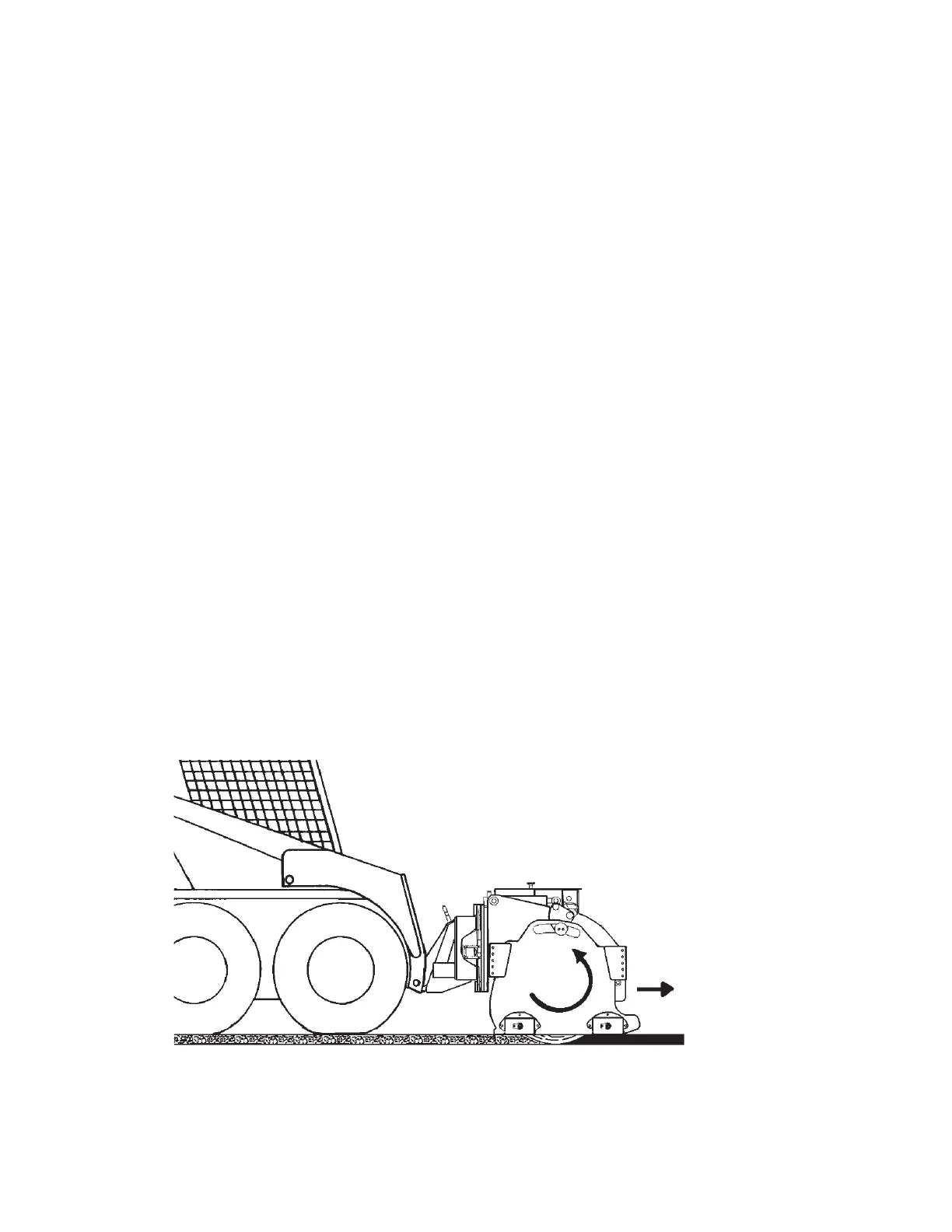
2. Lift the planer until the drum is off the ground and start planer rotation. (Teeth at the bot-
tom of the drum must be moving in the same forward direction that the planer travels.)
NOTE: Mill only when the skid steer is traveling forward. Do not operate when traveling
in reverse.
ROTATION
DIRECTION OF
TRAVEL
Skid steer
PLANER



 To Next Page