Setting the AUTO program
Page 4
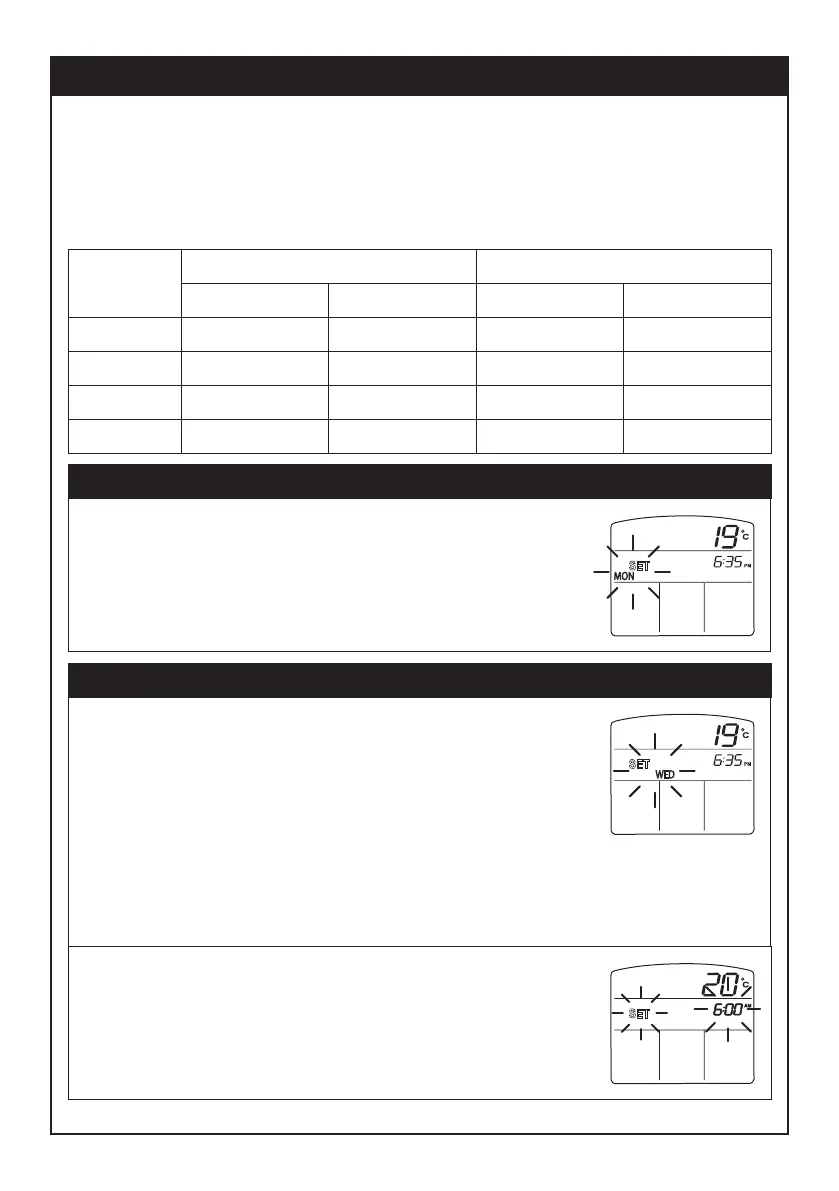
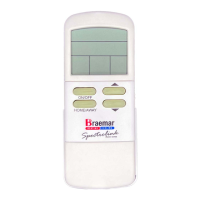
1.1 With the remote control turned ON, press
PROG button.
In each step during programming, the
option being changed flashes.
2.1 Press UP or DOWN arrow button to scroll
through the following day selection options:
- Individual weekdays: MON, TUE, WED, THU or FRI
- Weekday block: MONTUEWEDTHUFRI
- Individual weekend days: SAT or SUN
- Weekend block: SATSUN
- Seven-day block: MONTUEWEDTHUFRISATSUN
2.2 Press SET button to select displayed day/s.
2. Select the day or group of days to program
1. Enter programming mode
Time
period
WAKE
AWAY
HOME
Default
6:00 am
8:30 am
5:00 pm
Your setting Default
20
15
21
Your setting
Start time Set temperature (
o
C)
SLEEP 10:30 pm 15
Default program settings:
The table below shows the factory defult program settings. The heater
will operate with these settings in AUTO mode if you do not change the
settings. If you change the settings, record them in the table below for
future reference.
MON
SET
WED
SET
WED
SET
WAKE


 To Next Page