EasyManua.ls Logo

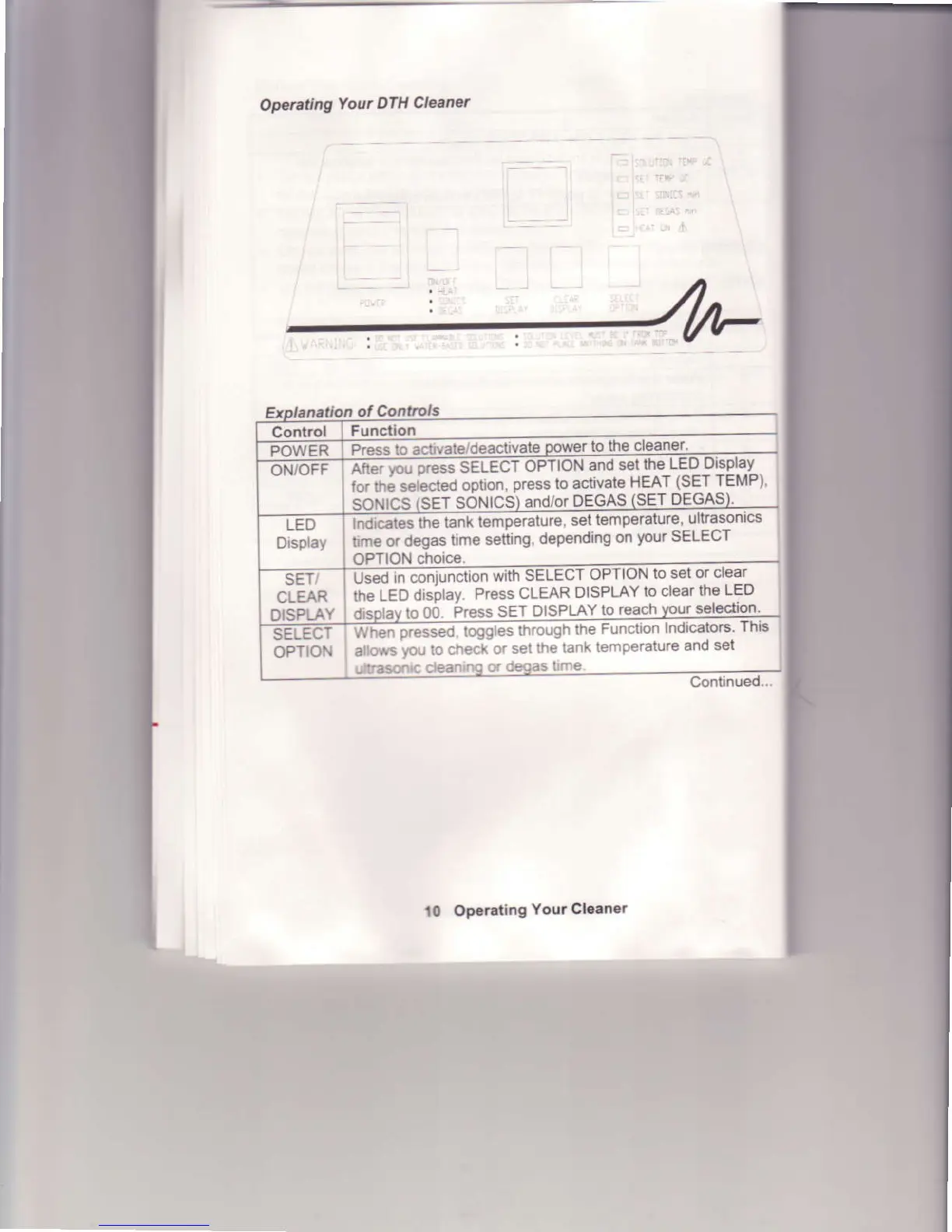
Branson 8510 - Operating Your DTH Cleaner; Explanation of Controls (DTH)

Branson 8510
33 pages
Print Icon
To Next Page IconTo Next Page
To Previous Page IconTo Previous Page
Loading...
Operaaing
Your
DTH
Cleaner
ol
Conarols
Function
Press
io aclrvate/deactrvalg
to th€
cleaner.
OPTION
choice
lttEi6-u oress
sElEcr
oPrtoN
and set
the
LED Display
for $; seLcted
ootion,
press
to activate
HEAT
(SET TEMP)
SoNICS
(SET
SONICS)
and/or
DEGAS
(SET
DEGAS
iMica6ilndicacs
the tank
temperaiuie,
set
temperaturc'
ultrasonics
bme or degas
time setting.
depending
on
your SELECT
OPTION
Fseo ,n coniuncrron
wittr
SELECT
oPTloN
to set
or clear
the LED
drspray.
Press
CLEAR
DISPLAYIo
clearthe
LED
drsplay
to
OO
Press SET
DISPLAY
to
reach
your
selection
Wffi;essed
fcrgEs
through
lhe
Function
Indicators
This
allows vou
to check
or
set lhe
tank
temperature
and
sel
ultrason(
cleanrng
or
degas
lrrne
t0
Operating
Youa Clean€.
Continued..
CLEAR
OiSPLAY

Related product manuals