PS500 User Instructions 15
4 Setup Mode
To set up the indicator, you must first enter the appropriate menu mode. The front panel
keys become directional navigators to move around in the menus. See Table 4.1 for
details.
4.1 Entering the Setup Menu
1. Press and hold the [ON/OFF/ZERO] and [UNIT] keys unit setup is displayed.
1a. This indicator offers 19 different setup parameters.
4.2 Navigating the Setup Menu
1. Once setup is displayed, use the [UNIT] key to change the flashed digits
and use the [HOLD/PRINT] key to shift the flashed position.
The parameter will be designated in the following format:
PN.x or PNN.xx - P is parameter; N or NN is the parameter number; x or xx is the choice
within the parameter. Refer to Table 4.2 for parameters and the options for each
parameter.
2. Use the [TARE] key to confirm the entry, save the data and go to the next
parameter.
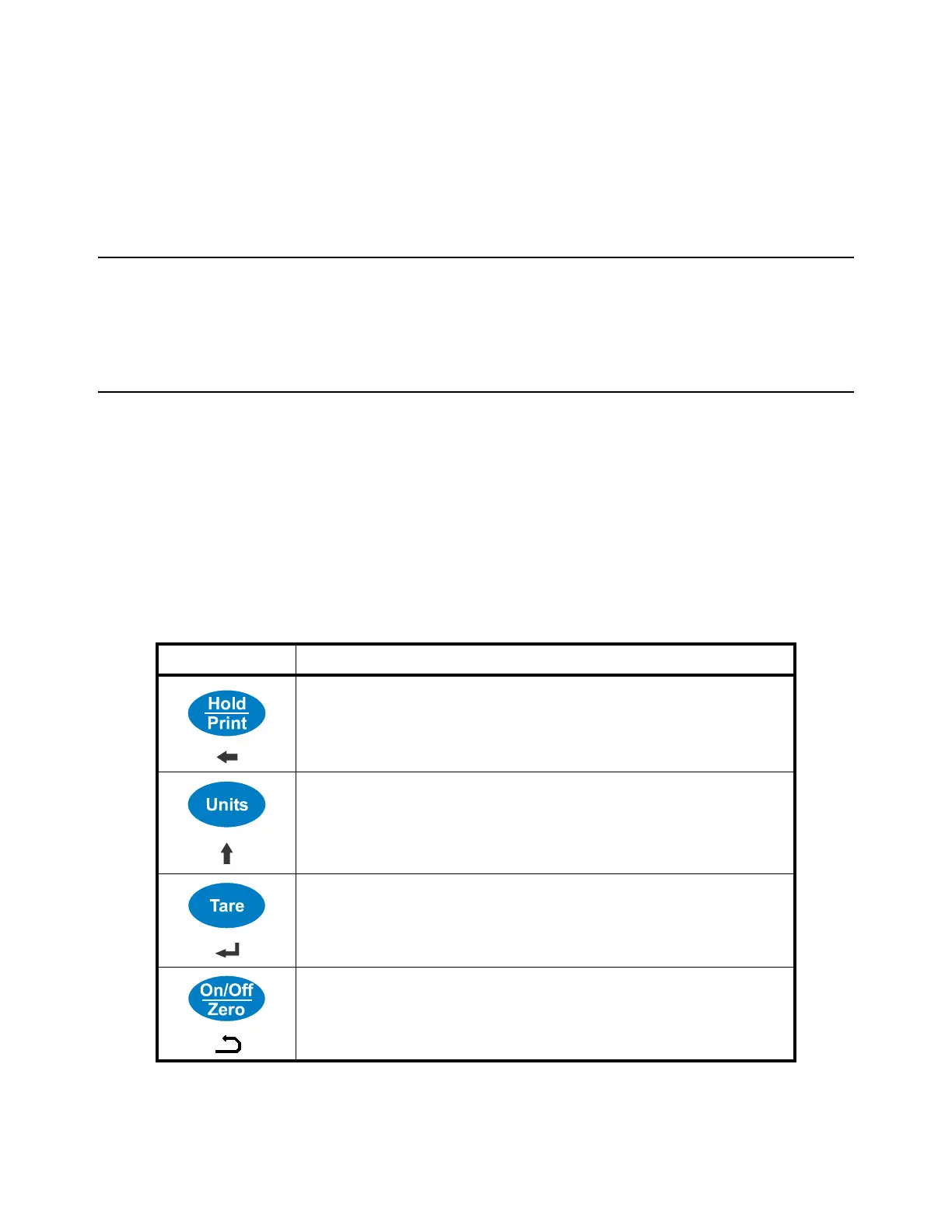
Table 4.1 Key Functions in the Setup Mode
Key Function
Move cursor from right to left.
Scroll selected digit (0 - 9).
Cycles through the parameters.
Confirm parameter choice selection.
Exit from setup mode to normal work mode.



 To Next Page