18
OPERATING YOUR NEW BREVILLE PRODUCT
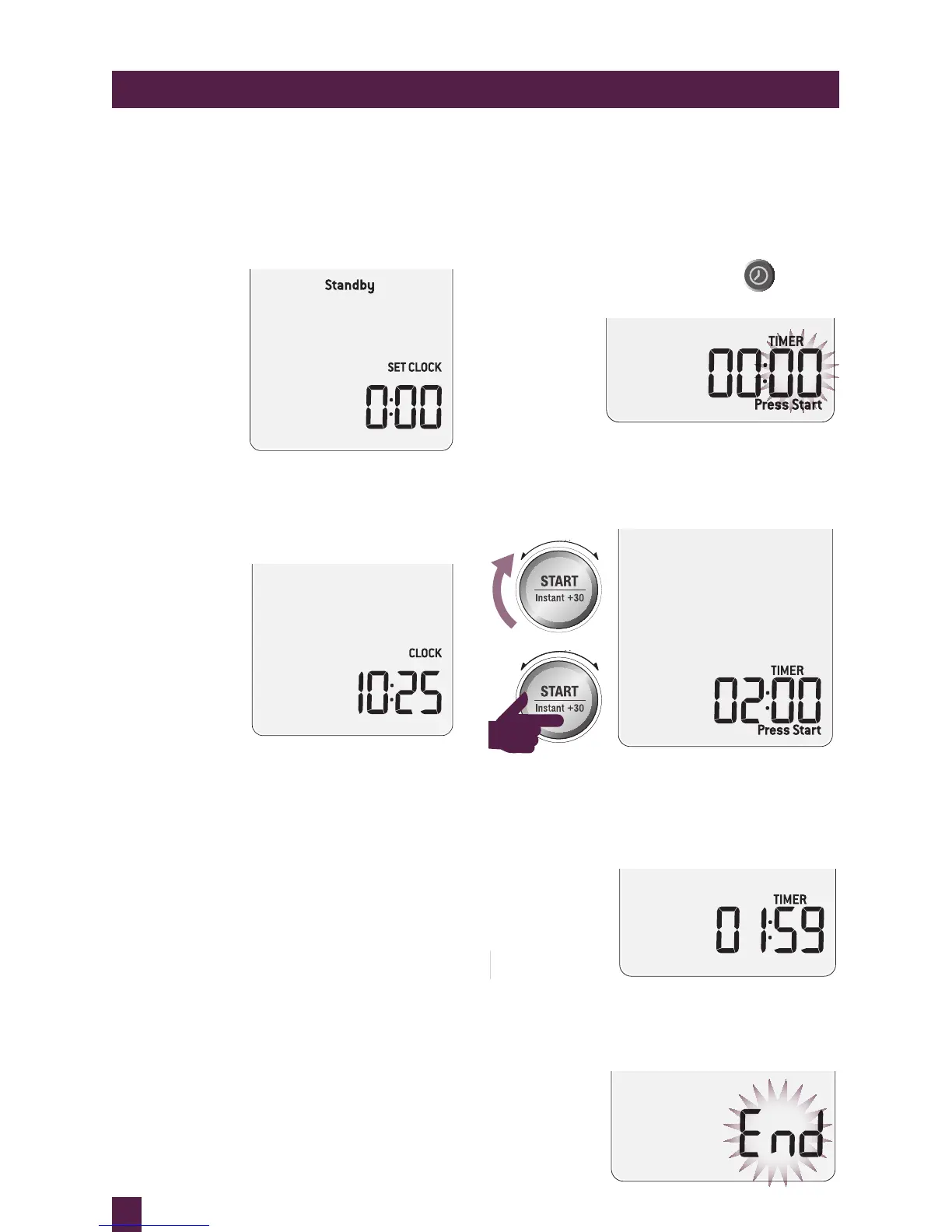
STANDBY
When the microwave has been idle for
5 minutes, STANDBY mode will be activated.
The backlight of the LCD screen will turn off
and buttons will no longer be illuminated.
Stand-by mode when the time is not set.
When the time has been set STANDBY will not
be displayed on the LCD screen.
Stand-by mode when the time is set.
To “wake up” the microwave:
• Open the door ..... OR .....
• Press START, SMART REHEAT, COOK
or DEFROST ..... OR .....
• Turn any dial ..... OR .....
• Press any button
INDEPENDENT KITCHEN TIMER
The independent kitchen timer can be used as
either a count down or count up timer.
Setting the count down timer
Press TIMER on shortcuts panel.
The default time is 00:00.
The highlighted digits flash to show it can be
adjusted. Turn START dial to adjust to your
desired time in seconds, minutes and hours.
Press START button to begin.



 To Next Page