22
OPERATING YOUR SMART COOK SETTING
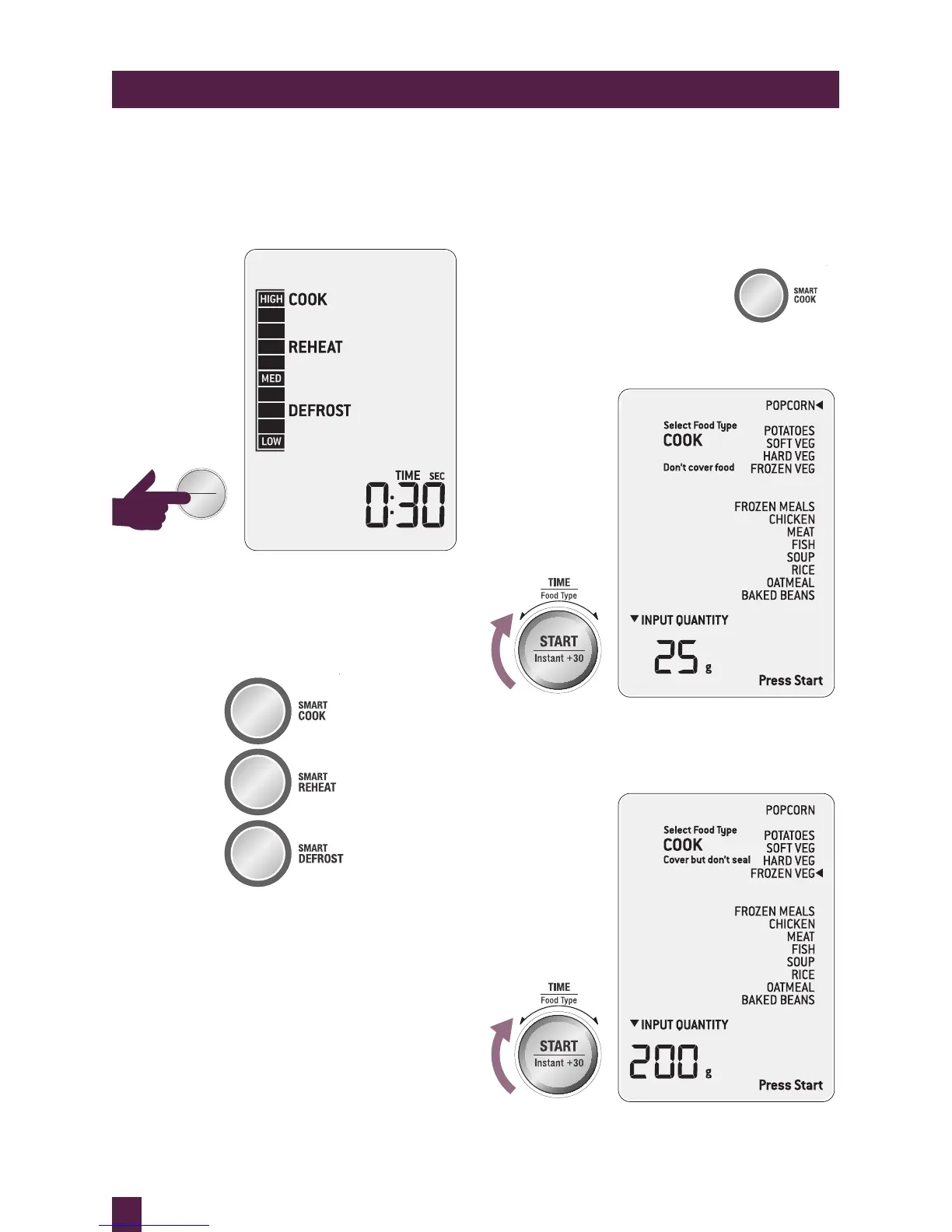
STOP/CLEAR
Press STOP/CLEAR once to pause the
current function.
Press twice to clear and return to default screen.
Then select from a list of most commonly used
food types, select weight and press START.
The microwave will automatically set the time
and power level for selected weights so no
need to program this.
SMART COOK
The SMART COOK setting is designed to take
the guess work out of cooking your favourite
foods. It will automatically cook at
the correct power for the correct time.
Press SMART COOK button to
enter SMART COOK settings,
the microwave will beep once.
Turn TIME/FOOD TYPE dial to select
food type.



 To Next Page