CHAPTER 5: REPEATER MODE
Overview
In repeater mode, each of the CS-540’s 16 channels is capable of supporting 64 individual users. Each
subscriber may have one of 50 possible CTCSS tones or one of 112 possible DCS codes. While in repeater
mode, the CS-540 can be placed in remote programming mode and the selected channel’s properties and user
database can be changed using transmitted DTMF tone command sequences.
Operation
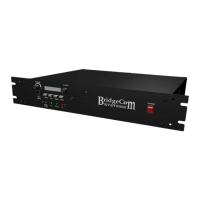
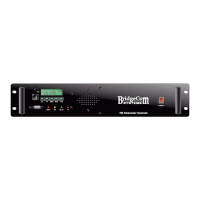
To place the CS-540 on a programmed channel, simply press the up () or down () buttons on the front
panel. This will allow for cycling through the possible channels. Once the desired channel is selected, the
channel name will be displayed for approximately two seconds and the LCD will revert to displaying dashed
lines. If this is the first time this channel is used, you must restore the factory default settings for
this frequency pair. See Chapter 9: Alignment. At this point the CS-540 is in an idle state waiting to
validate and repeat incoming calls. Upon receipt of carrier, the yellow RX LED will illuminate. When a valid
user’s signaling is decoded, the green VALID LED will illuminate and the user’s name will be displayed on the
LCD. The transmitter will then power up and repeat the call. At this point the red TX LED will illuminate and
the cooling fan will engage. When the call expires, the green VALID LED will go off and if carrier is no longer
present, the yellow RX LED will go off as well. The Transmitter may remain keyed for a programmed hang
time. When done transmitting, the red TX LED will go off, and the cooling fan may stop depending on
programming. At any point in time, the repeater audio traffic may be monitored. This is done by pressing the
MON button. Pressing-and-releasing the MON button will sequence through the possible speaker output
options. The sequence is thus: Internal Speaker, External Speaker, Both Internal and External, and both off.
The NOTE icon will visible to indicate internal, and the S icon will be visible to indicate external.
NOTE: During repeater mode operation, it is not recommended that a passive or mobile-type
microphone be connected to the unit. A mobile-type microphone is always ‘hot’ and the repeater will
mix the mic audio with the repeated audio. A base station-type microphone is preferred.
Channel Settings
The behavior of the CS-540 while in repeater mode depends on various channel and user settings. Channel
and user settings are either pre-programmed by your dealer or by you using the PGM-540 programmer.
Some channel and user settings can be modified via remote programming commands, as described in
“Chapter 8: Remote Programming”. The following lists all of the channel settings.
Receiver/Transmitter Frequency: You must specify a
receive and transmit frequency, typically 5 MHz apart. If
you are working with the CS-540U (UHF model), you may
specify a frequency in the range of 450 to 480 MHz. If
you are working with the CS-540V (VHF model), you may
specify a frequency in the range of 148 to 174.5 MHz.
The repeater also handles the amateur region in both 2M
and 70cm.
Channel Name: The Channel Name is an eight-character
name. Legal characters are uppercase letters and
numbers. It is also the name that appears in the CS-
540’s LCD display when that channel is active.
Broadcast ID: Like the Channel Name, the Broadcast ID
is an eight-character name consisting of uppercase
letters and numbers. The Broadcast ID is transmitted in
Morse code at specified intervals to identify the repeater
on the air. By default, the Broadcast ID is the same as
the Channel Name. However, you have the option of
choosing a Broadcast ID that is different from the
Channel Name.
Channel Spacing: Each channel can be programmed for
either narrow (12.5kHz) or wide (25kHz) band. This
setting is applied to both the transmitter and the
receiver.
Power Setting: Each channel can be programmed for
either high or low power. Low power starts at 5 watts
and High power starts at 40 Watts. The TX power can be
adjusted from the alignment menu. The RF PA can also
be turned off. For more information about this feature,
see “Chapter 7: Auxiliary Mode”.
Broadcast Interval: The Broadcast Interval specifies
how often the Broadcast ID will be transmitted. It has a
range of 0 to 999 minutes. ‘0’ disables this feature and
the Broadcast ID will not be transmitted. The CS-540 is
designed to broadcast the ID if and only if it has actively
transmitted within the most recent time interval.
Morse Code Rate: Rate at which the Broadcast ID will
be transmitted: either 11 or 22 WPM (Words Per Minute).
10


 To Next Page