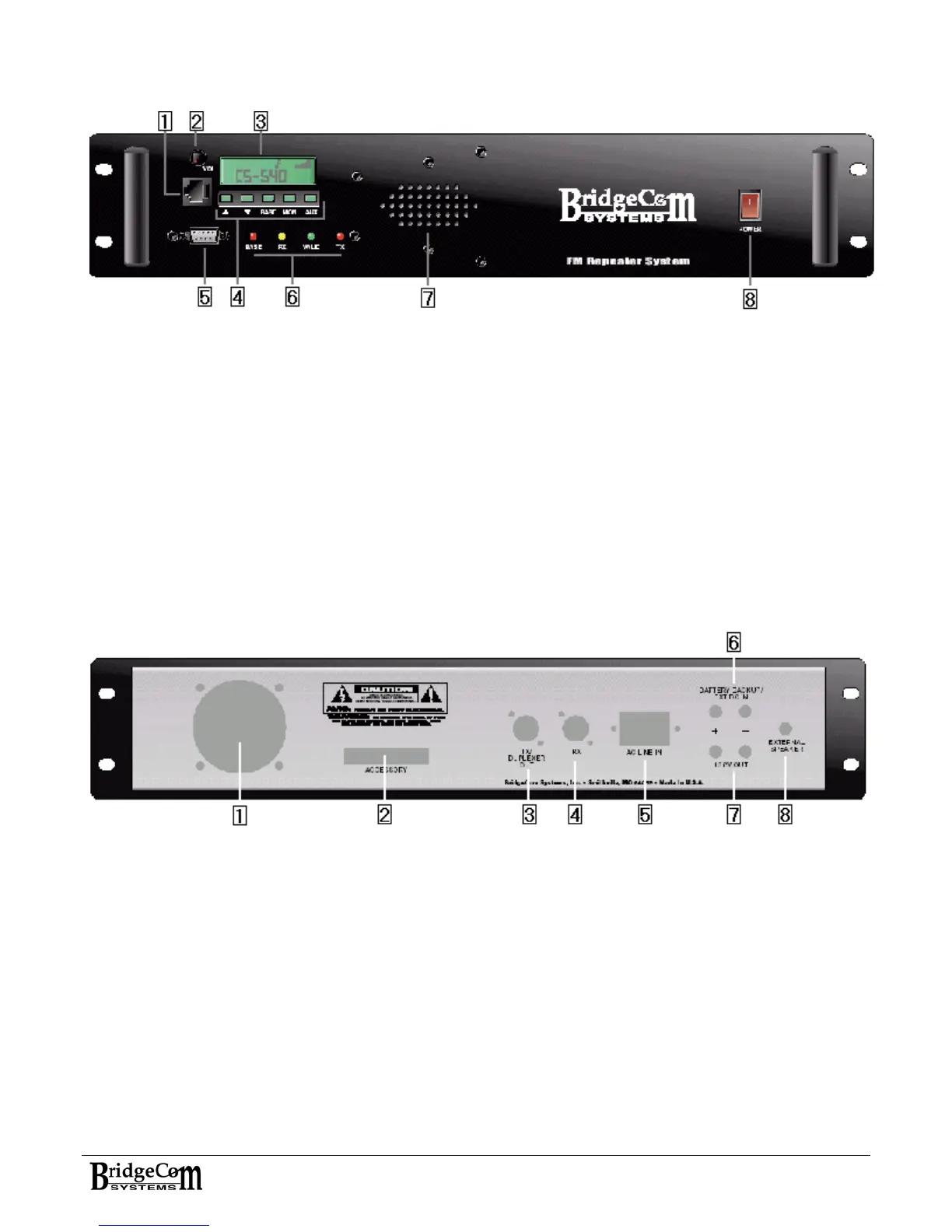
Front Panel Description
1) Microphone input jack
2) Volume control knob
3) Alphanumeric and Icon LCD
4) 5 button keypad (▲,▼, BASE, MON, AUX)
5) Computer port DB9 Female
6) LED status indicators (BASE, RX, VALID, TX)
7) Internal Speaker
8) Lighted power switch
Rear Panel Description
1) Fan
2) Accessory Port: DB25 female standard on CS-540
3) TX Antenna N-type female panel mount or duplexer out
4) RX Antenna N-type female panel mount or vacant
5) Detachable AC cord receptacle
6) BATTERY BACKUP/EXT DC IN
7) 13.8V output
8) EXTERNAL SPEAKER OUT
7


 To Next Page