EN
26
• Check that product is fully
charged before cleaning.
SYMBOLS
Read the instructions.
Double insulation (safety class II)
does not need to be earthed.
Approved in accordance with
the relevant directives.
Recycle discarded product
in accordance with local
regulations.
TECHNICAL DATA
Rated voltage 230 V / 11.1 V
Power 18 W
Battery technology Li-ion
Battery capacity 1500 mAh
Run time 80 min
Charging time 3 – 5 h
Suction power 400pa
Dust container 220 ml
Noise level 68 dB
Size H70 x Ø290 mm
Weight 1.7 kg
DESCRIPTION
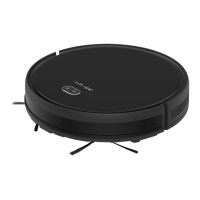
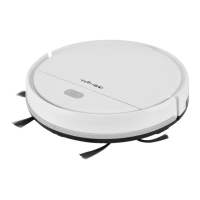
Robot vacuum cleaner with three optional
cleaning patterns and dry mopping function.
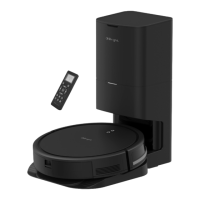
Can be controlled with remote control
(included).
Robot vacuum cleaner
1. Folding cover
2. Bumper
3. Receiver
4. Start and stop button
5. Universal wheel
6. Step sensor
7. Battery cover
8. Side brush
9. Drive wheel
10. Suction channel
11. Base plate
12. Dust container
13. Primary lter
14. HEPA lter
15. Filter holder
FIG. 1
REMOTE CONTROL
1. Button for response signal:
In standby or run mode, press this button
to localise the vacuum cleaner if it is out
of sight – the vacuum cleaner responds
with an audio prompt.
2. Start and stop button
– In standby mode, press this button to
start automatic vacuum cleaning.
– Push this button to stop the vacuum
cleaner when it is cleaning.
3. Button for focused vacuum cleaning
In standby or run mode, press this button
to start focused vacuum cleaning.
4. Button for automatic vacuum cleaning
In standby or run mode, press this button
to start automatic vacuum cleaning.
5. Button for random vacuum cleaning
In standby or run mode, press this button
to start random vacuum cleaning.
6. Arrow buttons
– Arrow button up: In standby or run
mode, press this button to run the
vacuum cleaner forwards.
– Arrow button down: In standby or
run mode, press this button to turn
the vacuum cleaner 180° and run it
in the new direction.


 To Next Page