-
3 - FUNCTIONS AND SETTINGS
3.1
OPERATION
Connect the supplied main cable to a socket (100-240V~/50-60Hz). The unit will run built-in program to
reset all motors to their home position. Shortly after that the Brighter Pixel Strobe is ready for operation.
To switch off, disconnect the mains plug from the socket. For a more convenient operation it is
recommended to connect the unit to a socket which can be switched on and off via light switch.
3.2
BASIC
The
Brighter Pixel Strobe
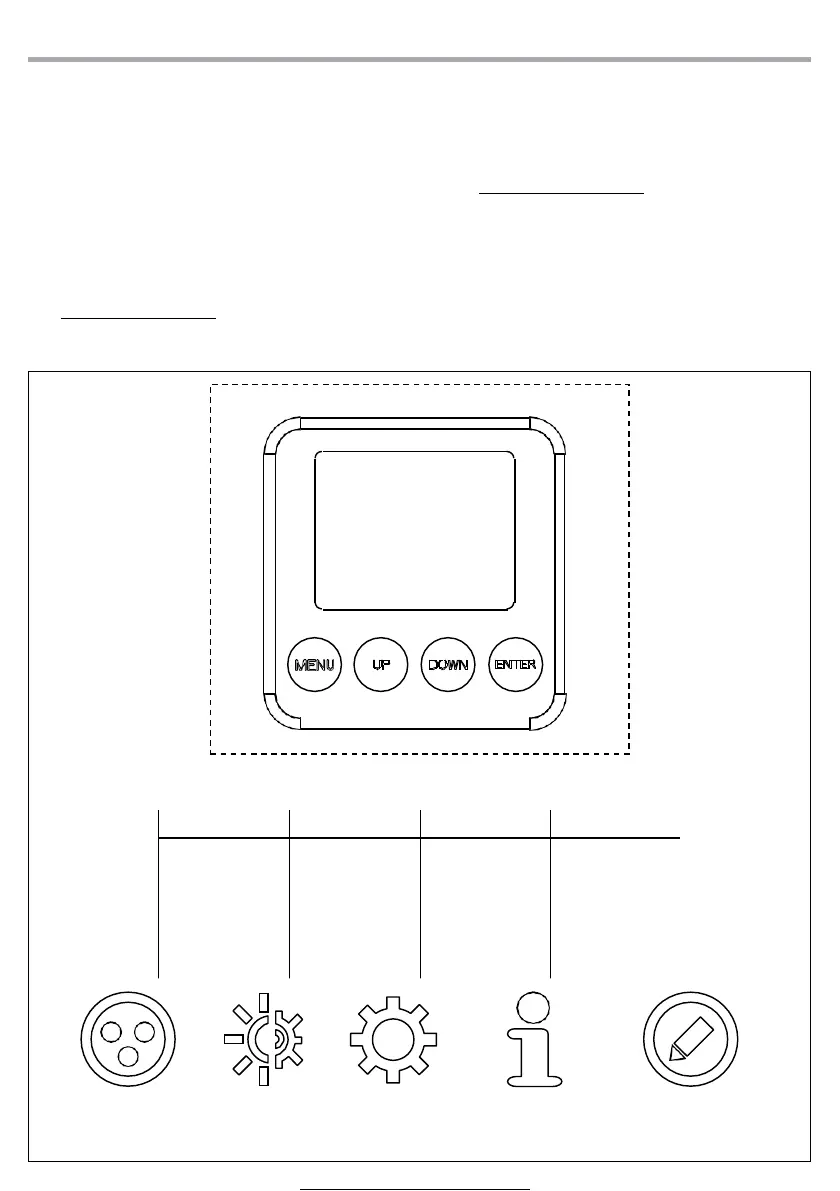
has a TFT display and 4 button used to access the control panel functions and
manage them (fig.4).
UP
Increases the value
displayed or passes
to the previous item
in a menu
DOWN
Decreases the value
displayed or passes
to the next item in
the menu
ENTER
Confirms the
displayed value,
or activates the
displayed function,
or enters the
successive menu
MENU
To scroll through the
main menu
Or go back to an
option on the
previous menu
CONNECT SETUP ADVANCED INFORMATION STAND ALONE
Fig.4 - Functions of the buttons and display icons



 To Next Page