3.4
LINKING
Several units may be interconnected in order to control all further slave units to the same effect of
the master unit.
1.
Connect the DMX OUT of the master unit via 3-pole XLR cable to the DMX IN of the first slave
unit.
2.
Connect the DMX OUT of the first slave unit to the DMX IN of the second slave unit, etc. until
all units are connected in a chain.
DMX MODE
To enter the DMX mode, follow these steps:
•
Press the ENTER button to access the main menu.
•
Press the UP/DOWN button to scroll the menu, select the Connect icon, then press the
ENTER button to enter the next menu.
•
Press the UP/DOWN button to scroll through the menu, select the DMX Address and press the
ENTER key.
•
Press the arrow keys to select the desired value (001-512).
•
Press the ENTER key to confirm the setting.
•
Press the LEFT button repeatedly to exit the menu and save changes.
DMX CONFIGURATION
It has 4 DMX channel configurations which can be accessed from the control panel.
•
Press the ENTER button to access the main menu.
•
Press the UP/DOWN button to scroll the menu, select the Set icon, then press the ENTER
button to enter the next menu.
•
Press the UP/DOWN button to scroll through the menu, select Users and press the ENTER
button to enter the next menu.
•
Press the UP/DOWN button to scroll through the menu, select User Mode and press ENTER to
confirm your choice.
•
Use the UP/DOWN button to select the desired DMX channel configuration (Basic,
Pixels,Advanced), then press the ENTER button to confirm your choice.
•
Press the LEFT button repeatedly to exit the menu and save
changes. The tables on page 11 show the mode of operation and
their values DMX. The unit is equipped with 5-pole XLR
connections.
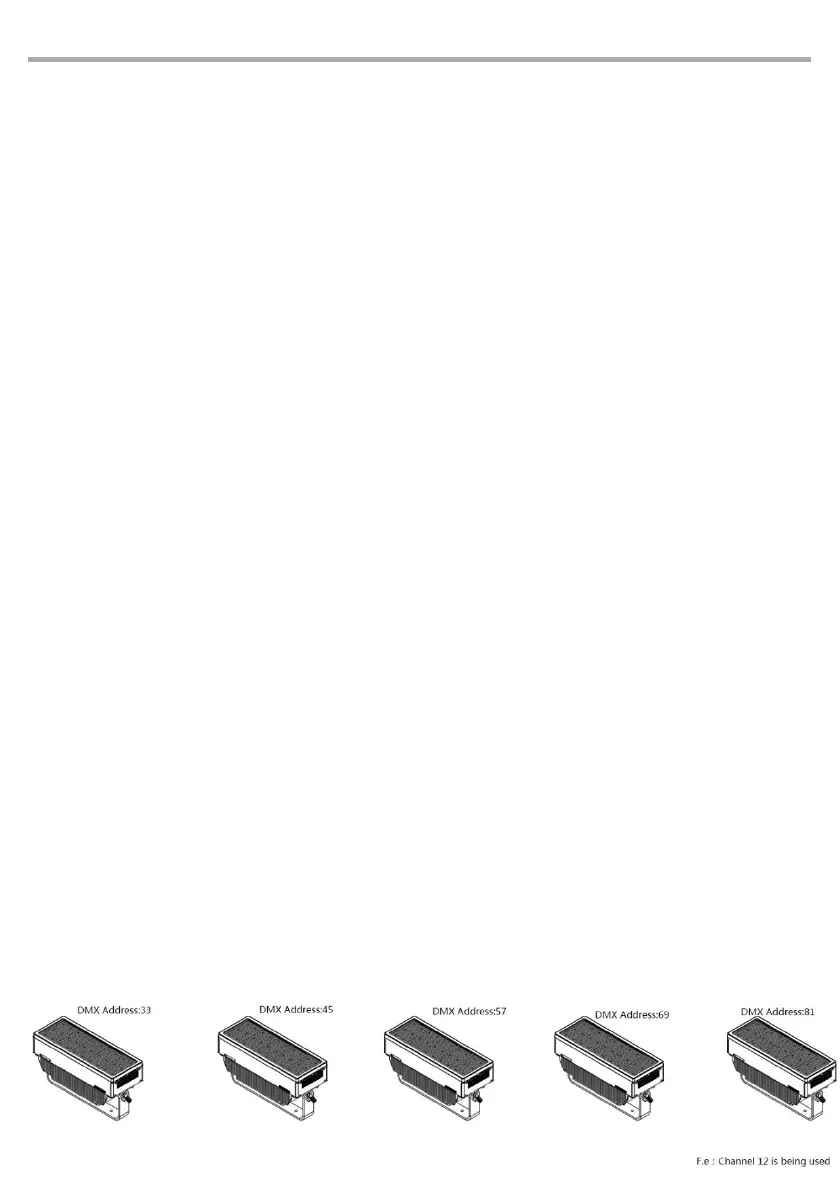
DMX ADDRESSING
For operation via light control unit with DMX512 protocol, is sufficient connect the controller to
Brighter Picel Strobe. To able to operate the Brighter Pixel Strobe with a light controller, adjust the
DMX start address for the first a DMX channel. If e. g. address 3 3on the controller is provided for
controlling the function of the first DMX channel, adjust the start address 33 on the Pixel Strobe.
The other functions of the light effect panel are then automatically assigned to the following
addresses.
An example with the start address 33 is shown below:



 To Next Page