7
7. DMX-512 Control Connections
This product accepts the international standard DM 512 ( 1990) of the digital control signal.
Please use the 3 pin or 5pin XLR plugs&socket offed by factory to connect the first projector’s input to
the second projector output, and connect the second projectors output to the third projectors input
and so on. Eventually connect the last projectors output.
The projectors control signal output or input by using the 3 or 5 pin XLR pug and socket. If need to
lengthen the communication cable(standard meter is 2 meters),please make sure the both side of 3 or 5
pin plug is one to one.(one to one, two to two, three to three ).Otherwise ,the communication cable will
be interrupted. The communicate cable is 2-cord screened cable 75Ω resistance with each core having
at least a 0.5mm diameter.
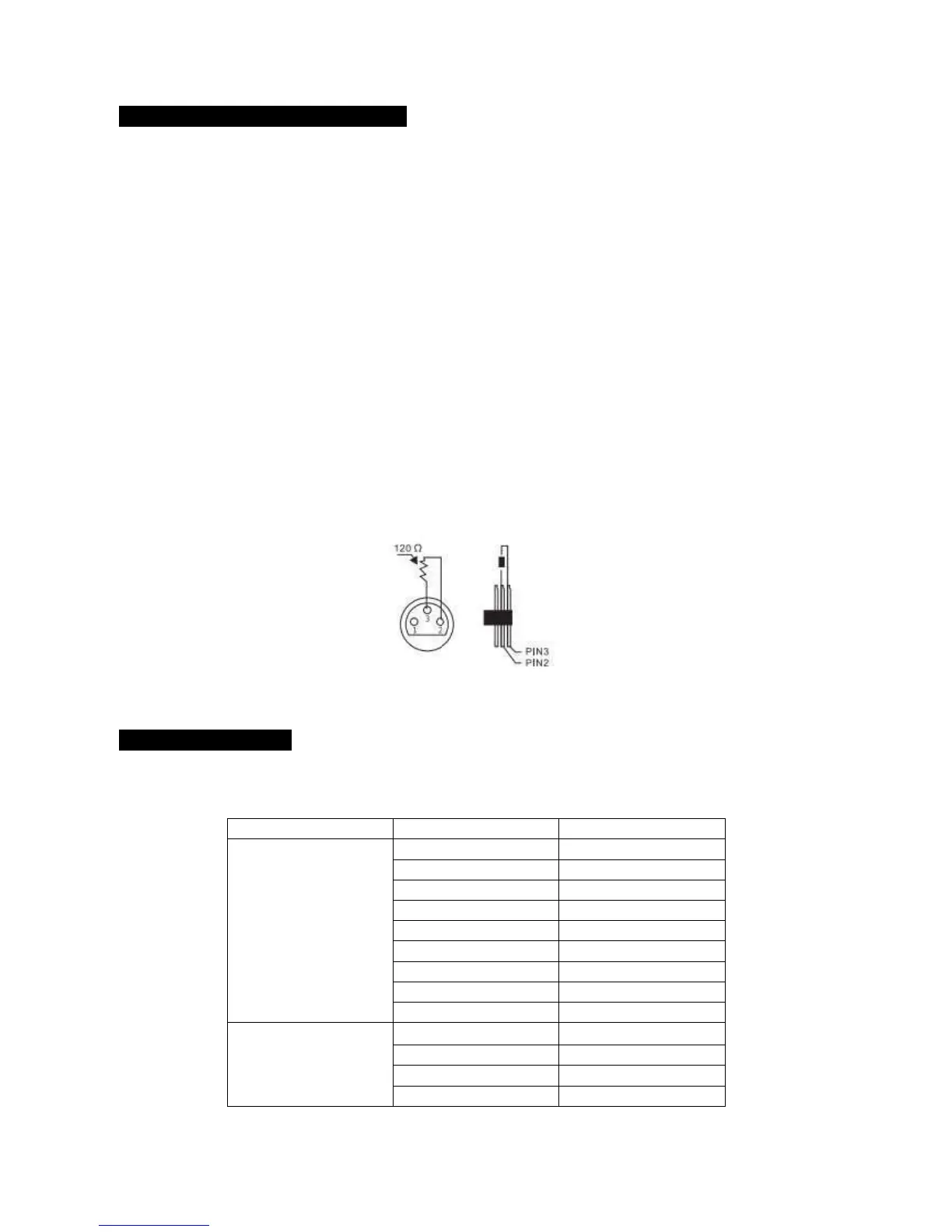
It is highly recommend to use the DMX signal terminator for the installation to avoid the electronic noise
damage the digital control signal. Simply speaking, DMX terminator is an XLR CINNEXTOR WITH A 120Ω
1/2 W resistor connected across pin 2 and 3. Which is plugged into the output socket on the last projector
in the chain. See illustrations below:
8. Menu Operations



 To Next Page