23
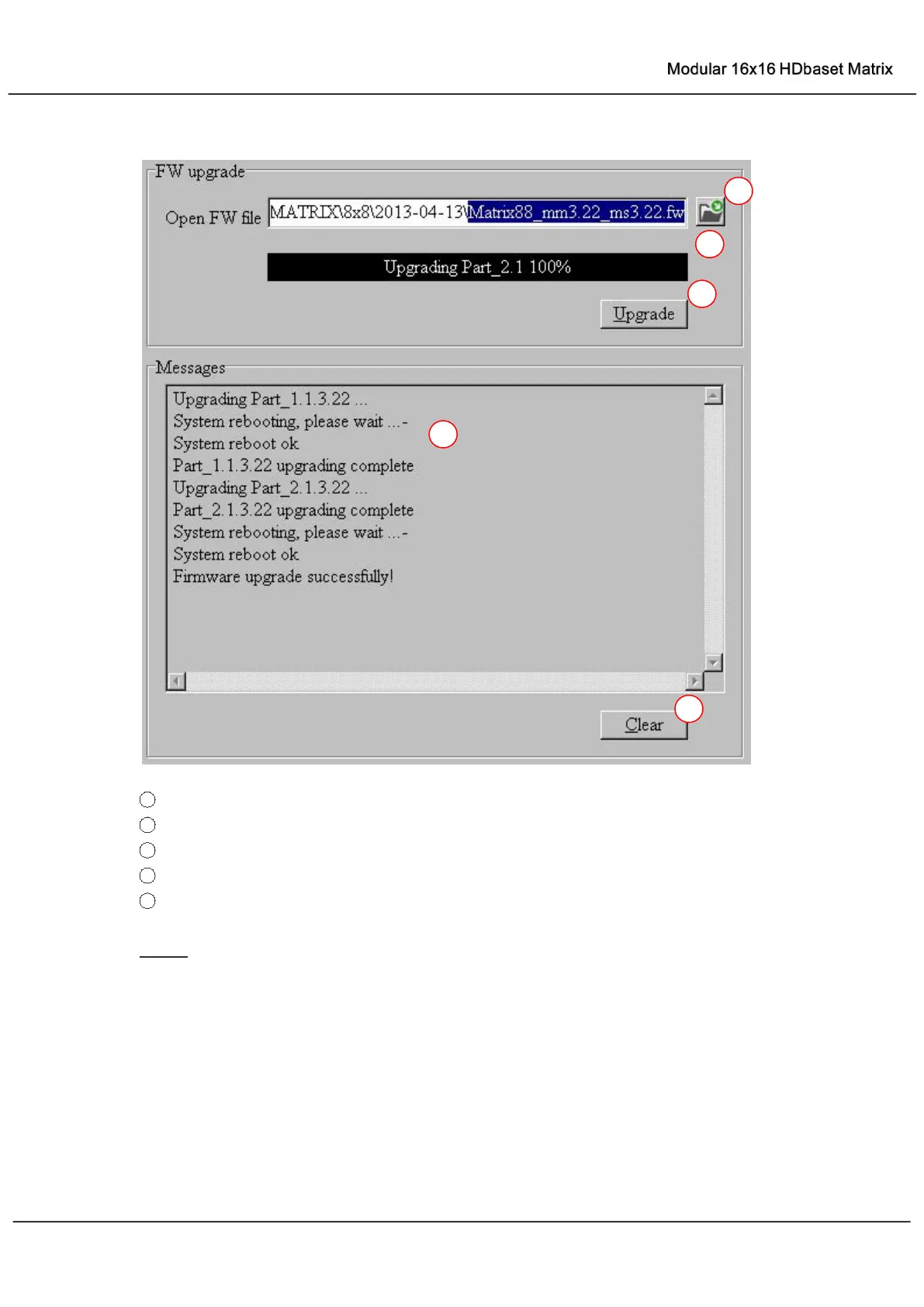
“FW upgrade” page
1 Click to open firmware file (file extension is “.fw”).
2
Firmware upgrade progress bar
3
Click the button to upgrade firmware.
4
Firmware upgrading messages display
5
Click to clear the messages displayed in the memo box.
NOTE: If failure occurs during upgrading firmware process, the following steps SHOULD be
done sequentially to establish next upgrading procedure:
1) Power down the Matrix
2) Close the 8x8 HDMI Matrix Controller
3) Re-power up the Matrix, then wait for 10 seconds to ensure the Matrix is ready
4) Run 8x8 HDMI Matrix Controller, open firmware file and upgrade again



 To Next Page