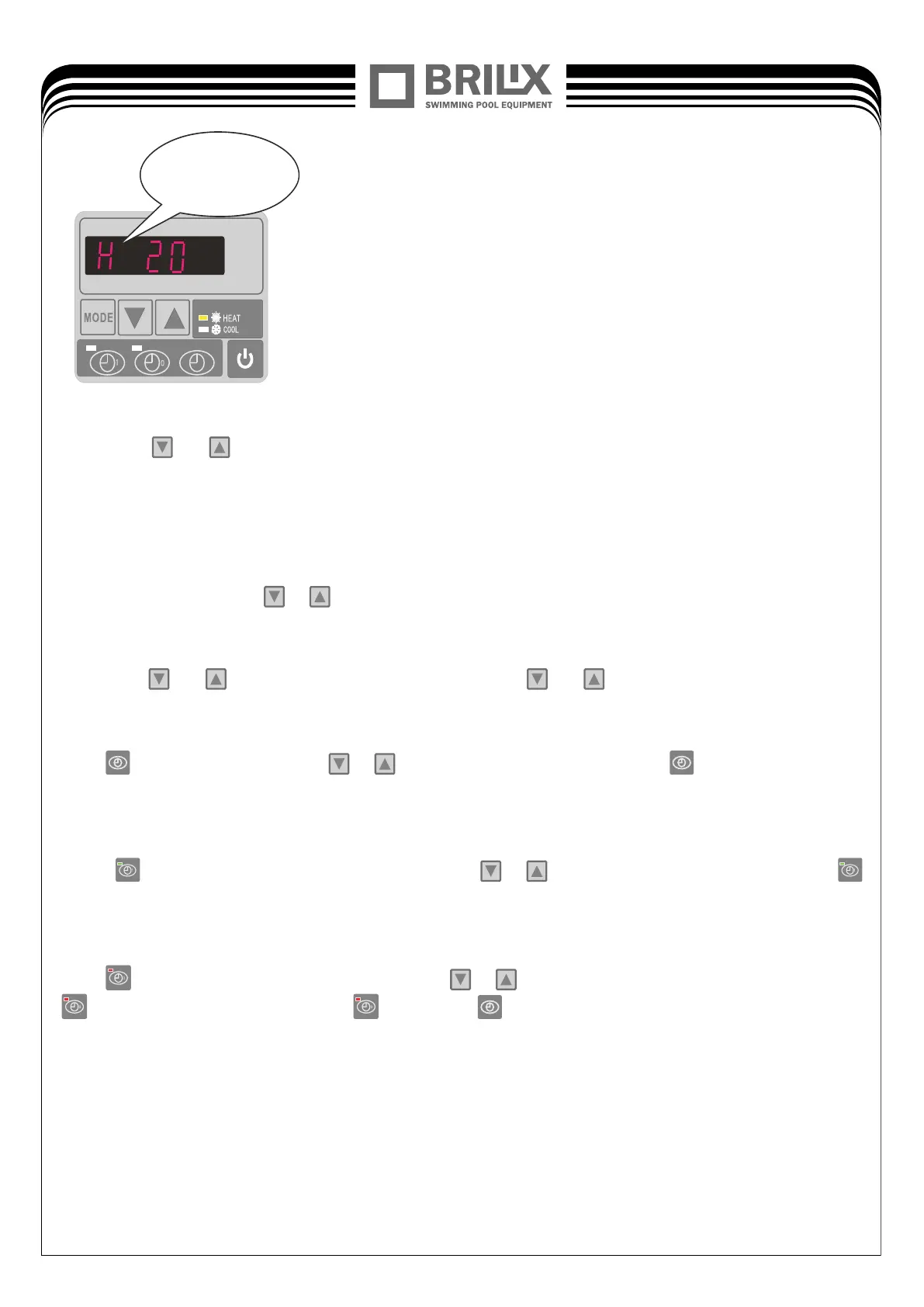
Actual steps
of electronic expansion
valve.
(1) Press
or
to check water-in/water-out/heating and cooling Condenser /back gas/ambient
temperature/actual steps of electronic expansion valve.
(2) When the unit is switched off, current time is displayed.
5.4 Water temperature setting:
Under current mode, press
or
to modify the water setting temperature even if it is ON/OFF status.
5.5 Locking setting
Long press
and
5 seconds to lock the parameters, Press
and
for 5 seconds again to unlock
4.6 Time setting:
Press
to set the time, and press
or
to adjust the time After pressed the
again to store the new
data.
5.7 TIMER ON SETTING
Press
to set the time for HP start to run, and press
or
to adjust starting time.then, to press
again to store the new data.
5.8 TIMER OFF SETTING
Press
to set the time for HP stop running, press
or
to adjust the time of stop running, then, press
again to store the new data. When
liglits press
to cancel the timer setting.
16
18


 To Next Page