Parameter
Meaning Range Defaul Remarks
0 To set the entering water temp under cooling mode 15 - 35 °C 28 °C Adjustable
1 To set the entering water temp under heating mode 15 - 40 °C 28 °C Adjustable
2 Entry into defrosting time period 30 - 90 min 40 min
3 Terms of Entry defrosting function -30 °C to 0 °C -7 °C
4 Terms of Exit defrosting function 2 to 30 °C 20 °C
5 Time of Entry defrosting 1 to12 min 12 min
6
Mode: 0 Cool 1 Heat and Cool 2 Heat and Cool +
auxiliary elec heating 3 Heat
0 - 3 1
7 Mode selection of Electronic expansion valve 0 - 1
1
(auto)
8 Superheat for heating target -15 °C - 15 °C 3 °C
9 Superheat for cooling target -15 °C - 15 °C -2 °C
A
Manual adjustment steps of electronic expansion
valve
18 - 94 70
B Inlet water temperature
Exact testing by
value
C Outlet water temperature -9 - 99 °C
Exact testing by
value
D Condenser temperature under heating mode
Exact testing by
value
E Gas return temperature
Exact testing by
value
F Ambient temperature
Exact testing by
value
G Condenser temperature under Cooling mode -
H Actual steps of electronic expansion valve N * 5
Exact testing by
value
ATTENTION:
•HP running parameters must be checked after installation and before first used.
•When the LED on, it will display water inlet temperature.
•When the LED off, it will display the actual time
•When the LED on, the water temp could be changed.
5.9 RUNNING DATA SETTINGS
-9 - 99 °C
-9 - 99 °C
-9 - 99 °C
-9 - 99 °C
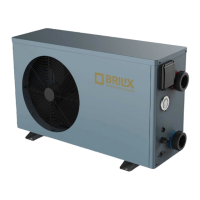
For the XHP series ,
Mode default setting :
3. Heat
17
19


 To Next Page