EasyManua.ls Logo

BRINKS BHS 2000A - Installation and Mounting; Mechanical Installation; ACP Mounting Specifics

BRINKS BHS 2000A
31 pages
Print Icon
To Next Page IconTo Next Page
To Previous Page IconTo Previous Page
Loading...
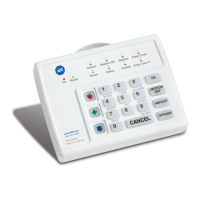
The
SCS
is
a
surface
mounted
decorative
remote
control
unit
consisting
of
a
12
button
keypad,
3
Emergency
Dispatch
keys,
and
an
easy
to
read
static
LCD
type
display
in
addition
to
an
internal
audio
annunciator
(beeper).
This
remote
control
provides
all
of
the
required
input/output
(unctions
used
in
the
daily
operation
of
the
system.
IMPORTANT
PLEASE
READ
AND
FULLY
UNDERSTAND
THE
BHS-2000A
USERS
MANUAL
BEFORE
PROCEEDING
TO
READ
THIS
MANUAL
OR
ATTEMPTING
TO
INSTALL
THE
SYSTEM.
THE
USERS
MANUAL
DESCRIBES
THE
NUMEROUS
FEATURES
,
FUNCTIONS,
AND
OTHER
USER
INTERFACE
REQUIREMENTS
OF
THE
SYSTEM
IN
GREAT
DETAIL.
THEREFOR,
USERS
MANUAL
INFORMATION
WILL
NOT
BE
REPEATED
IN
THIS
MANUAL.
********jn
STAL
lation*****
**********
MECHANICAL
INSTALLATION
Many
features
have
been
designed
into
the
BHS-2000A
ACP
and
SCS
to
enable
quick
and
simple
system
installation
and
troubleshooting.
The
ACP
contains
no
user
switches
or
indicators
thus
enabling
the
installer
to
select
the
mounting
location
most
convenient
for
wiring.
The
decorative
SCS
may
be
installed
in
a
variety
of
locations
(up
to
4)
to
offer
the
most
convenience
to
the
user.
ALARM
CONTROL
PANEL
(ACP)
The
ACP
should
be
mounted
in
a
convenient,
dry
location
near
a
power
outlet.
We
recommend
the
ACP
not
be
mounted
in
an
attic
or
any
other
similar
location
likely
to
contain
excess
heat.
The
ACP
is
typically
mounted
on
a
wall
using
screws,
toggle
or
Molly
bolts
through
the
holes
provided
in
the
rear
of
the
cabinet.
Using
the
metal
housing
as
a
mounting
template,
mark
and
drill
the
two
top
mounting
screw
holes.
Screw
the
top
screws
partially
in
and
hang
the
hosing
on
the
screws
in
order
to
mark
the
fcxact
location
for
the
lower
mounting
screw
holes.
Wiring
from
the
external
accessories
is
brought
into
the
metal
cabinet
through
one
or
more
of
the
entry
holes
or
knockouts
provided.
To
avoid
possible
confusion,
we
suggest
that
the
different
wires
be
labeled
and
their
polarity
indicated.
This
is
not
only
helpful
during
installation,
but
allow
at
a
latfer
date
if
any
troubleshooting
is
required.
In
order
to
prevent
possible
accidental
damage
to
the
printed
circuit
board,
we
suggest
that
the
board
be
removed
only
if
repairs
are
necessary.
When
removing
or
wiring
with
the
main
printed
circuit
board,
care
should
be
taken
to
first
discharge
any
static
buildup
by
touching
the
metal
hosing
before
handling
the
board.
Handle
the
printed
circuit
board
by
touching
ONLY
the
edges
of
the
board,
heat
sink,
or
terminal
strips.
Battery
leads
are
already
attached
to
the
printed
circuit
have
quick-connect
slide
connectors
for
attachment
to
the
battery.
4

Related product manuals