EasyManua.ls Logo

BRINKS BHS 2000A - Keypad Programming (PGM-670); PGM-670 Overview and Connection; Programming Basics and Key Functions

BRINKS BHS 2000A
31 pages
Print Icon
To Next Page IconTo Next Page
To Previous Page IconTo Previous Page
Loading...
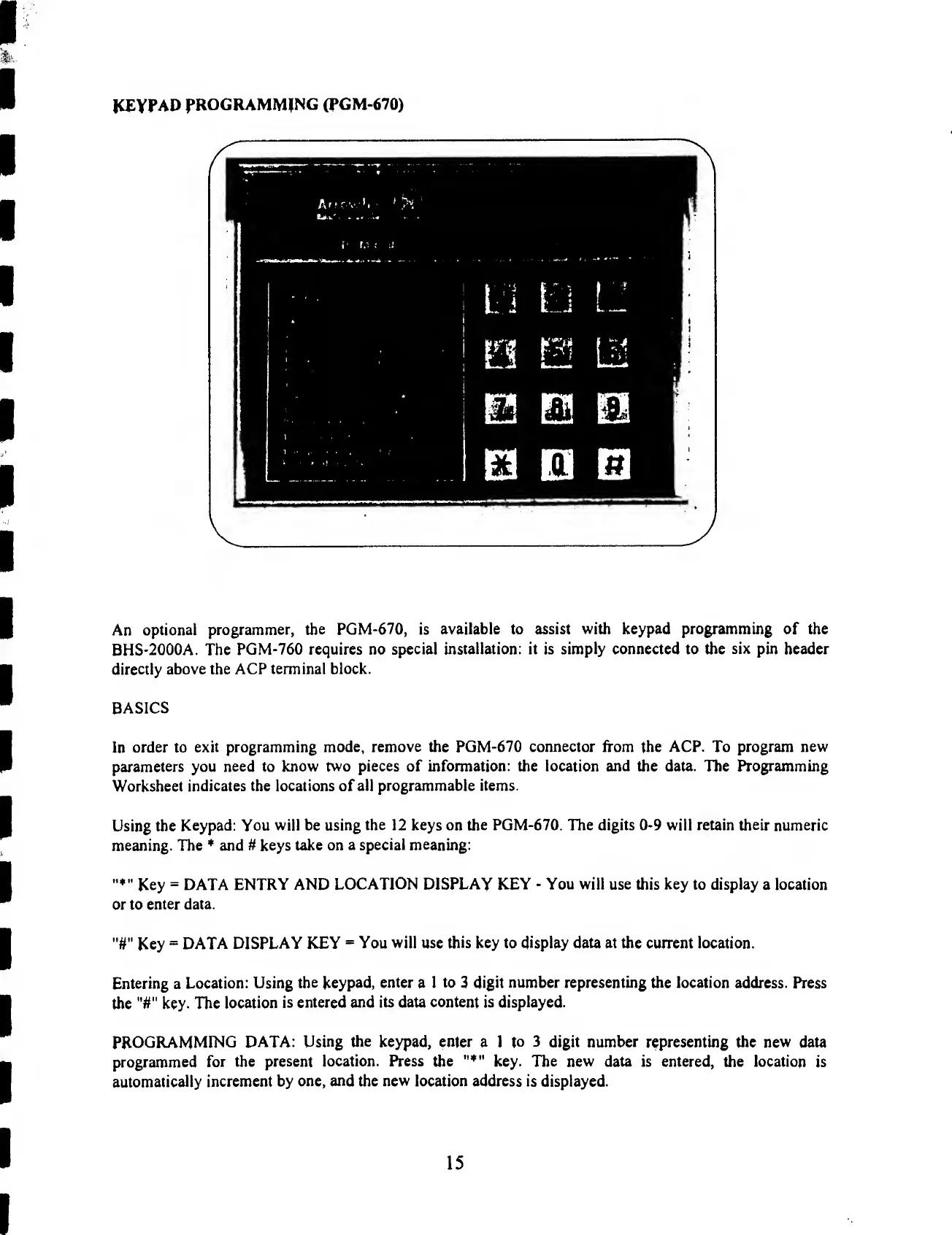
KEYPAD
PROGRAMMING
(PGM-670)
An
optional
programmer,
the
PGM-670,
is
available
to
assist
with
keypad
programming
of
the
BHS-2000A.
The
PGM-760
requires
no
special
installation:
it
is
simply
connected
to
the
six
pin
header
directly
above
the
ACP
terminal
block.
BASICS
In
order
to
exit
programming
mode,
remove
the
PGM-670
connector
from
the
ACP.
To
program
new
parameters
you
need
to
know
two
pieces
of
information:
the
location
and
the
data.
The
Programming
Worksheet
indicates
the
locations
of
all
programmable
items.
Using
the
Keypad:
You
will
be
using
the
12
keys
on
the
PGM-670.
The
digits
0-9
will
retain
their
numeric
meaning.
The
*
and
#
keys
take
on
a
special
meaning:
»*"
Key
=
DATA
ENTRY
AND
LOCATION
DISPLAY
KEY
-
You
will
use
this
key
to
display
a
location
or
to
enter
data.
Key
=
DATA
DISPLAY
KEY
=
You
will
use
this
key
to
display
data
at
the
current
location.
Entering
a
Location:
Using
the
keypad,
enter
a
1
to
3
digit
number
representing
the
location
address.
Press
the
key-
The
location
is
entered
and
its
data
content
is
displayed.
PROGRAMMING
DATA:
Using
the
keypad,
enter
a
1
to
3
digit
number
representing
the
new
data
programmed
for
the
present
location.
Press
the
key.
The
new
data
is
entered,
the
location
is
automatically
increment
by
one,
and
the
new
location
address
is
displayed.
15

Related product manuals