EasyManua.ls Logo

BRIO Beardscape - User Manual

BRIO Beardscape
20 pages
Print Icon
To Next Page IconTo Next Page
Loading...
For the Beard and Beyond
Question and Answer IconNeed help?

Do you have a question about the BRIO Beardscape and is the answer not in the manual?

Summary

Safety Information

Components of your Brio Beardscape

Getting Started

Charging your Beardscape

Instructions on how to charge the Beardscape, including using the cradle and expected charge time.

Best Practices for Li-ion Batteries

Tips for maintaining optimal battery life, including charging cycles and avoiding extreme temperatures.

Using the Brio Beardscape

Trimming Tips

Guidance on selecting guards, using the micro-adjust lever, and attaching guards for optimal trimming.

LCD Screen Functions

Load State - Burden

Explanation of display circles indicating clipper head load, clogging, or need for oil.

RPM - Speed Control

Details on the RPM range and how to adjust speed settings for different hair types.

Available Time

Information on how the display shows remaining cutting time based on speed settings.

Oil Prompts

Alerts for when the trimmer blade needs oiling, indicated by a flashing light and beep.

Charging Prompts

Notifications for low battery life, indicating when to charge the Beardscape.

Caring for your Brio Beardscape

Warranty & Support

Troubleshooting

Summary

Safety Information

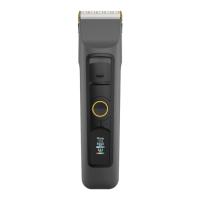
Components of your Brio Beardscape

Getting Started

Charging your Beardscape

Instructions on how to charge the Beardscape, including using the cradle and expected charge time.

Best Practices for Li-ion Batteries

Tips for maintaining optimal battery life, including charging cycles and avoiding extreme temperatures.

Using the Brio Beardscape

Trimming Tips

Guidance on selecting guards, using the micro-adjust lever, and attaching guards for optimal trimming.

LCD Screen Functions

Load State - Burden

Explanation of display circles indicating clipper head load, clogging, or need for oil.

RPM - Speed Control

Details on the RPM range and how to adjust speed settings for different hair types.

Available Time

Information on how the display shows remaining cutting time based on speed settings.

Oil Prompts

Alerts for when the trimmer blade needs oiling, indicated by a flashing light and beep.

Charging Prompts

Notifications for low battery life, indicating when to charge the Beardscape.

Caring for your Brio Beardscape

Warranty & Support

Troubleshooting

BRIO Beardscape Specifications

General IconGeneral
Blade MaterialCeramic
Battery Life4 hours
Charging Time3 hours
Voltage100-240V
Battery TypeLithium-ion
Motor TypeRotary
Included Attachmentscleaning brush
WaterproofIPX7
Accessoriescleaning brush, charging stand
DisplayLED

Videos

How To Clean & Oil The Brio Beardscape Beard & Body Trimmer

How to take care of your Brio Beardscape Trimmers

Related product manuals