12
LCD Screen Functions
Load State - Burden
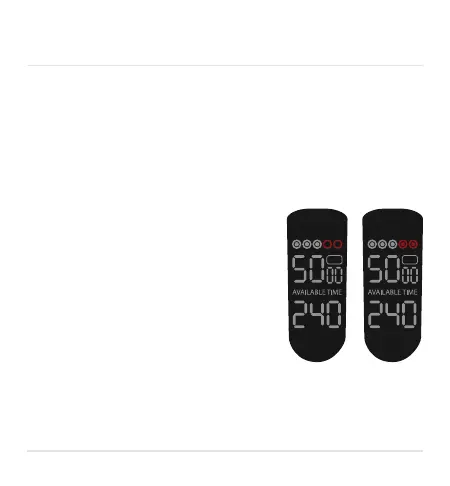
The circles at the top of the display show the load on the clipping
head. During use the clipper head may become clogged with hair
or in need of oil.
The first 3 circles display a load state un-
der normal use. If the 4th and 5th circles
(red) light up, clean and oil the clipping
head. To clean, sweep away hairs with
your included brush and to oil simply
put one or two drops of oil on the tips of
the cutting surface, run the trimmer for a
minute to work in the oil and wipe away
any excess with a dry cloth.
Good Bad


 To Next Page