© BriskHeat
®
Corporation. All rights reserved.
9
LYNX
TM
System Instructions
STEP 3: STRING AND ZONE SETUP
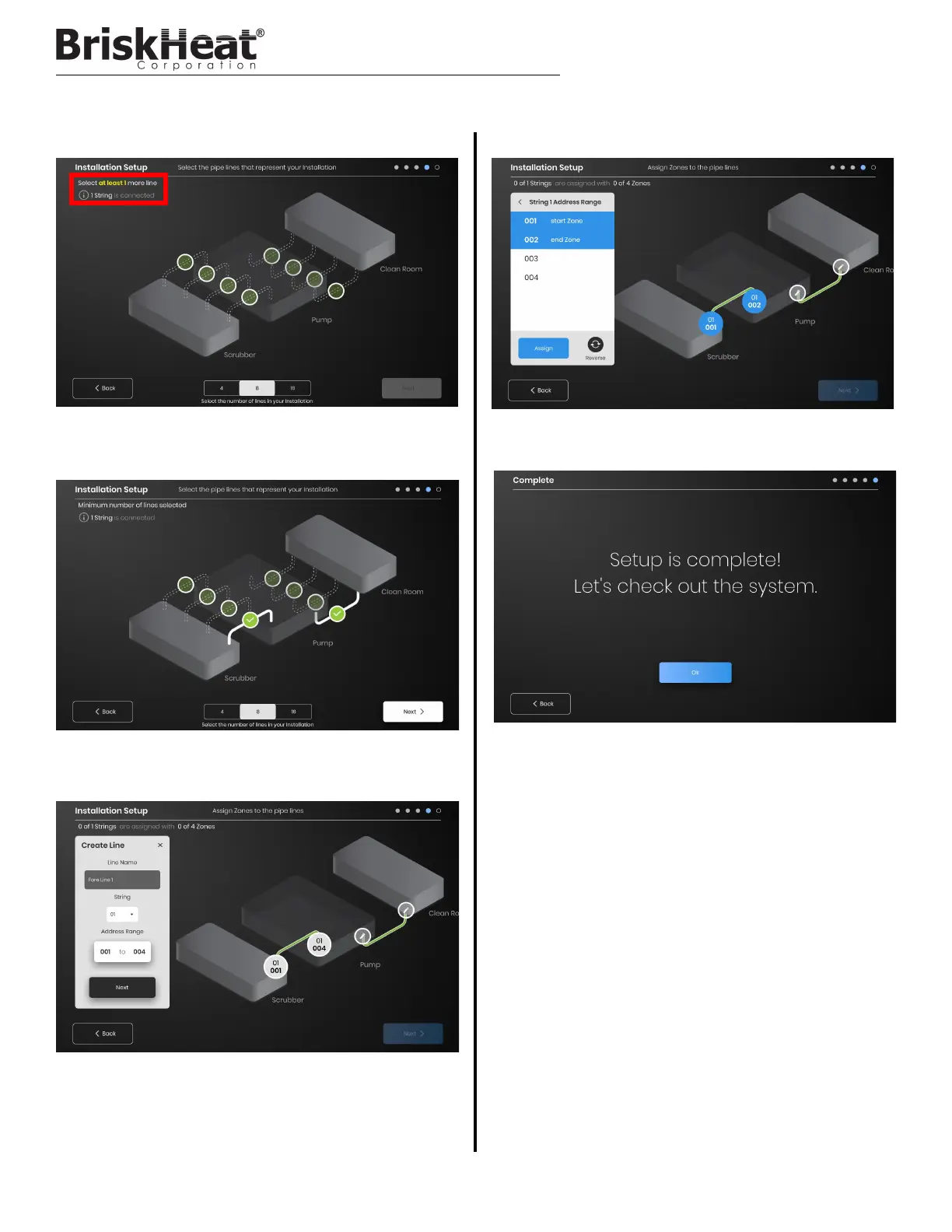
Each String can be split into multiple lines if desired. The selectable
green line dots represents a group of one or more heaters connected
together. Each String can have multiple lines assigned to it.
Assign Zones:
Select a line in the installation setup. Name the line if desired by clicking
in the “Line Name” box to bring up a keyboard for name editing.
Assign to each line the desired number of Zone addresses from each
String.
The “Address Range” button lets you customize the number and order
of Zones from a String are on each line.
Select the number and position of lines that most closely represents
your facility. A minimum number of lines equal to the number of
physical communication Strings connected to the OI must be assigned.
Setup is complete after all Zones have been assigned.



 To Next Page