EasyManua.ls Logo

BriskHeat LYNX - User Manual

Default Icon
28 pages
Print Icon
To Next Page IconTo Next Page
Loading...
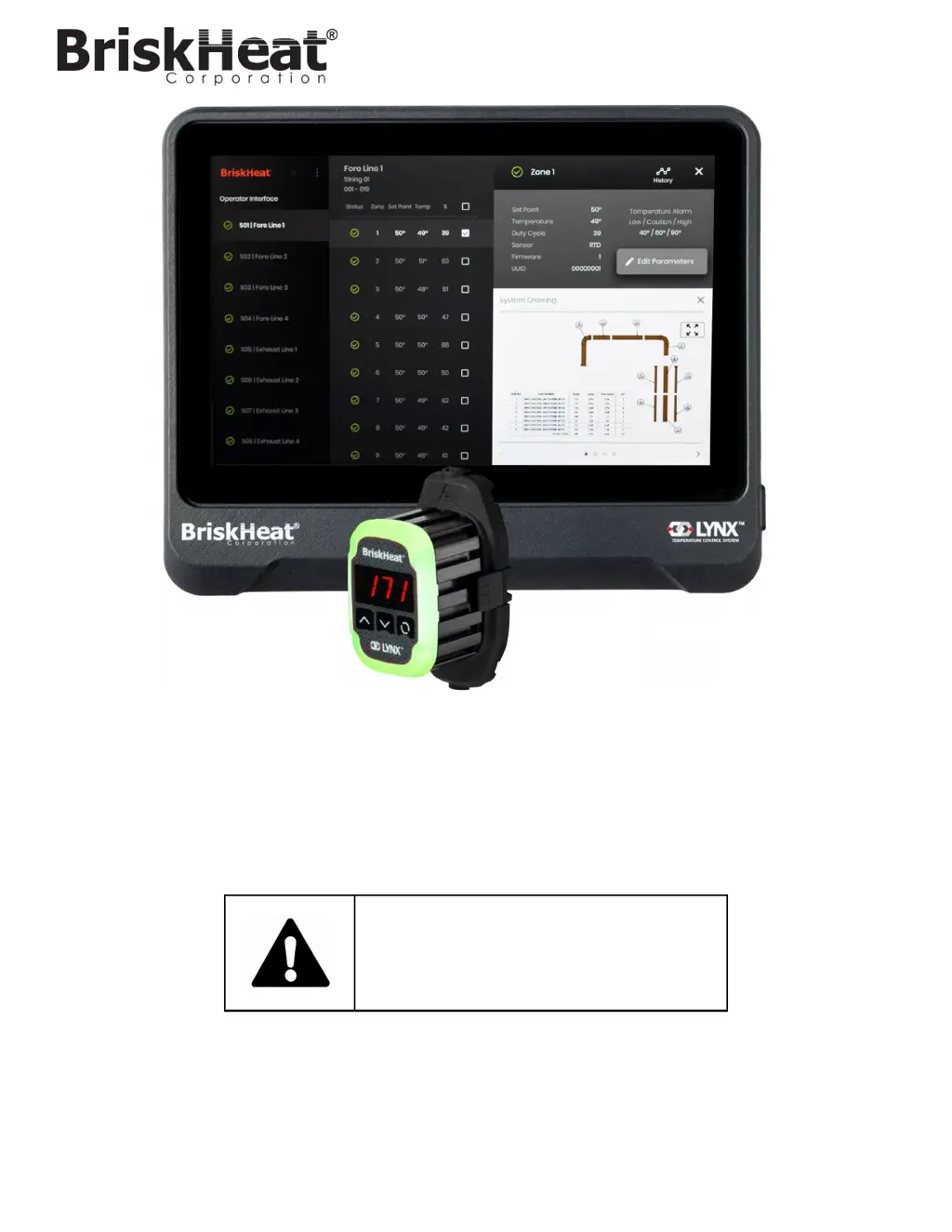
LYNX
TM
Temperature Control System
Instruction Manual
Read and understand this manual before operating or servicing
this temperature controller. Failure to understand how to safely
operate this controller could result in an accident causing
serious injury or death. Only qualified personnel should
operate or service this controller.

Other manuals for BriskHeat LYNX

Questions and Answers

Summary

Safety Alert Symbol

Important Safety Instructions

Safety Alert Symbol Explanation

Explains the meaning and purpose of the safety alert symbol.

End-User Compliance Requirements

Outlines essential safety practices and responsibilities for end-users.

Introduction to LYNX System

General Specifications and Features

Details system voltage, temperature range, sensor input, and display.

Accuracy and Environmental Ratings

Covers sensor accuracy, operating temperature, and humidity limits.

LYNX Hardware Overview

Operator Interface and Module Components

Describes buttons, display, heater output, and LED indicators.

Operator Interface Ports and Connectors

Details Ethernet, communication, dry-contact, and USB ports.

LYNX Hardware Connector Diagrams

LYNX System Setup Guide

Step 1: Heater Installation

Instructions for installing heaters and ensuring proper contact.

Step 2: Module and Cable Attachment

Guidance on connecting Lynx Modules and power harnesses.

LYNX System Setup Steps 3 & 4

Step 3: Operator Interface Mounting

Options and steps for mounting the Operator Interface panel.

Step 4: Operator Interface Connection

How to connect the Operator Interface to the system power.

Operator Interface Configuration

System Setup: Network and PIN

Configuring network connectivity and setting a security PIN.

Facility Setup: Layout and Piping

Defining the facility map and piping layout for system visualization.

Operator Interface Configuration - String and Zone Setup

String and Zone Setup

Assigning lines, zones, and address ranges for system mapping.

Operator Interface Overview and Navigation

Main Screen and System Access

Describes the main panel screen and accessing system functions.

Zone and Line Selection Panels

Navigating through zones and lines for detail and parameter editing.

Zone Detail and Parameter Editing

Zone Detail Information

Displays zone-specific data like alarms, sensor type, and firmware.

Edit Zone Parameters

Modifying set points, alarms, and control modes for zones.

System Drawings Management

Uploading System Drawings

Process for loading system layout drawings onto the Operator Interface.

Viewing System Drawings

How to access and view uploaded system drawings.

Historical Data Management

Viewing Historical Zone Data

Accessing and reviewing past temperature, duty cycle, and current data.

Exporting Historical Data

Steps to export historical data to a USB flash drive in CSV format.

System Menu and Operations

System Menu Options

Overview of menu items like Global Edit, Settings, Presets, and Shutdown.

Global Zone Edit and Firmware Update

Applying parameters to all zones and updating module firmware.

Operator Interface Settings

Configuring general, PIN, factory reset, and about information.

Configuration and Alerts

Zone Presets Configuration

How to create custom parameter profiles for zones.

Alarms Monitoring

Tracking and logging alarm events within the system.

Remote Alerts Setup

Setting up email notifications for system alerts.

Module Status and Programming

LYNX Module LED Color Indications

Explains the meaning of different LED colors and actions on Lynx modules.

LYNX Module Menu Programming

Guide to programming module parameters via its menu.

Advanced Module Modbus Programming

Module Communications via Modbus

Explains Modbus-RTU communication and supported commands.

LYNX Module Modbus Registers (Part 1)

Module Defaults and Settings Registers

Lists Modbus registers for module defaults, settings, and temperature.

Alarm and Latching Registers

Details registers for alarm conditions and latching behavior.

LYNX Module Modbus Registers (Part 2)

Temperature Scaling and Runtime Registers

Covers registers for temperature calibration, runtime, and alarms.

LED and Amperage Registers

Details registers for LED control, amperage calibration, and module status.

LYNX Module Status Registers

Status Register (Register 7) Definitions

Explains the bits and meanings for the LYNX Module Status Register.

Status2 Register (Register 8) Definitions

Explains the bits and meanings for the LYNX Module Status2 Register.

LYNX Module Control, Sensor, and Settings

Control Types and Sensor Types Reference

Details available control modes and sensor types for modules.

Module Settings Register Definitions

Explains the various settings available for LYNX modules.

Operator Interface Modbus Programming

OI Level Modbus Table Reference

Lists Modbus registers for OI level settings and states.

Zone Level Modbus Programming

Zone Base Address Calculation

Formula and examples for calculating zone base Modbus addresses.

Zone Level Modbus Table Reference

Detailed Modbus registers for individual zones.

Glossary of Terms (Part 1)

Glossary Definitions A-I

Definitions for terms like Autotune, Baud Rate, Caution Alarm, Control Mode.

Glossary of Terms (Part 2)

Glossary Definitions L-Z

Definitions for terms like Line, Low Alarm, PID Control, Setpoint, String, Zone.

Product Care and Safety Procedures

Maintenance Instructions

Guidelines for inspecting, maintaining, storing, and disposing of the product.

Emergency Procedures

Steps to follow in case of electric shock, burns, or fire.

Troubleshooting Guide

Common Issues and Corrective Actions

Solutions for typical operational problems with modules and the OI.

Warranty Information

Product Warranty Details

Information on warranty period, coverage, and contact details.

Summary

Safety Alert Symbol

Important Safety Instructions

Safety Alert Symbol Explanation

Explains the meaning and purpose of the safety alert symbol.

End-User Compliance Requirements

Outlines essential safety practices and responsibilities for end-users.

Introduction to LYNX System

General Specifications and Features

Details system voltage, temperature range, sensor input, and display.

Accuracy and Environmental Ratings

Covers sensor accuracy, operating temperature, and humidity limits.

LYNX Hardware Overview

Operator Interface and Module Components

Describes buttons, display, heater output, and LED indicators.

Operator Interface Ports and Connectors

Details Ethernet, communication, dry-contact, and USB ports.

LYNX Hardware Connector Diagrams

LYNX System Setup Guide

Step 1: Heater Installation

Instructions for installing heaters and ensuring proper contact.

Step 2: Module and Cable Attachment

Guidance on connecting Lynx Modules and power harnesses.

LYNX System Setup Steps 3 & 4

Step 3: Operator Interface Mounting

Options and steps for mounting the Operator Interface panel.

Step 4: Operator Interface Connection

How to connect the Operator Interface to the system power.

Operator Interface Configuration

System Setup: Network and PIN

Configuring network connectivity and setting a security PIN.

Facility Setup: Layout and Piping

Defining the facility map and piping layout for system visualization.

Operator Interface Configuration - String and Zone Setup

String and Zone Setup

Assigning lines, zones, and address ranges for system mapping.

Operator Interface Overview and Navigation

Main Screen and System Access

Describes the main panel screen and accessing system functions.

Zone and Line Selection Panels

Navigating through zones and lines for detail and parameter editing.

Zone Detail and Parameter Editing

Zone Detail Information

Displays zone-specific data like alarms, sensor type, and firmware.

Edit Zone Parameters

Modifying set points, alarms, and control modes for zones.

System Drawings Management

Uploading System Drawings

Process for loading system layout drawings onto the Operator Interface.

Viewing System Drawings

How to access and view uploaded system drawings.

Historical Data Management

Viewing Historical Zone Data

Accessing and reviewing past temperature, duty cycle, and current data.

Exporting Historical Data

Steps to export historical data to a USB flash drive in CSV format.

System Menu and Operations

System Menu Options

Overview of menu items like Global Edit, Settings, Presets, and Shutdown.

Global Zone Edit and Firmware Update

Applying parameters to all zones and updating module firmware.

Operator Interface Settings

Configuring general, PIN, factory reset, and about information.

Configuration and Alerts

Zone Presets Configuration

How to create custom parameter profiles for zones.

Alarms Monitoring

Tracking and logging alarm events within the system.

Remote Alerts Setup

Setting up email notifications for system alerts.

Module Status and Programming

LYNX Module LED Color Indications

Explains the meaning of different LED colors and actions on Lynx modules.

LYNX Module Menu Programming

Guide to programming module parameters via its menu.

Advanced Module Modbus Programming

Module Communications via Modbus

Explains Modbus-RTU communication and supported commands.

LYNX Module Modbus Registers (Part 1)

Module Defaults and Settings Registers

Lists Modbus registers for module defaults, settings, and temperature.

Alarm and Latching Registers

Details registers for alarm conditions and latching behavior.

LYNX Module Modbus Registers (Part 2)

Temperature Scaling and Runtime Registers

Covers registers for temperature calibration, runtime, and alarms.

LED and Amperage Registers

Details registers for LED control, amperage calibration, and module status.

LYNX Module Status Registers

Status Register (Register 7) Definitions

Explains the bits and meanings for the LYNX Module Status Register.

Status2 Register (Register 8) Definitions

Explains the bits and meanings for the LYNX Module Status2 Register.

LYNX Module Control, Sensor, and Settings

Control Types and Sensor Types Reference

Details available control modes and sensor types for modules.

Module Settings Register Definitions

Explains the various settings available for LYNX modules.

Operator Interface Modbus Programming

OI Level Modbus Table Reference

Lists Modbus registers for OI level settings and states.

Zone Level Modbus Programming

Zone Base Address Calculation

Formula and examples for calculating zone base Modbus addresses.

Zone Level Modbus Table Reference

Detailed Modbus registers for individual zones.

Glossary of Terms (Part 1)

Glossary Definitions A-I

Definitions for terms like Autotune, Baud Rate, Caution Alarm, Control Mode.

Glossary of Terms (Part 2)

Glossary Definitions L-Z

Definitions for terms like Line, Low Alarm, PID Control, Setpoint, String, Zone.

Product Care and Safety Procedures

Maintenance Instructions

Guidelines for inspecting, maintaining, storing, and disposing of the product.

Emergency Procedures

Steps to follow in case of electric shock, burns, or fire.

Troubleshooting Guide

Common Issues and Corrective Actions

Solutions for typical operational problems with modules and the OI.

Warranty Information

Product Warranty Details

Information on warranty period, coverage, and contact details.

BriskHeat LYNX Specifications

General IconGeneral
BrandBriskHeat
ModelLYNX
CategoryTemperature Controller
LanguageEnglish