III. Setup Alexa
Install Alexa
Install the
Alexa
App, then log in using your Amazon account (if you don’t have an account,
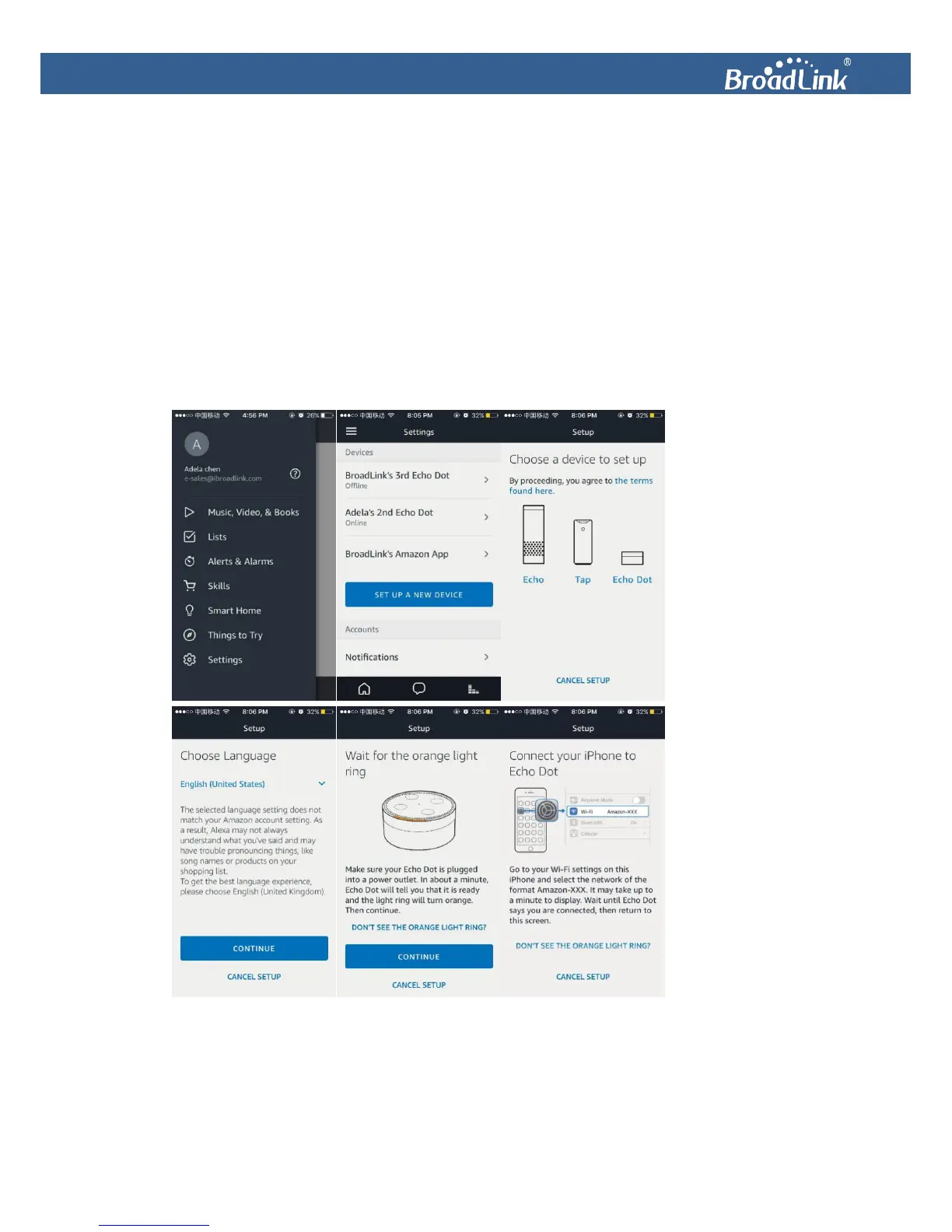
please create one). Tap ≡ to open a side menu and select Settings. Then tap SET UP A NEW
DEVICE. Choose the device you want to setup. Choose Alexa’s language from a drop-down menu.
Long press the power button on Alexa until the light ring turns orange. Alexa
will then tell you
that she is in setup mode. Next, connect your Android/iOS device to Alexa’s Wi-Fi (Wi-Fi name
Amazon-XXX).
Alexa
will tell you when she is connected. Then, connect your Android/iOS device
back to your home Wi-Fi. Alexa will take a few minutes to complete setup.


 To Next Page