Need help?
Do you have a question about the BroadLink RM-PRO and is the answer not in the manual?
Records changes, updates, and versions of the document.
Details the key features and capabilities of the BroadLink Universal Remote.
Explains the primary functions and applications of the Universal Remote.
Lists core functionalities like all-in-one control, remote access, timers, and Alexa compatibility.
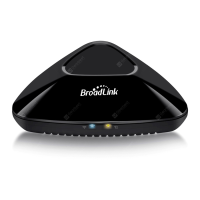
Explains the status and meaning of the Blue Wi-Fi and Orange Operation LEDs.
Describes the procedure for using the reset button for device configuration.
Provides instructions for downloading and installing the ihc mobile application from app stores.
Guides users through creating an ihc account via email, phone number, or Facebook.
Initial steps to power on the Universal Remote and begin its setup process.
Steps to add the Universal Remote as a device within the ihc App by scanning or manual selection.
Details on selecting the home Wi-Fi network and entering the password for the device.
Setting the device name, assigning it to a room, and completing the device setup.
Steps for connecting through the Universal Remote's AP mode if direct connection fails.
How to choose the appliance type (e.g., TV, STB) to add its corresponding remote control.
Process of teaching the Universal Remote to control a TV using its original physical remote.
How to correct or re-learn individual buttons if initial remote calibration is unsuccessful.
Steps to calibrate the remote for a set-top box, including postcode input.
How to manually learn buttons for appliances not found in the app's predefined list.
Process of adding learned buttons to a custom remote control panel for personalized use.
How to set up channel names and their corresponding numbers for voice control via Alexa.
Steps to install the Alexa app and initiate the setup for a new Alexa-enabled device.
Instructions for connecting the mobile device to the Echo Dot during the Alexa setup process.
Steps to select the correct Wi-Fi network and establish a stable connection for the device.
How to find and enable the "BroadLink Smart Home" skill within the Alexa application.
Linking the ihc account with Alexa by signing in and authorizing access to control devices.
Initiating the device discovery process in the Alexa app to find and enable control of the BroadLink device.
Lists common Alexa commands for controlling TV power, volume, channels, and multimedia playback.
 General
| Device Type | Universal Remote Control |
|---|---|
| Brand | BroadLink |
| Model | RM-PRO |
| Supported Protocols | IR, RF |
| IR Frequency | 38 kHz |
| RF Frequency | 433 MHz, 315 MHz |
| App Control | Yes |
| Learning Function | Yes |
| Operating Humidity | ≤85% RH |
| Connectivity | Wi-Fi |
| Voice Control | Yes (via Alexa, Google Assistant) |
| Power Source | USB |
| Operating Temperature | 0°C to 50°C |
| Dimensions | 110 x 110 x 36 mm |
| Power Supply | 5V DC |

 To Next Page