Quick Start Guide – Managing Features through the MyOceSuite™ Portal
6 Quick Start Guide
Login to the MyOceSuite™ Portal at
http://MyOceSuite.broadviewnet.com
to perform the next set of functions.
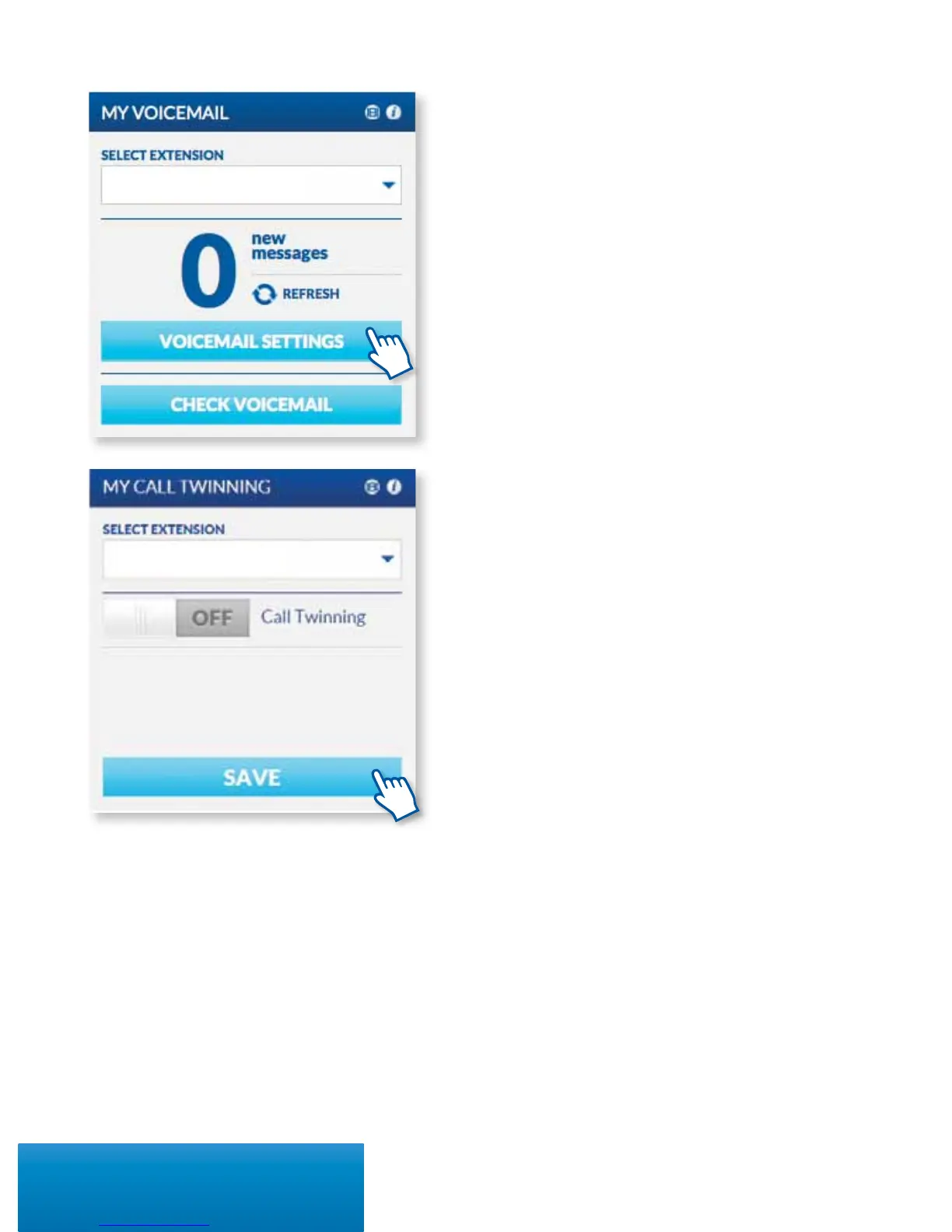
SETTING UP HOW YOU RECEIVE VOICEMAILS
There are several ways that you can receive voicemail
messages, including via email. To set up how you’d
like to receive your messages, click on Voicemail
Settings on the My Voicemail widget and check
the box for Enable Voicemail Notications and
select your preference and enter the email address of
where you would like to receive messages.
CHECKING VOICEMAIL ONLINE
You can check your voicemail right from the portal.
Click on Check Voicemail from the My Voicemail
widget. Here you can listen, sort, delete, save or
forward messages.
CALL TWINNING
Enable your cell phone and desk phone to ring
simultaneously so you never miss a call. After
purchasing this feature, you can easily turn it on
through the My Call Twinning widget and entering
the number you’d like to twin and click Save.



 To Next Page