Brooks Automation
34 260301 Revision A
6 Installation ATR60LF RFID Reader CAN Bus
6.11 DIP Switches Product Manual
6.11 DIP Switches
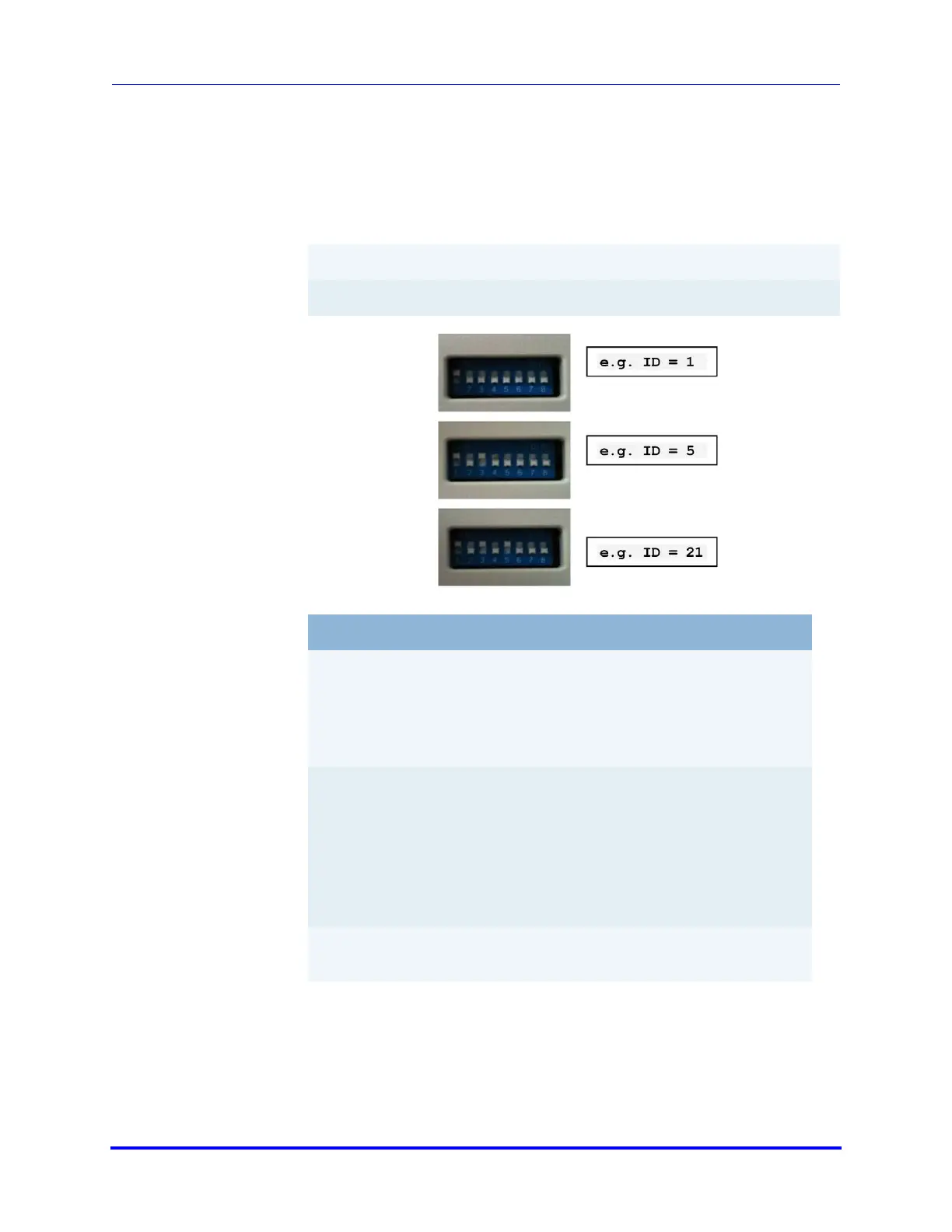
The DIP switches 1 to 5 set the TargetID (0 - 31). The TargetID of the CAN
Gateway has value 0. The new TargetID is set when the reader is powered.
Switch 1 is the LSB and switch 5 is the MSB of the TargetID. A switch at ON
or Open position is 1, a switch at OFF or Close is 0.
Switch position
values:
01 - 00001
03 - 00011
10 - 01010
16 - 10000
27 - 11011
31 - 11111
Switch # 1 2 3 4 5
Binary digit 1 2 4 8 16
Switch # Function
6 Switches between reading and writing action in test
mode.
OFF - only reading a transponder
ON - reading and writing a transponder
7 Switches the reader into test mode.
In test mode, the reader reads or writes (depends on
the setting of switch 6) permanently to the transpon-
der, and shows the result via LED 'Read/Write ok' and
'Read/Write fail'.
"ON" test mode activation
8 The trigger in the ON position performs an antenna
tuning cycle.


 To Next Page