Massage Programs and Selections
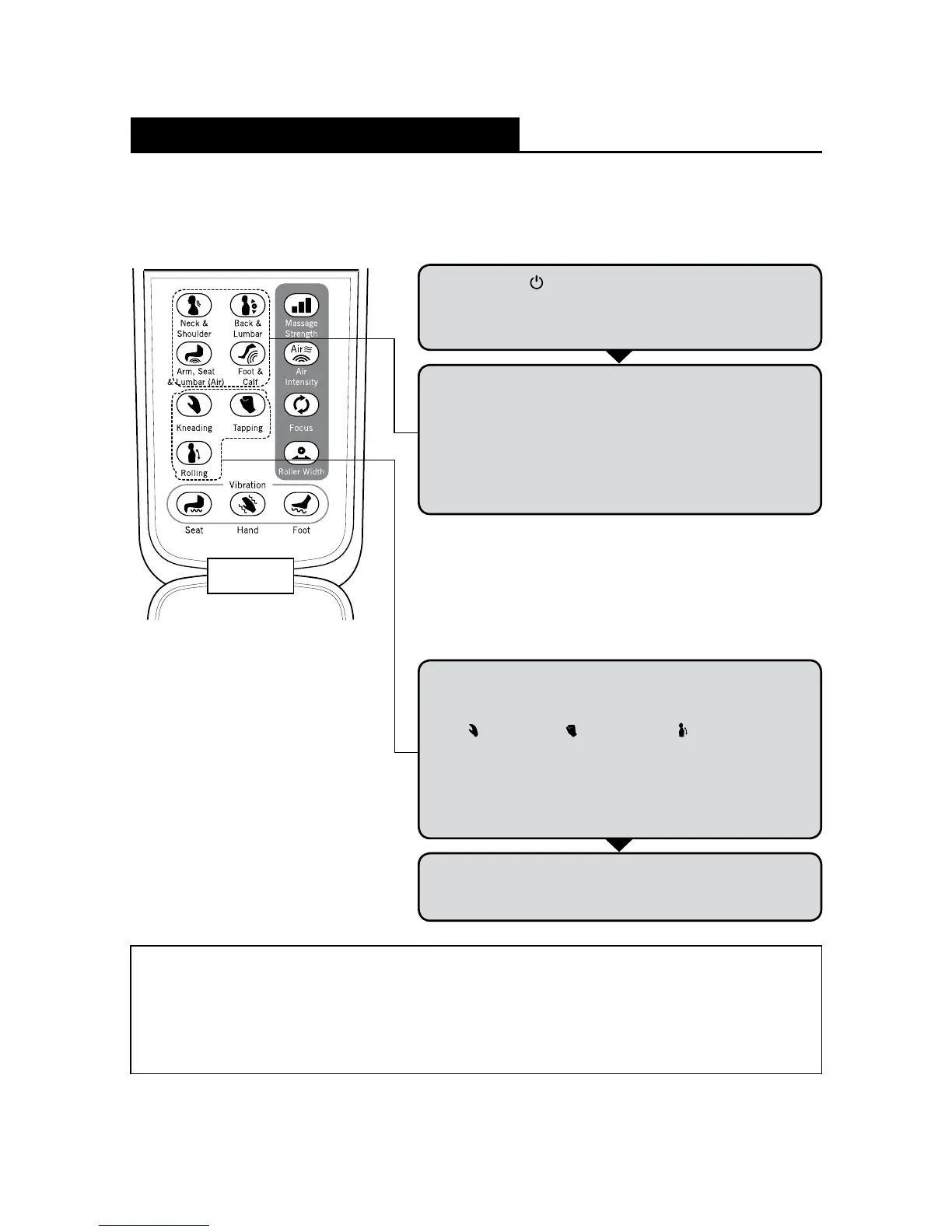
Localized Area Program
You may select and combine your favorite massage areas by pressing the respective
Localized Area Massage buttons.
Press the [ ] button to turn on the controller. To make
a selection from the manual selection mode, open the
front panel on the controller. The chair will go into idle
mode after 5 minutes if no selection is made.
1
4
The massage will end after approx. 15 minutes.
After the massage is completed, the rollers will return
to the storage position.
Note
• Keep each massage session to no longer than 15 minutes.
• Do not massage any particular area of the body for more than 5 minutes.
• Keep massage sessions to a maximum total of 30 minutes per day.
Manual Massage Programs
You may select and combine your favorite
massage type, speed and intensity by pressing
the respective Manual Selection buttons on
the controller.
2
There are 4 Localized Area Massage Programs (Neck &
Shoulders; Arm, Seat & Lumbar [Air]; Back & Lumbar; and
Foot & Calf) which can be combined to the user’s desire.
There are also 3 types of Manual Massage Programs
for the user to select and combine.
(When Rolling is selected in a combination, Kneading and Tapping
cannot be activated.)
3
Select and combine your massage type, strength
and intensity by pressing the respective Manual
Selection buttons.
[
] Kneading, [ ] Tapping and [ ] Rolling
massages can be combined with Neck & Shoulder;
Arm, Seat, & Lumbar (Air); and Foot & Calf of Localized
Area Programs.
(When Rolling is selected in a combination, Kneading and Tapping
cannot be activated.)






 To Next Page