EasyManua.ls Logo

Brother 884-T09 - User Manual

Brother 884-T09
62 pages
Print Icon
To Next Page IconTo Next Page
Loading...
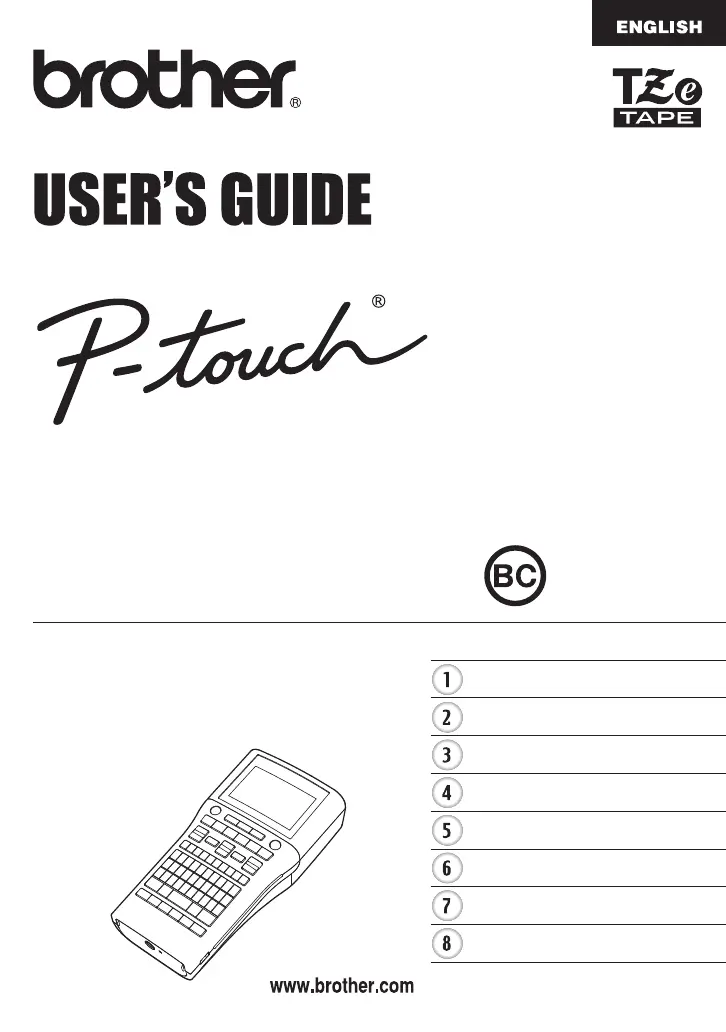
ELECTRONIC LABELING SYSTEMELECTR O N I C L ABEL I N G S Y S T E MELECTRONIC LABELING SYSTEM
In order to use your P-touch labeler safely, read the included
Quick Setup Guide first.
Read this guide before using your P-touch labeler.
Keep this guide in a handy place for future reference.
Please visit us at http://solutions.brother.com/ where you can
get product support and answers to frequently asked
questions (FAQs).
INTRODUCTION
EDITING A LABEL
LABEL PRINTING
USING THE FILE MEMORY
USING P-TOUCH SOFTWARE
RESETTING & MAINTENANCE
TROUBLESHOOTING
APPENDIX
PT-H500LI
Version 0
US ENG

Table of Contents

Questions and Answers

  • V
    Victor TurnerSep 12, 2025
    What does 'Text Too Long!' mean on my Brother 884-T09 Label Maker and how can I fix it?
    • J
      josephlewisSep 12, 2025
      This message indicates that the length of the label to be printed using the text entered is longer than the length setting. Edit the text to fit within the set length or change the length setting.
  • P
    Patricia PhelpsAug 25, 2025
    What to do if my Brother 884-T09 Label Maker displays 'Insert Tape Cassette'?
    • M
      Michael JohnsonAug 25, 2025
      This message appears when you try to print or preview a label, or feed tape without a tape cassette installed. Install a tape cassette before continuing.
  • A
    Alisha RodriguezAug 25, 2025
    How to fix 'Text Full' error on Brother 884-T09?
    • D
      david15Aug 26, 2025
      This message indicates that the maximum number of characters has already been entered. To fix this, edit the text and use fewer characters.
  • K
    kathybuckSep 23, 2025
    How to unlock a Brother P-touch labeler?
    • B
      Brian DominguezSep 23, 2025
      Refer to "Resetting the P-touch Labeler" on page 52 and reset the internal memory to the initial settings. If resetting the P-touch labeler does not solve the problem, disconnect the AC adapter and remove the batteries for more than 10 minutes.
  • M
    Michael GomezSep 12, 2025
    How to fix 'Memory Full!' error on Brother 884-T09?
    • A
      Angela WilliamsSep 12, 2025
      This message indicates that there is not enough internal memory available when you try to save a label file. Delete any unnecessary files to make more memory available for the new label file.
  • T
    Tammy ChanSep 18, 2025
    How to fix 'Category Full!' error on Brother Label Maker?
    • E
      Erin JacksonSep 18, 2025
      This message indicates that the memory available for categories is full. To make more memory available, delete any unnecessary registered label files by highlighting the label file and pressing the OK key.
  • H
    Harold MartinezSep 5, 2025
    How to resolve 'Insert 0.94" Tape Cassette! Insert 24mm Tape Cassette!' on Brother 884-T09?
    • E
      Emily AguirreSep 5, 2025
      This message indicates that a 0.94"(24 mm) tape cassette is not installed when Template or Block Layouts for 0.94"(24 mm) tape is selected. Install a 0.94"(24 mm) tape cassette.
  • J
    Jamie Johnson MDSep 6, 2025
    What to do if my Brother 884-T09 Label Maker says 'Insert 0.70" Tape Cassette! Insert 18mm Tape Cassette!'?
    • D
      dawnleonardSep 6, 2025
      This message indicates that a 0.70"(18 mm) tape cassette is not installed when Template or Block Layouts for 0.70"(18 mm) tape is selected. Install a 0.70"(18 mm) tape cassette.
  • C
    Cory CardenasSep 18, 2025
    What causes 'Wrong Type Of Adapter Connected!' message on Brother Label Maker?
    • G
      Greg TranSep 18, 2025
      Install an appropriate AC adapter (AD-E001).
  • T
    Tonya ThomasAug 30, 2025
    How do I resolve the 'Line Limit! Max 7 Lines' error on my Brother Label Maker?
    • M
      Mary NortonAug 30, 2025
      This message indicates that the maximum number of lines have already been entered. Limit the number of lines to seven.

Brother 884-T09 Specifications

General IconGeneral
BrandBrother
Model884-T09
CategoryLabel Maker
LanguageEnglish

Related product manuals