4. INSTALLATION
11
BAS-342G PS
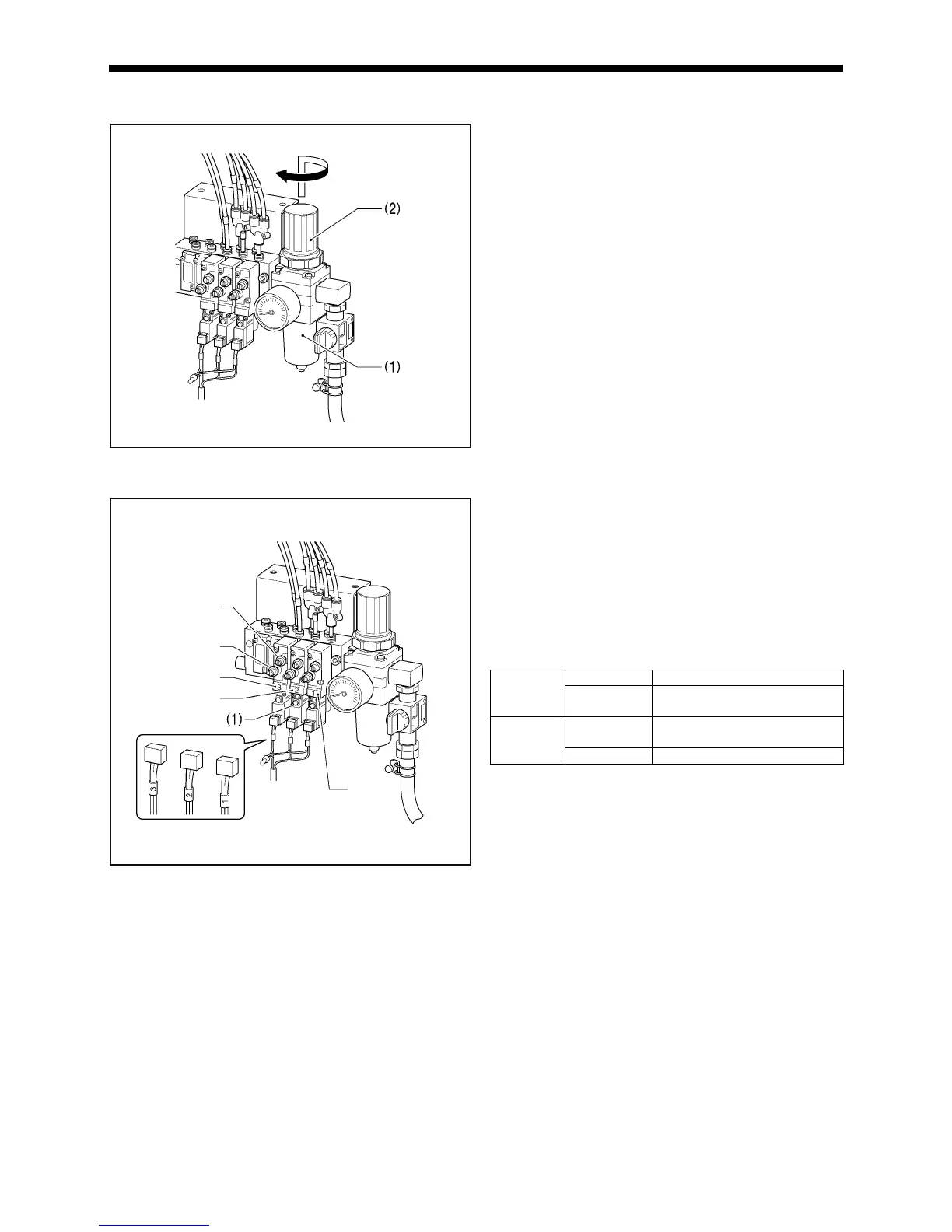
4-11. Adjusting the air pressure [6]
Lift up the handle (2) of the regulator (1) and then turn it to
adjust the air pressure to 0.5 MPa.
After adjustment is complete, push the handle (2) downward to
lock it.
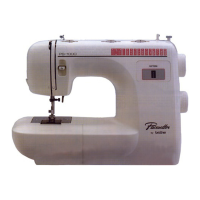
4-12. Adjusting the speed controller [7]
< Adjusting the lifting and lowering speeds for the work
clamp >
You can adjust the lifting and lowering speeds for the work
clamp using the knobs on valves 1 and 2.
• When the upper knob is tightened, the lifting speed becomes
slower. When it is loosened, the lifting speed becomes faster.
• When the lower knob is tightened, the lowering speed
becomes slower. When it is loosened, the lowering speed
becomes faster.
Reference adjustments
Upper knob Fully tighten
Valve 1
Lower knob
Fully tighten and then loosen by
8 turns
Upper knob
Fully tighten and then loosen by
5 turns
Valve 2
Lower knob Fully tighten
You can operate the work clamp when the power is turned off
by pressing the manual buttons (1).
< Adjusting the speed of the thread trimming air cylinder >
Valve 3 is used for adjusting the speed of the thread trimming
air cylinder. To use, fully tighten both the upper and lower knobs,
and then loosen them both by 6 turns.
* If the knobs are not at the tightening settings mentioned
above, upper thread trimming may not work correctly.
2749


 To Next Page