7. USING THE OPERATION PANEL (ADVANCED OPERATIONS)
BAS-342G PS
40
5
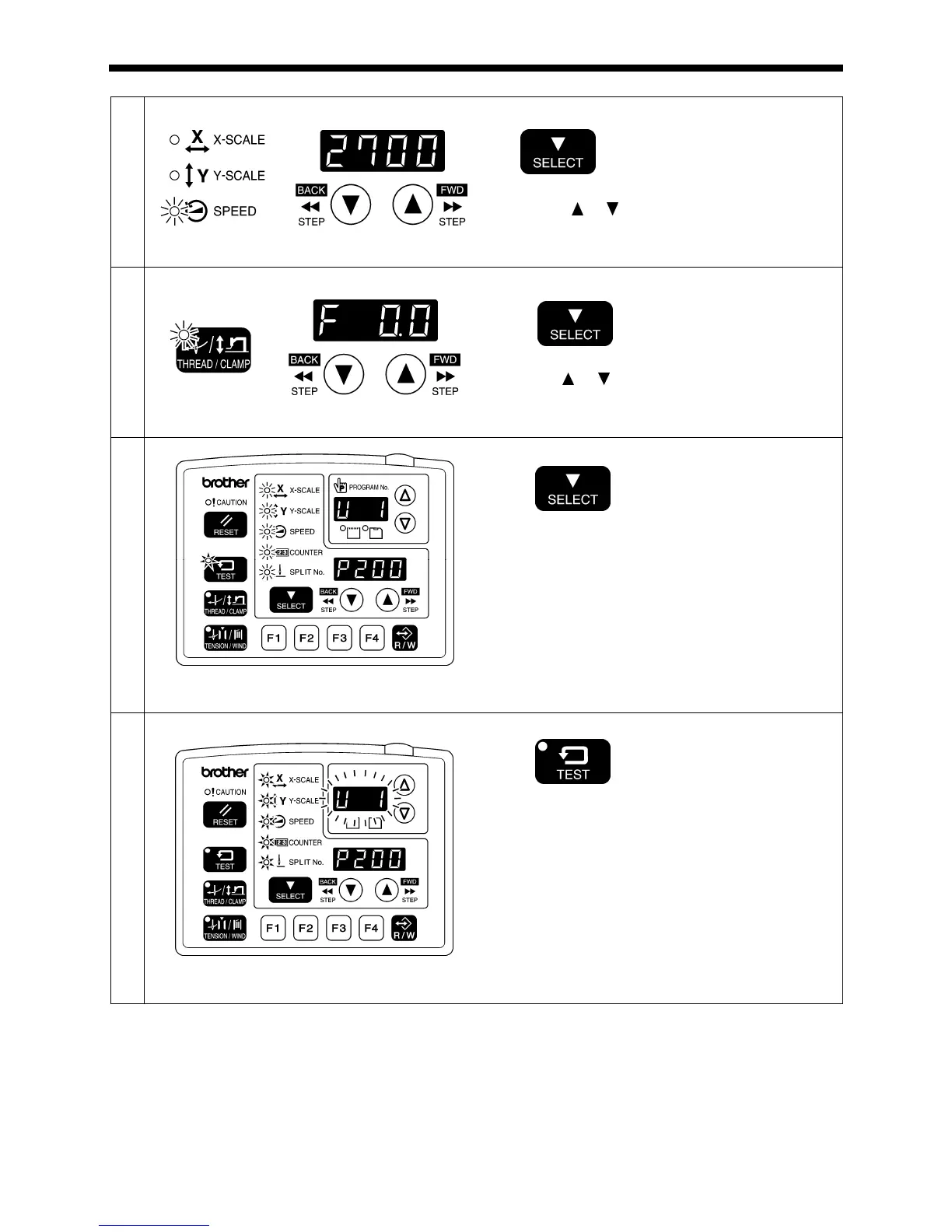
Next, set the sewing speed.
SPEED indicator flashes
Press the SELECT key.
Press the or key to set the sewing speed to be
recorded.
6
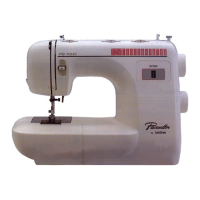
Next, set the intermittent presser foot height.
THREAD/CLAMP indicator flashes
Press the SELECT key.
Press the or key to set the intermittent presser foot
height to be recorded.
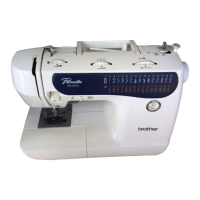
7
TEST indicator illuminates, MENU indicator flashes
Press the SELECT key.
• If setting further user programs, select the user
program number and then repeat steps 2 to 7.
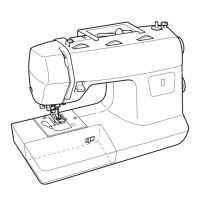
8
End user program recording mode.
TEST indicator switches off, MENU indicator illuminates
Press the TEST key.
This completes the recording of a user program.
• The user program number will flash in the PROGRAM
No. display.
(Continued on next page)
4474Q
4970Q
4971Q
4969Q



 To Next Page