EasyManua.ls Logo

Brother BAS-411 - Page 65

Brother BAS-411
181 pages
Print Icon
To Next Page IconTo Next Page
To Previous Page IconTo Previous Page
Loading...
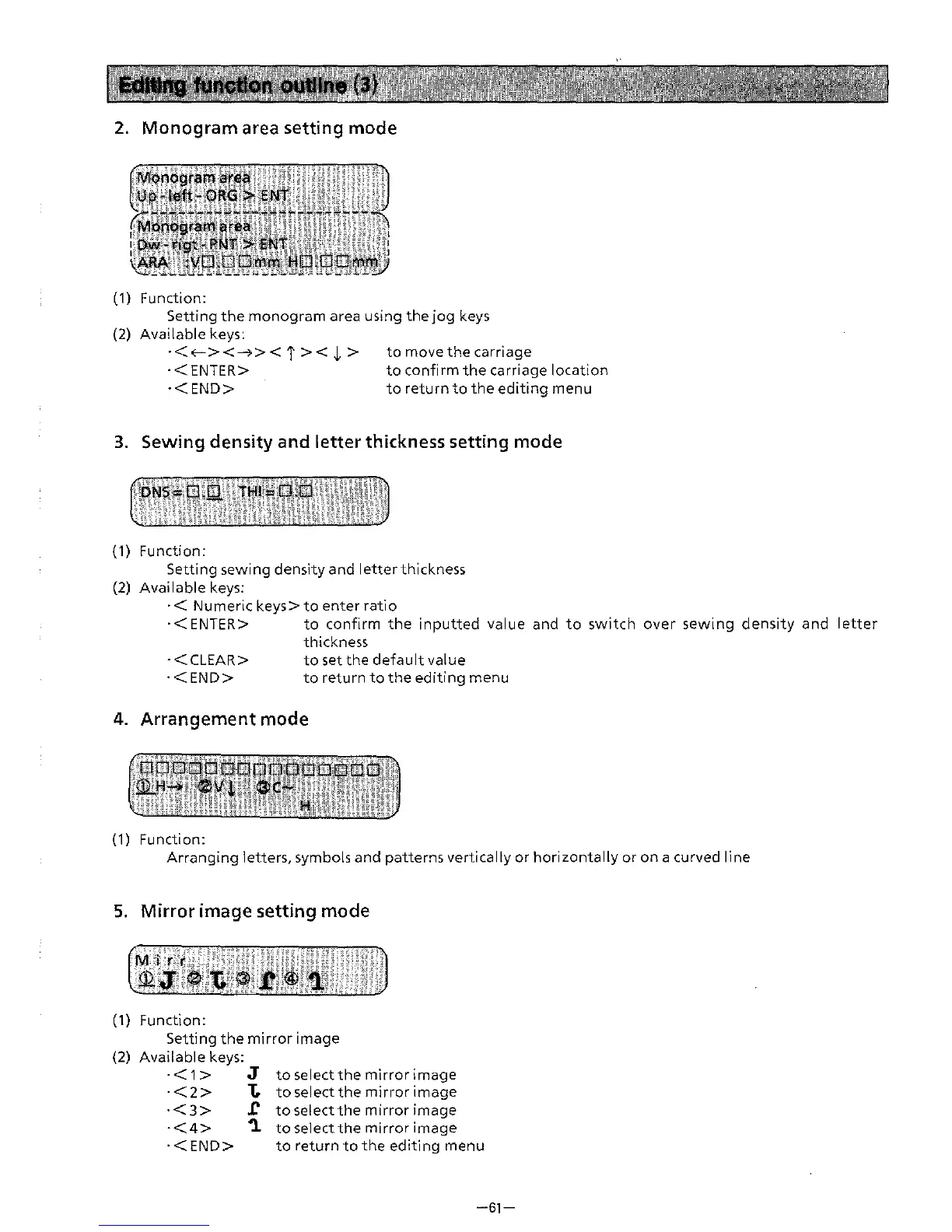
2.
Monogram area setting mode
(1)
Function:
Setting
the
monogram
area
using
the
jog
keys
(2) Available keys:
·<<--><-->><
i
><
~
>
·<ENTER>
to
move
the
carriage
·<END>
to
confirm
the
carriage location
to
return
to
the
editing
menu
3.
Sewing density and letter thickness setting mode
{1) Function:
Setting sewing density
and
letter
thickness
(2) Available keys:
·<
Numerickeys>toenterratio
·<ENTER>
to
confirm
the
inputted
value and
to
switch
over
sewing
density
and
letter
thickness
to
set
the
default
value
·<CLEAR>
·<END>
to
return
to
the
editing
menu
4.
Arrangement mode
(1) Function:
Arranging letters, symbols
and
patterns
vertically or horizontally or
on
a curved line
5.
Mirror image setting mode
(1) Function:
Setting
the
mirror image
(2) Available keys:
·<1>
J
·<2>
1:.
·<3>
J:
·<4>
'1
to
select
the
mirror
image
to
select
the
mirror
image
to
select
the
mirror
image
to
select
the
mirror
image
·<END>
to
return
to
the
editing
menu
-61-
From the library of: Superior Sewing Machine & Supply LLC