EasyManua.ls Logo

Brother BAS-341F - User Manual

Brother BAS-341F
67 pages
Print Icon
To Next Page IconTo Next Page
Loading...
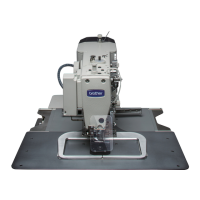
BAS-341F
BAS-342F
Please read this manual before making using the machine.
Please keep this manual within easy reach for quick reference.
PROGRAMMABLE ELECTRONIC PATTERN SEWER
INSTRUCTION MANUAL

Table of Contents

Other manuals for Brother BAS-341F

Questions and Answers

  • A
    Ashley MurrayAug 19, 2025
    Why does the upper thread keep breaking on my Brother BAS-341F?
    • L
      Lisa LewisAug 19, 2025
      If the upper thread breaks on your Brother Sewing Machine, several factors could be at play. The upper thread tension might be too strong, requiring adjustment. Ensure the needle is correctly installed with the groove facing forward. The thread might be too thick for the needle; use the correct thread. Check and adjust the tension and height of the thread take-up spring. Inspect for any damage or burrs on the shuttle hook, needle hole plate, or needle, and file smooth or replace if necessary. If using synthetic thread, melting could be the issue, so use a thread cooling device. Finally, ensure the thread is correctly passed along the thread path.
  • B
    bradleytamiAug 21, 2025
    How to fix incorrect thread tightness on a Brother BAS-341F Sewing Machine?
    • M
      mgibsonAug 21, 2025
      If you're experiencing incorrect thread tightness with your Brother Sewing Machine, it could be due to several reasons. The upper thread tension may be too weak, or the lower thread tension may be too weak. In either case, adjust the respective thread tension. Additionally, the thread take-up spring tension and height may be incorrect, requiring adjustment.
  • S
    Susan EdwardsAug 23, 2025
    What to do if the lower thread breaks on my Brother BAS-341F?
    • B
      Bruce MunozAug 23, 2025
      If the lower thread breaks on your Brother Sewing Machine, it could be due to excessive lower thread tension, requiring adjustment. Another potential cause is damage to the corners of the needle hole plate or bobbin case; file them smooth or replace the affected part.
  • N
    nbowenAug 26, 2025
    Why is the seam finish poor on the reverse side of the material with my Brother Sewing Machine?
    • R
      Rhonda LeeAug 26, 2025
      A poor seam finish on the reverse side of the material when using your Brother Sewing Machine can occur if the upper thread is not properly tight, so adjust the upper thread tension. Also, the shuttle race thread guide may not be separating the threads correctly; adjust its position. Uneven upper thread length can also cause this issue, so adjust the sub-tension.
  • K
    kathleen35Aug 28, 2025
    Why is the upper thread length unstable on my Brother Sewing Machine?
    • J
      Jennifer MarshallAug 28, 2025
      If you're experiencing unstable upper thread length with your Brother Sewing Machine, it could be due to improper tension and height of the thread take-up spring, requiring adjustment. Also, improper adjustment of the sub tension may be the cause, so adjust the sub tension.
  • D
    Dennis ConnerAug 30, 2025
    What to do if the upper thread is not picked up by the movable knife on my Brother BAS-341F?
    • Y
      yshepherdAug 30, 2025
      If the upper thread is not being picked up by the movable knife on your Brother Sewing Machine, the fixed knife might be blunt, requiring sharpening or replacement. The movable knife position could also be incorrect, so adjust its position. Weak sub-tension can also cause this, turn the sub-tension nut to adjust the tension. You may also need to adjust the needle bar lift amount.
  • C
    Christian BryanSep 1, 2025
    How to fix a thread wiper that doesn't operate correctly on a Brother BAS-341F Sewing Machine?
    • A
      angela53Sep 2, 2025
      If the thread wiper is not operating correctly on your Brother Sewing Machine, the thread wiper position might be incorrect, requiring adjustment of its height. You may also need to adjust the operating distance of the thread wiper.
  • A
    Adam MendozaSep 3, 2025
    Why is the needle up stop position unstable on my Brother BAS-341F?
    • D
      Daniel GomezSep 4, 2025
      An unstable needle up stop position on your Brother Sewing Machine can be caused by inadequate adjustment of V belt tension, so adjust the tension of the V belt using the tension pulley. Electrical trouble may also be the cause, refer to the details for [E. 22] in the error code table.
  • M
    Miss Ellen SmithSep 6, 2025
    What to do if the presser does not rise on my Brother BAS-341F Sewing Machine?
    • J
      Jesus CoffeySep 6, 2025
      If the presser does not rise on your Brother Sewing Machine, it could be that the presser lifter air tube is bent or damaged; straighten the bend or replace the tube. Another cause might be sluggish work clamp operation; grease the sliding part of the work clamp.
  • M
    Mr. Jeffrey McculloughSep 8, 2025
    What to do if the solenoid-type work clamp lifts up without clamping the material on my Brother BAS-341F Sewing Machine?
    • W
      Wendy WeaverSep 8, 2025
      If the solenoid-type work clamp lifts up without clamping the material on your Brother Sewing Machine, increase the setting value of the memory switch (memo-35).

Summary

Safety Instructions

Safety Indications and Their Meanings

Explains safety indications like DANGER, CAUTION, and symbols.

General Safety Precautions

Environmental Requirements

Details environmental conditions for machine operation.

Installation Safety

Safety guidelines for machine installation by qualified personnel.

Operational Safety (Sewing, Cleaning, Maintenance)

Safety rules for sewing, cleaning, and maintenance.

Name of Parts

BAS-341 F;BAS-342 F Parts Identification

Identifies major parts of the sewing machine with diagrams.

Machine Specifications

Technical Specifications Overview

Provides technical specifications like stitch formation, speed, and dimensions.

Preparation and Setup

Before Setting Up

Initial steps before setting up the machine, including installing guards.

Machine Positioning and Grounding

Instructions for positioning the machine and connecting the ground wire.

V-Belt Tension and Foot Switch Installation

Covers adjusting V-belt tension and installing the foot switch.

Spool Stand and Programmer Installation

Steps for installing the spool stand and optional programmer.

Air Pressure Adjustment

Procedure for adjusting the air pressure for the machine.

Lubrication

Lubrication Points and Procedures

Details the points requiring lubrication and the type of oil.

Correct Use

Needle and Thread Selection

Guidance on selecting appropriate needles and threads for different materials.

Installing Needle and Running Machine

Steps for installing the needle and starting the machine.

Upper Threading Procedure

Instructions for threading the upper thread correctly.

Lower Thread Winding

Step-by-step guide for winding the lower thread onto the bobbin.

Bobbin Case Handling and Threading

Procedure for replacing the bobbin case and threading.

Sewing Conditions and Thread Tension

Guidelines for sewing conditions and adjusting thread tensions.

Sewing Conditions Details

Table specifying conditions for heavy and medium materials.

Lower Thread Tension Adjustment

Instructions for adjusting the lower thread tension.

Upper Thread Tension Adjustment

Instructions for adjusting the upper thread tension.

Thread Take-up Spring Adjustments

Covers height and tension adjustments for the thread take-up spring.

Pretension Tension Setting

Details on setting the pretension tension.

Operation Panel Usage

Panel Layout and Functions

Explains the layout and function of each button on the operation panel.

Using Floppy Disks

Guide to using floppy disks for data storage and transfer.

Program Read;Write Operations

Instructions for reading and writing stitch patterns using the R/W switch.

TEST Switch and Pattern Check

How to use the TEST switch to check sewing patterns.

Emergency Stop Switch Operation

Procedure for using the emergency stop switch to halt operations.

Speed and Scale Adjustments

How to adjust sewing speed and X-SCALE/Y-SCALE settings.

Bobbin and Production Counters

Using the bobbin thread counter and production counter.

Single Split Mode and Stitch Shifting

Explains single split mode and how to shift stitch patterns.

Sewing Operations

Before Starting Sewing

Pre-sewing checks, including needle bar position.

Sewing Operation Procedure

Steps for performing a sewing operation using the machine.

Maintenance and Inspection

Cleaning Procedures

Instructions for cleaning the shuttle hook and other parts.

Lubrication Procedures

Details on filling oil tanks and lubricating components.

Draining Oil and Cleaning Air Ports

Procedures for draining waste oil and cleaning air inlet ports.

Eye Guard and Needle Checks

How to clean the eye guard and check the needle.

Standard Adjustments

Needle Bar Height and Lift Adjustments

Adjusting the needle bar height and lift amount.

Needle Clearance and Driver Guard Adjustment

Adjusting needle clearance and the driver needle guard.

Shuttle Race Thread Guide Adjustment

Adjusting the shuttle race thread guide for proper operation.

Movable Knife Adjustment and Replacement

Procedures for adjusting and replacing the movable knife.

Presser Foot Adjustment

Adjusting the presser foot height and lift.

Wiper and Needle Stop Position Adjustments

Adjusting the wiper and the needle up stop position.

Input Sensor and DIP Switch Checks

Checking input sensors and DIP switch settings.

Input Voltage and Memory Clearing

Checking input voltage and clearing all memory settings.

DIP Switch Settings

Panel DIP Switch Functions

Explains functions of DIP switches on the control panel.

Control Box DIP Switches

Details DIP switches located inside the control box for model and function settings.

Special Functions and Memory Switches

Memory Switch Operations

Guide to changing special functions using memory switches (00-3F).

Error Codes

Error Code Reference

Lists error codes, their causes, and remedies.

Troubleshooting

Common Problems and Solutions

Troubleshooting common issues like presser not rising or thread slips.

Machine Options

Optional Devices and Features

Lists available optional devices like programmer, clamp devices, and thread detectors.

Brother BAS-341F Specifications

General IconGeneral
BrandBrother
ModelBAS-341F
CategorySewing Machine
LanguageEnglish

Related product manuals