Routine maintenance
27
g Plug the machine’s power cord back into
the AC power outlet first, then connect
all cables.
h Turn on the machine’s power switch.
Cleaning the corona wire A
If you have print quality problems or the LCD
shows Drum Error, clean the corona wire
as follows:
a Leave the machine turned on for 10
minutes for the internal fan to cool the
extremely hot parts inside the machine.
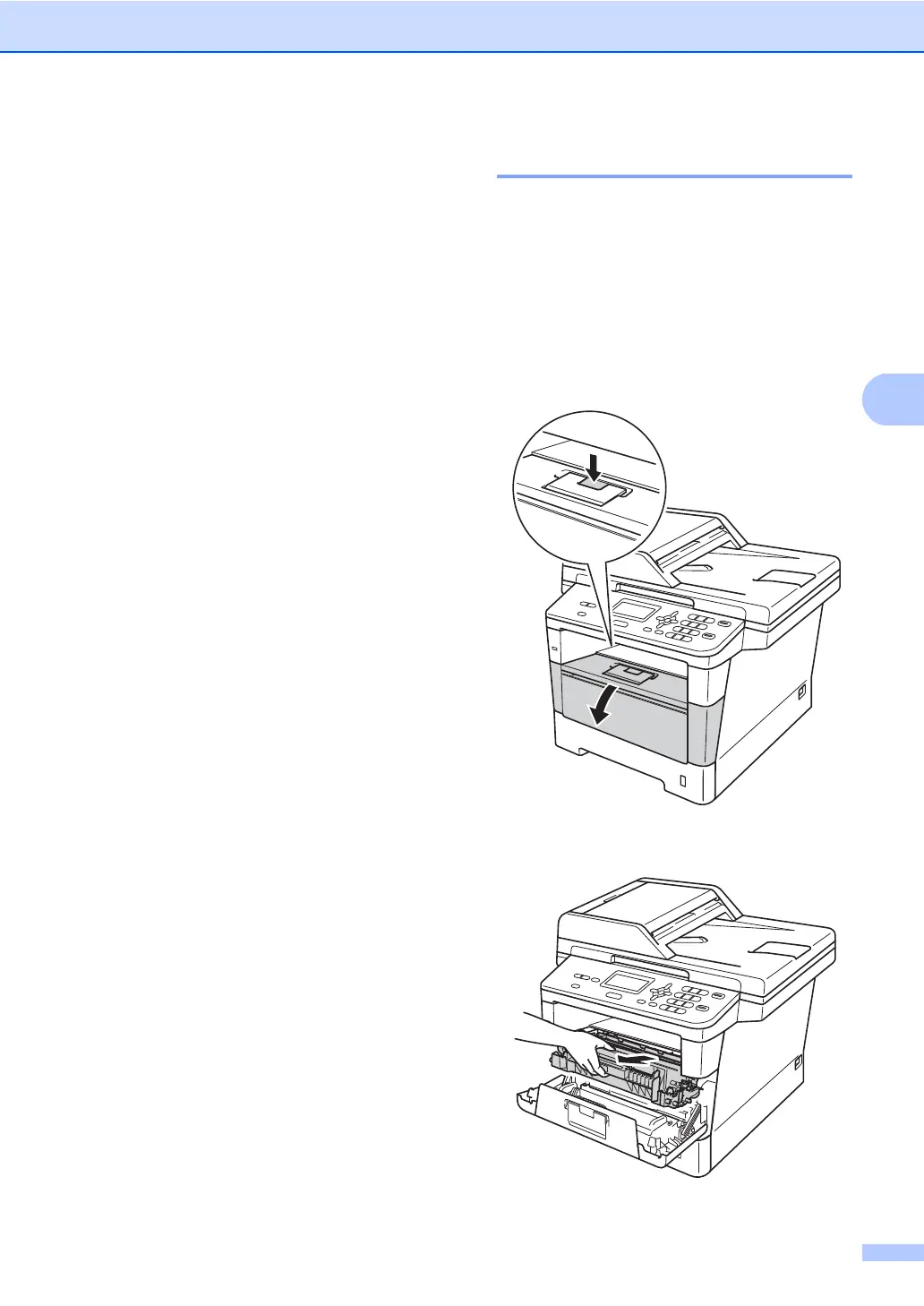
b Press the front cover release button and
then open the front cover.
c Take out the drum unit and toner
cartridge assembly.


 To Next Page
 Loading...