Chapter 7
32
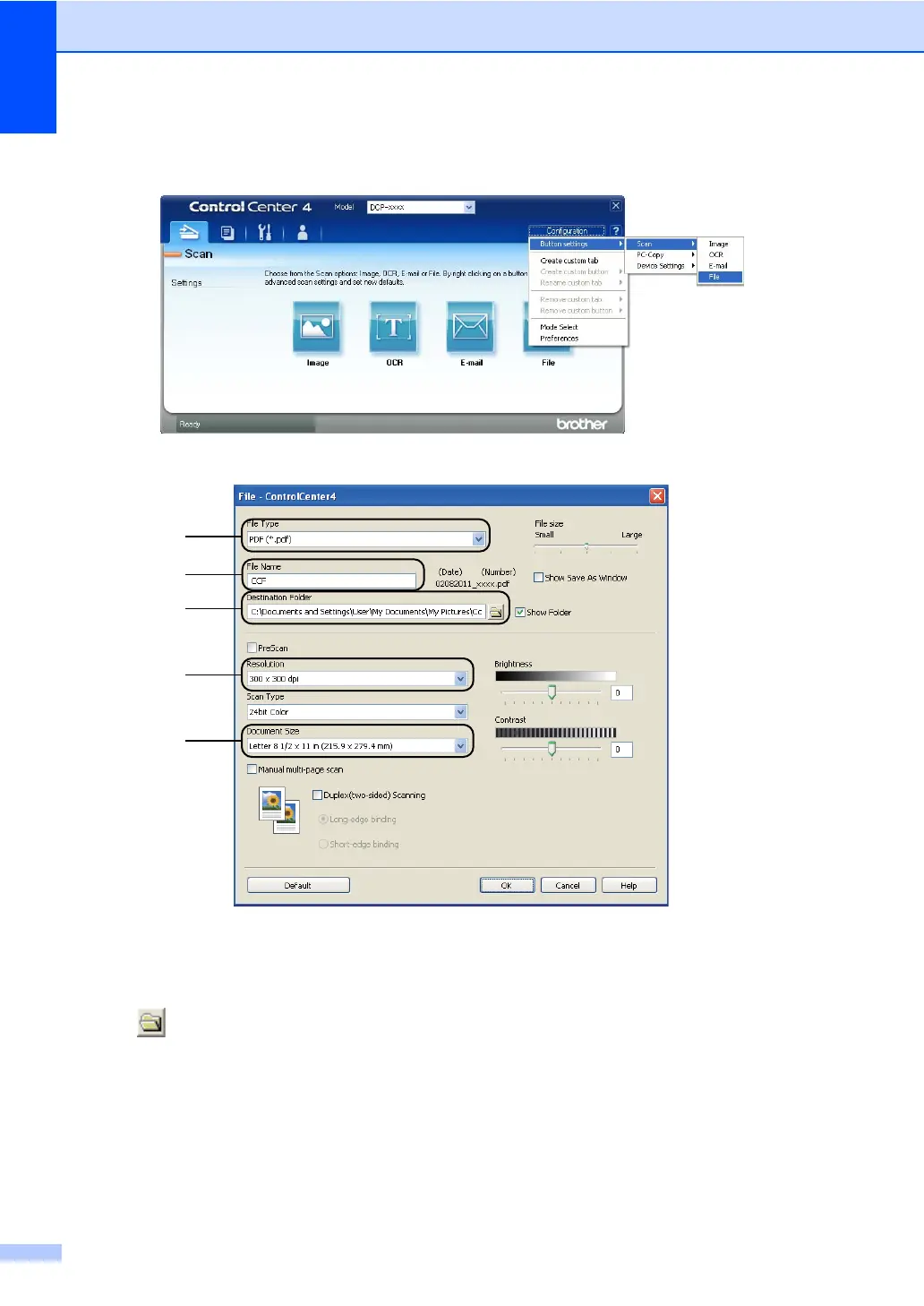
e Set the scanning configuration.
Click Configuration, and then select Button settings, Scan and File.
The configuration dialog box appears. You can change the default settings.
1 Confirm PDF (*.pdf) is selected from the File Type pull-down list.
2 You can enter the file name you want to use for the document.
3 You can save the file to the default folder, or choose your preferred folder by clicking the
(Browse) button.
4 You can choose a scanning resolution from the Resolution pull-down list.
5 You can choose the document size from the Document Size pull-down list.
f Click OK.


 To Next Page
 Loading...