66
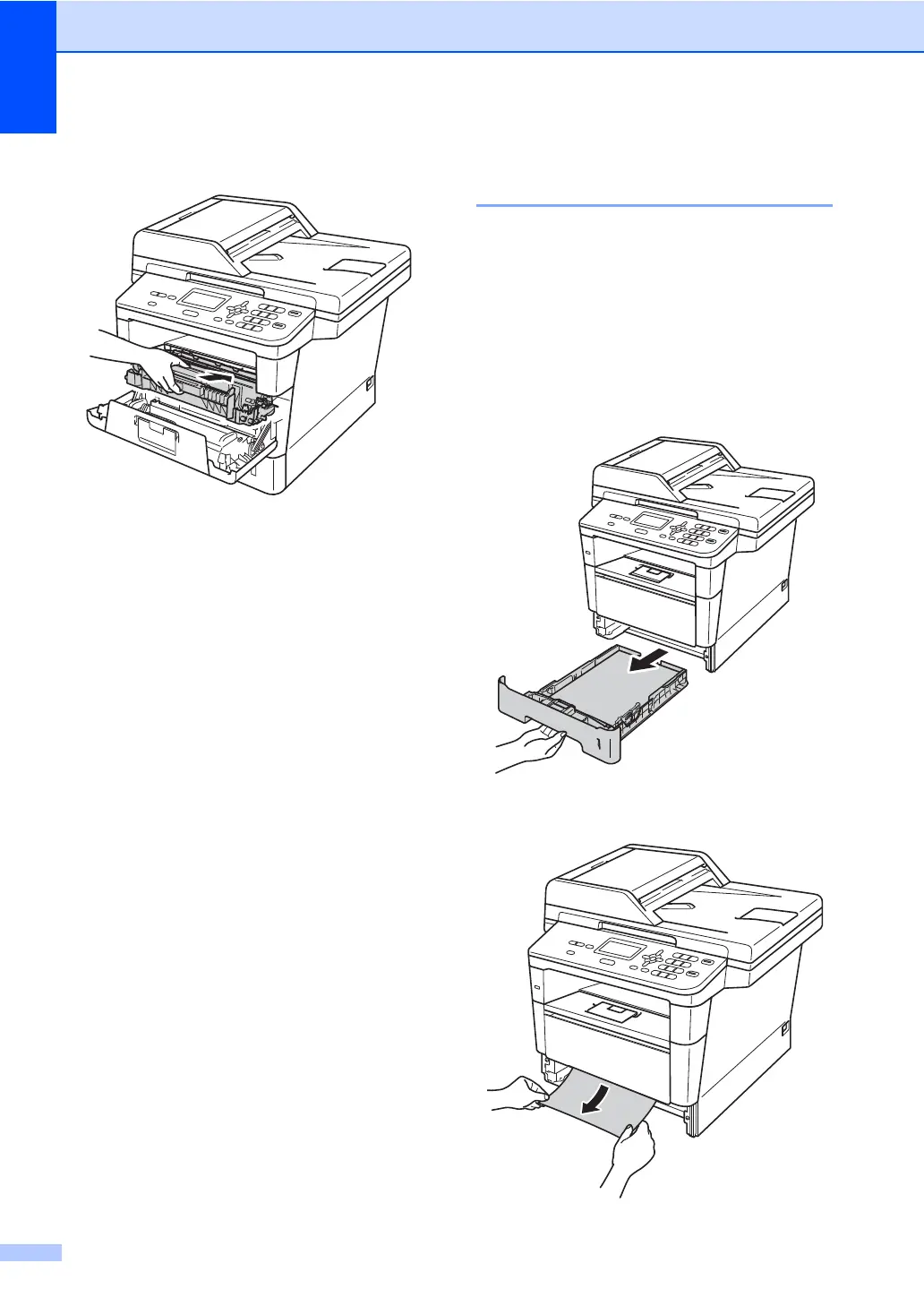
i Put the drum unit and toner cartridge
assembly back into the machine.
j Close the front cover of the machine.
Paper is jammed inside the
machine B
If the LCD shows Jam Inside, follow these
steps:
a Leave the machine turned on for
10 minutes for the internal fan to cool
the extremely hot parts inside the
machine.
b Pull the paper tray completely out of the
machine.
c Use both hands to slowly pull out the
jammed paper.


 To Next Page
 Loading...