Troubleshooting
67
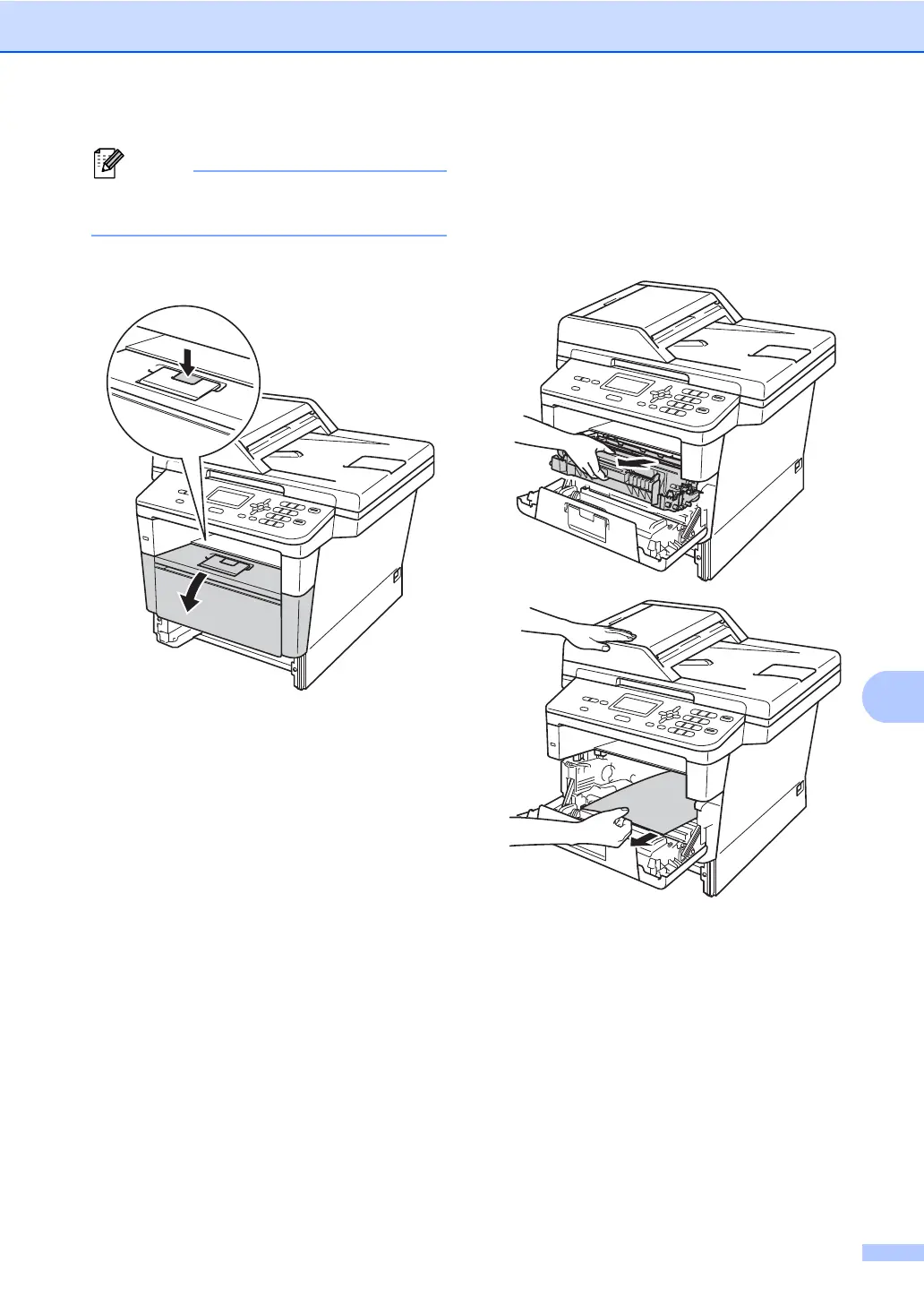
Pulling the jammed paper downward
allows you to remove the paper easier.
d Press the front cover release button and
then open the front cover.
e Slowly take out the drum unit and toner
cartridge assembly. The jammed paper
may be pulled out with the drum unit and
toner cartridge assembly, or this may
release the paper so you can pull it out
from inside of the machine.


 To Next Page
 Loading...