EasyManua.ls Logo

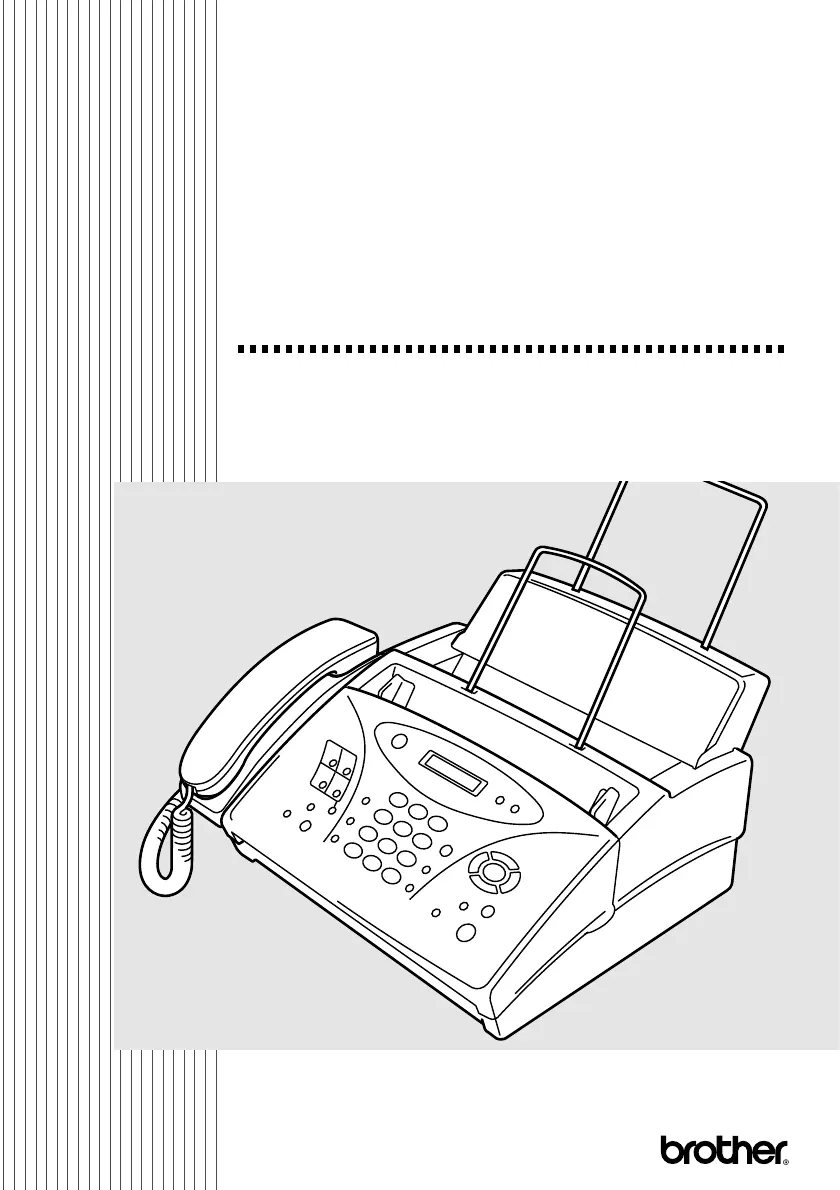
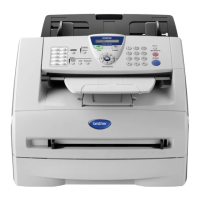
Brother IntelliFAX 885MC - User Manual

Brother IntelliFAX 885MC
108 pages
Print Icon
To Next Page IconTo Next Page
Loading...
FAX-885MC
OWNER’S MANUAL
OWNER’S MANUAL

Table of Contents

Other manuals for Brother IntelliFAX 885MC

Questions and Answers

  • D
    Daniel CarrollAug 19, 2025
    Why is dialing not working on my Brother IntelliFAX 885MC?
    • G
      gwhiteAug 19, 2025
      If dialing does not work on your Brother Fax Machine, check all line cord connections, and make sure the curled handset cord is not in the EXT jack. Check power cord connection. Send a manual fax by pressing Speaker Phone or by lifting the handset and dialing the number. Wait to hear fax receiving tones before pressing Fax Start.
  • D
    Donna JacksonAug 21, 2025
    What to do if my Brother Fax Machine says 'CHECK PAPER RELOAD PAPER'?
    • D
      Donald GalvanAug 21, 2025
      If your Brother Fax Machine displays 'CHECK PAPER RELOAD PAPER', it means the machine is out of paper or the paper is not properly loaded in the paper tray. Refill the paper or remove the paper and load it again. If this error appears while receiving a fax, load paper to restart printing. If you were coping or printing reports, load paper and try again.
  • C
    Christine BlackAug 23, 2025
    What to do if my Brother IntelliFAX 885MC says 'OUT OF MEMORY ERASE MESSAGE'?
    • T
      Tiffany JacksonAug 25, 2025
      If your Brother Fax Machine displays 'OUT OF MEMORY ERASE MESSAGE', it means the memory capacity has been exceeded. Print the faxes stored in memory to delete them and then try again.
  • A
    Amanda LopezAug 26, 2025
    Why does my Brother Fax Machine Transmission Verification Report print 'Result: NG'?
    • V
      Vincent HendersonAug 26, 2025
      If the Transmission Verification Report prints “Result: NG” on your Brother Fax Machine, there is probably temporary noise or static on the phone line. Try sending the fax again. If the problem continues, call the telephone company to check your phone line.
  • B
    Beth CalhounAug 27, 2025
    What does 'COMM.ERROR' mean on my Brother Fax Machine and how to fix it?
    • E
      evansanthonyAug 27, 2025
      If your Brother Fax Machine displays 'COMM.ERROR', a poor quality phone line resulted in a communications error. Try the call again.
  • M
    Mary MunozAug 30, 2025
    How to improve poor transmitting quality on Brother Fax Machine?
    • J
      James RiddleAug 30, 2025
      To solve poor transmitting quality on your Brother Fax Machine, try changing your resolution to FINE or S. FINE. Make a copy to verify the fax machine’s scanner operation.
  • A
    alexandra45Aug 31, 2025
    What to do if my Brother Fax Machine says 'OUT OF MEMORY SEND:PRESS START OUT OF MEMORY QUIT:PRESS STOP'?
    • B
      brendakramerAug 31, 2025
      If your Brother Fax Machine displays 'OUT OF MEMORY SEND:PRESS START OUT OF MEMORY QUIT:PRESS STOP', there is not enough memory available to send your fax. Press Stop/Exit. Print the faxes stored in memory to delete them. Then try again.
  • T
    Travis WilliamsSep 3, 2025
    What to do if my Brother Fax Machine says 'OUT OF MEMORY PRINT:PRESS COPY OUT OF MEMORY QUIT:PRESS STOP'?
    • K
      Kathryn MatthewsSep 3, 2025
      If your Brother Fax Machine displays 'OUT OF MEMORY PRINT:PRESS COPY OUT OF MEMORY QUIT:PRESS STOP', there is not enough memory available to perform your copy operation. Press Stop/Exit. Print the faxes stored in memory to delete them. Then try again.
  • M
    Mrs. Lisa ThompsonSep 5, 2025
    How to fix 'CHECK CARTRIDGE RESET OR REPLACE' error on Brother IntelliFAX 885MC?
    • J
      Johnny StephensSep 5, 2025
      If your Brother Fax Machine displays 'CHECK CARTRIDGE RESET OR REPLACE', the machine is out of ribbon or the print cartridge is not properly installed. Install the print cartridge again.
  • M
    Molly KimSep 7, 2025
    How to remove vertical black lines when sending faxes from Brother IntelliFAX 885MC Fax Machine?
    • B
      Becky GonzalezSep 7, 2025
      If you see vertical black lines when sending faxes from your Brother Fax Machine, use your fax machine to make a copy. If the copy shows the same problem, the scanner area is dirty. Lift the top cover and check the original path. Clean the scanner’s white tape and the glass strip under the tape using isopropyl alcohol and a lint-free cloth.

Summary

Brother Numbers

Brother fax-back system

Access technical questions and product info via fax-back system. Available 24/7.

Frequently Asked Questions (FAQs)

Find product info, FAQs, and specs on the Brother website.

For Customer Service

Contact Brother for technical and operational assistance.

Dealers;Service Centers (For USA Only)

Locate authorized Brother dealers or service centers.

Service Centers (For Canada Only)

Find service center addresses in Canada.

Ordering Accessories and Supplies

Notice - Disclaimer of Warranties (For USA and Canada)

Compilation and Publication Notice

Manual compiled under Brother Industries, Ltd. Specifications subject to change.

Trademarks

Lists registered trademarks of Brother and other companies.

BROTHER ONE YEAR LIMITED WARRANTY and EXCHANGE SERVICE (For USA Only)

What is covered:

Details warranty coverage for defects in materials and workmanship.

What is NOT covered:

Lists conditions that void the warranty, like unauthorized service or abuse.

What to do if you think your Product is defective:

Instructions for reporting defects and initiating service.

What Brother will do:

Explains repair or replacement process under warranty.

Exchange Service:

Details the process for product exchange under warranty terms.

Limitations:

BROTHER MULTIFUNCTION CENTER;FACSIMILE MACHINE LIMITED WARRANTY (For Canada Only)

1 Introduction

Using This Manual

Guidance on how to find information within the owner's manual.

Finding Information

Tips on navigating the manual using headings, index, and symbols.

Conventions Used in this Manual

Explanation of symbols, boldface, and italics used in the manual.

FAX-885 MC Control Panel Overview

About Fax Machines

Custom Features

Overview of features like Voice Mail interaction and Distinctive Ring.

Fax Tones and Handshake

Explanation of the audible signals during fax transmission.

ECM (Error Correction Mode)

Test Sheet Procedure and Product Registration (For USA Only)

Steps for verifying installation and registering the product.

2 Location and Connections

Caution

Important safety precautions related to installation and electrical safety.

Choosing a Location

Guidelines for selecting an optimal and safe placement for the fax machine.

Packing List

List of items included in the fax machine package.

Assembly

Load the Paper

Procedure for loading paper into the paper cassette.

Acceptable Paper

Specifications for paper size, weight, and thickness.

Connections

Special Line Considerations

Information on roll-over lines, two-line systems, and wall outlets.

6 Setup Send

Automatic Document Feeder (ADF)

Instructions for using the ADF for sending documents.

Manual Transmission

Steps for sending a fax manually.

Quick Scan Fax Transmission

Scanning documents into memory for faster transmission.

Basic Sending Operations

Contrast

Setting contrast for light or dark originals.

Resolution

Selecting resolution for optimal fax quality.

Advanced Sending Operations

Overseas Mode

Optimizing fax transmission for international calls.

Delayed FAX

Scheduling faxes to be sent at a later time.

Setting Up for Polled Transmit

Canceling a Scheduled Job

How to cancel delayed or polled fax jobs.

Interrupting Delayed Fax and Polled Transmit Jobs

Sending faxes or making copies immediately.

Features That Are Not in the Manual (Call Brother fax-back system)

7 Auto Dial Numbers and Dialing Options

Storing Numbers for Easy Dialing

Overview of One Touch, Speed Dial, and Groups.

Storing One Touch Dial Numbers

Procedure for storing numbers for one-key dialing.

Storing Speed Dial Numbers

Procedure for storing numbers for two-digit dialing.

Dialing Options

Manual Dialing

Steps for dialing numbers manually.

One Touch Dialing

Using stored numbers for quick dialing.

Speed Dialing

Using stored numbers for quick dialing.

Search

Redial

Using redial for the last dialed number.

Answering Calls with the Speaker Phone

Using the speakerphone for calls.

Broadcasting

Sending faxes to multiple locations simultaneously.

Pause

Hold

Putting calls on hold.

Tone;Pulse (For Canada Only)

Switching dialing mode for specific services.

8 Telephone Services

Custom Features

Overview of supported services like Caller ID and Call Waiting.

Distinctive Ring

Using Distinctive Ring service to identify call types.

What Does Your Telephone Company’s “Distinctive Ring” Do?

Explanation of telephone company's Distinctive Ring service.

Do You Have Voice Mail?

Before You Choose the Ring Pattern to Register

Guidance on selecting and registering ring patterns.

VERY IMPORTANT

Registering the Distinctive Ring Pattern

Steps to register a specific ring pattern.

Caller ID

Using the Caller ID service to view caller information.

Caller ID Log

Managing and viewing the history of received Caller IDs.

Printing the Caller ID Log

Viewing the Caller ID Log

How to scroll through and view Caller ID entries.

Returning a Call from the Log

Making calls directly from the Caller ID log.

Registering a Caller ID Number

Call Waiting Caller ID

CallManage (For USA Only)

Information on the CallManage service for low-cost calls.

Registration with CallManage Requires Change Your Carrier Selection

Customer Support

Disclaimer

Terms and conditions for using CallManage.

9 Message Center

Message Center Mode

Overview of storing fax and voice messages.

Flexible Memory Settings (Message Storage)

Configuring how memory is used for faxes and voice.

Setting Up the Message Center

Setting Message Storage

Selecting storage options for fax and voice messages.

Recording Message Center Outgoing Message

Recording the outgoing announcement for the Message Center.

Activating Message Center Mode

Listening to Outgoing Message (OGM)

How to play back recorded outgoing messages.

Erasing Outgoing Message (OGM)

How to delete recorded outgoing messages.

Message Indicator

Playing Voice Messages

Steps to listen to recorded voice messages.

Printing a Fax Message

How to print stored fax messages.

Backup Printing Option

Erasing Messages

Methods for erasing voice and fax messages.

To Erase Voice Messages Individually

Deleting single voice messages.

To Erase Messages All at Once

Deleting all voice or fax messages.

Setting Maximum Time for Incoming Messages

Setting Toll Saver

Feature to reduce toll charges on incoming calls.

ICM Recording Monitor

Controlling speaker volume for incoming voice messages.

Recording a Conversation

Fax Forwarding;Paging

Setting up automatic fax forwarding or paging.

Programming a Fax Forwarding Number

Entering the number for fax forwarding.

Programming Paging Number

Remote Retrieval

Using Remote Access Code

Steps to access remote features with a code.

Changing Remote Retrieval Access Code

Modifying the remote access code.

Remote Commands

Retrieving Memory Status List

Retrieving Fax Messages

Changing Fax Forwarding Number

Modifying the remote fax forwarding number.

10 Making Copies

Copy Operations

Basic instructions for making copies.

Using the Fax Machine as a Copier

Overview of the fax machine's copying capabilities.

Making a Single Copy

Steps to make one copy.

Multiple Copies

Reducing and Enlarging Copies

Adjusting copy size, reduction, or enlargement.

11 Printing Reports

FAX Settings and Activity

Initial setup for transmission and activity reports.

Customizing the Transmission Verification Report

Enabling reports for fax transmission success.

Setting the Fax Activity Report Interval

Using the Reports Key

Accessing various reports via the Reports key.

12 Important Information

Standard Telephone and FCC Notices

Notices regarding telephone line connections and FCC compliance.

Important Safety Instructions

General safety guidelines for using the product.

13 Troubleshooting and Routine Maintenance

Troubleshooting

Guidance for resolving common issues.

Error Messages

Explanation of error messages and their causes/actions.

Clearing Jams

Steps to resolve paper jams.

Replacing the Print Cartridge

If You Are Having Difficulty with Your Fax Machine

General tips for diagnosing machine problems.

Printing or Receiving Faxes

Troubleshooting print quality issues.

Phone Line or Connections

Sending Faxes

Troubleshooting fax transmission quality and dialing.

Poor Transmitting Quality

Tips for improving fax transmission quality.

Dialing Does Not Work

Troubleshooting dialing issues.

Vertical Black Lines When Sending

Handling Incoming Calls

Troubleshooting issues with incoming calls and custom features.

Double-Ring in FAX;TEL Mode

Resolving double-ring issues.

Fax Machine “Hears” Voice as CNG Tone

Troubleshooting false fax tone detection.

Routine Maintenance

Cleaning the Scanner

Instructions for cleaning the scanner glass and strip.

Cleaning the Print Head

Instructions for cleaning the print head.

Packing and Shipping the Fax Machine

14 Specifications

Brother IntelliFAX 885MC Specifications

General IconGeneral
TypePlain Paper Fax
Modem Speed14.4 Kbps
Paper Capacity250 sheets
CompatibilityWindows, Mac
Transmission Speed6 seconds per page
Automatic Document Feeder (ADF)Yes
ConnectivityParallel

Related product manuals