EasyManua.ls Logo

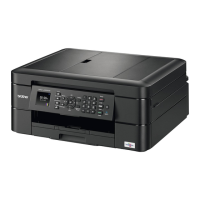
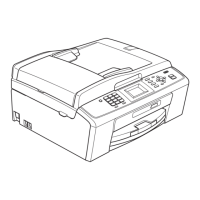
Brother MFC-J410 - User Manual

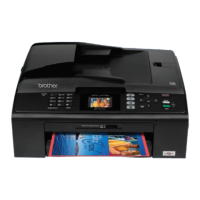
Brother MFC-J410
146 pages
Print Icon
To Next Page IconTo Next Page
Loading...
®
Users Guide
Users Guide
PANTONE2728
Advanced User’s Guide
Safety and Legal
Basic User’s Guide

Table of Contents

Other manuals for Brother MFC-J410

Questions and Answers

  • D
    Devin SparksAug 18, 2025
    What to do if my Brother Printer cannot print and asks to replace ink?
    • M
      Michael DelacruzAug 18, 2025
      If your Brother Printer cannot print and prompts you to replace the ink, it likely means one or more of the ink cartridges have reached the end of their life. The solution is to replace the ink cartridges.
  • N
    Nathan JohnsonAug 20, 2025
    Why does my Brother Printer print B&W only and ask to replace ink?
    • L
      Lauren HallAug 20, 2025
      If your Brother Printer only prints in black and white and indicates that you need to replace the ink, it means one or more of the color ink cartridges have reached the end of their life. You should replace the ink cartridges.
  • J
    Jamie BarnettAug 22, 2025
    What to do if my Brother Printer cannot detect the ink cartridge?
    • B
      brittanymartinAug 22, 2025
      If your Brother Printer displays a 'Cannot Detect' error, it could be due to several reasons: * You installed a new ink cartridge too quickly. To solve this, take out the new ink cartridge and re-install it slowly until it clicks. * You are using non-Brother Original ink. Replace the cartridge with a Brother Original ink cartridge. If the error message remains, contact your Brother dealer. * An ink cartridge is not installed correctly. Take out the new ink cartridge and re-install it slowly until it clicks.
  • C
    Carlos ScottAug 26, 2025
    Why does my Brother MFC-J410 say 'Cannot Print Replace Ink'?
    • A
      aguilarjohnAug 26, 2025
      If your Brother All in One Printer displays 'Cannot Print Replace Ink', it means one or more ink cartridges have reached the end of their life. The solution is to replace the ink cartridges.
  • C
    Carol SmithAug 28, 2025
    Why does my Brother MFC-J410 All in One Printer only print in black and white and says 'Replace Ink'?
    • T
      Tabitha HaleAug 28, 2025
      If your Brother All in One Printer shows 'B&W Print Only Replace Ink', it indicates that one or more of the colour ink cartridges have reached the end of their life. You should replace the ink cartridges.
  • S
    Susan MahoneyAug 30, 2025
    What to do if my Brother MFC-J410 says 'Cannot Print Replace Ink'?
    • R
      Rose ValenzuelaAug 30, 2025
      If your Brother All in One Printer displays a 'Cannot Print Replace Ink' message, it means one or more ink cartridges have reached the end of its life. The solution is to replace the indicated ink cartridges.
  • C
    Courtney GibsonSep 2, 2025
    How to fix Brother All in One Printer when it prints B&W only and says 'Replace Ink'?
    • S
      Scott FrenchSep 2, 2025
      If your Brother All in One Printer only prints in black and white and prompts you to replace the ink, it indicates that one or more of the color ink cartridges have reached the end of their life. You should replace the ink cartridges.
  • F
    fosterjessicaSep 4, 2025
    Why does my Brother Printer show a Comm.Error?
    • A
      Amy WeaverSep 4, 2025
      A 'Comm.Error' on your Brother Printer indicates a communication error, likely caused by poor telephone line quality. If the problem persists, contact your telephone company to check your telephone line.
  • W
    williamsbenjaminSep 6, 2025
    What to do if my Brother MFC-J410 cannot detect the ink cartridge?
    • S
      Sherri Adkins DDSSep 7, 2025
      If your Brother All in One Printer cannot detect a new ink cartridge, it might be due to several reasons: * You installed the cartridge too quickly. Remove it and reinstall slowly until it clicks. * You are using a non-Brother Original ink cartridge. Replace it with a Brother Original ink cartridge. If the error persists, contact your Brother dealer. * The ink cartridge is not installed correctly. Take it out and reinstall it slowly until it clicks.
  • S
    Sherry GraySep 9, 2025
    What does 'Comm.Error' mean on my Brother MFC-J410?
    • S
      stevenkerrSep 9, 2025
      If your Brother All in One Printer displays a 'Comm.Error', it means poor telephone line quality caused a communication error. If this problem continues, contact your telephone company and request them to check your telephone line.

Brother MFC-J410 Specifications

General IconGeneral
Print technologyInkjet
Maximum resolution1200 x 6000 DPI
Print speed (black, normal quality, A4/US Letter)33 ppm
Print speed (color, normal quality, A4/US Letter)27 ppm
Grayscale levels256
Image formats supportedBMP, JPG, PNG, TIF
Copier resize- %
PC free copyingYes
Maximum copy resolution1200 x 1200 DPI
Copy speed (black, normal quality, A4)23 cpm
Copy speed (color, normal quality, A4)20 cpm
FaxingColor faxing
Fax memory170 pages
Modem speed14.4 Kbit/s
Total input capacity100 sheets
Total output capacity50 sheets
Total number of input trays1
Card reader integratedNo
Sound pressure level (printing)50 dB
DisplayLCD
Display diagonal1.9 \
Market positioningHome & office
Maximum print size216 x 297 mm
Paper tray media typesEnvelopes, Glossy paper, Photo paper, Plain paper, Transparencies
ISO A-series sizes (A0...A9)A4, A5, A6
Maximum ISO A-series paper sizeA4
Dimensions (WxDxH)390 x 375 x 180 mm
All-in-one functionsCopy, Fax, Scan
Color all-in-one functionscopy, fax, print
Compatible operating systemsWindows 2000/XP/Vista/7 Mac OS
USB 2.0 ports quantityUSB 2.0 ports have a data transmission speed of 480 Mbps, and are backwards compatible with USB 1.1 ports. You can connect all kinds of peripheral devices to them.
Power consumption (standby)0.65 W
Power consumption (average operating)19.5 W
Package weight10900 g

Videos

How to do a Test Print from a Brother MFC-J410 Printer

Related product manuals