Security features
99
11
How to install the self-signed certificate on your computer 11
Note
The following steps are for Microsoft
®
Internet Explorer
®
. If you use another web browser, follow the help
text of the web browser itself.
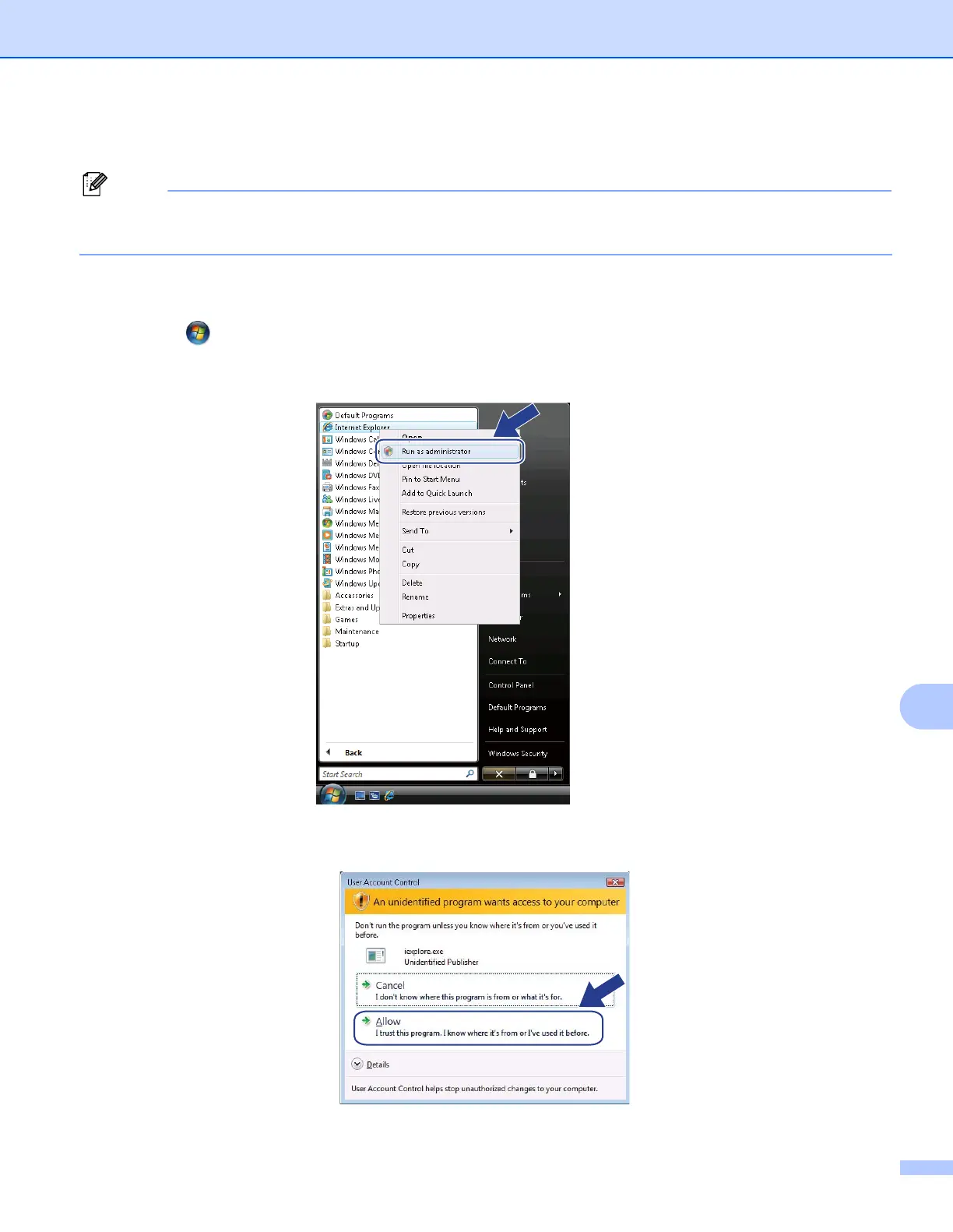
For Windows Vista
®
users that have administrator rights 11
a Click the button and All Programs.
b Right-click Internet Explorer, and then click Run as administrator.
c Click Allow.










 To Next Page