INTRODUCTION
8
Safety Precautions .........................................................................................................9
General Precautions ....................................................................................................16
Symbols Used in this Guide .........................................................................................17
How to use the P-touch labeler ....................................................................................18
GETTING STARTED............................................................................. 20
Unpacking Your P-touch labeler ..................................................................................20
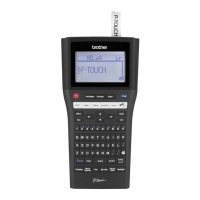
General Description .....................................................................................................21
LCD Display & Keyboard .............................................................................................22
LCD Display ...........................................................................................................22
Key Names and Functions.....................................................................................23
Power Supply ...............................................................................................................25
Battery ...................................................................................................................25
AC Adapter ............................................................................................................26
Using the Rechargeable Li-ion Battery ..................................................................26
Inserting a Tape Cassette ............................................................................................29
Turning Power On/Off ..................................................................................................30
Auto Power-Off Time .............................................................................................30
Feeding Tape ...............................................................................................................31
Feed & Cut.............................................................................................................31
Feed Only ..............................................................................................................32
LCD Display .................................................................................................................32
LCD Contrast .........................................................................................................32
Back Light ..............................................................................................................32
Setting Language and Unit...........................................................................................33
Language ...............................................................................................................33
Unit ........................................................................................................................33
Using P-touch Software ...............................................................................................33
Features.................................................................................................................34
System Requirements ...........................................................................................34
Installing the Software and Printer Driver ..............................................................34
Uninstalling the Printer Driver ................................................................................37
Uninstalling the Software .......................................................................................39
Contents


 To Next Page
 Loading...










